Sponsored

Racecapture track

A-ARON

Member
First Name
Aaron
Joined
Nov 28, 2025
Threads
3
Messages
14
Reaction score
1
Location
BLACKSBURG VA
Car(s)
2026 Supra
For those of you that installed a racecapture track I have a few questions.

Where did you decide to mount the racecapture track device?

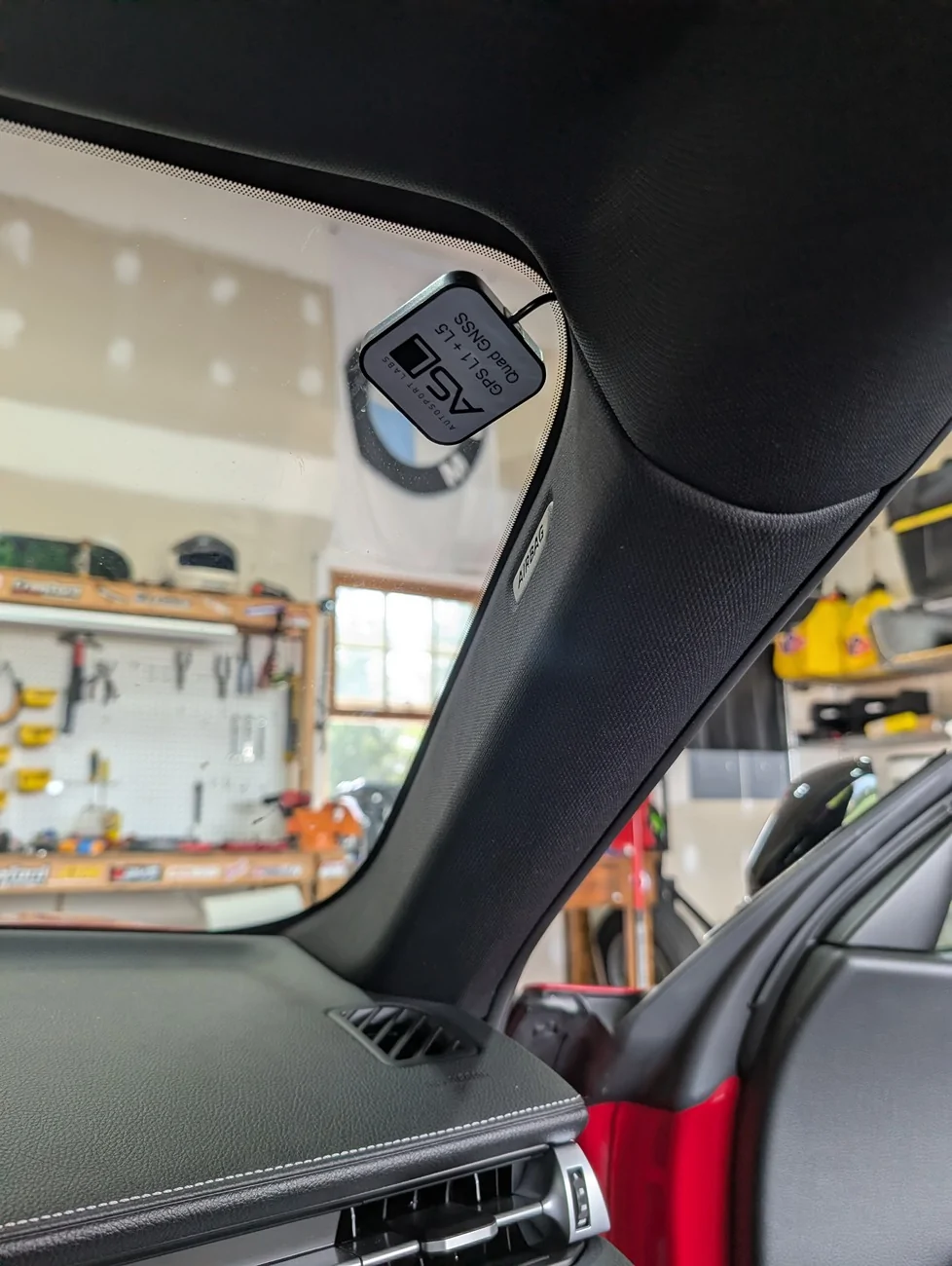
Where did you place the GPS antenna?

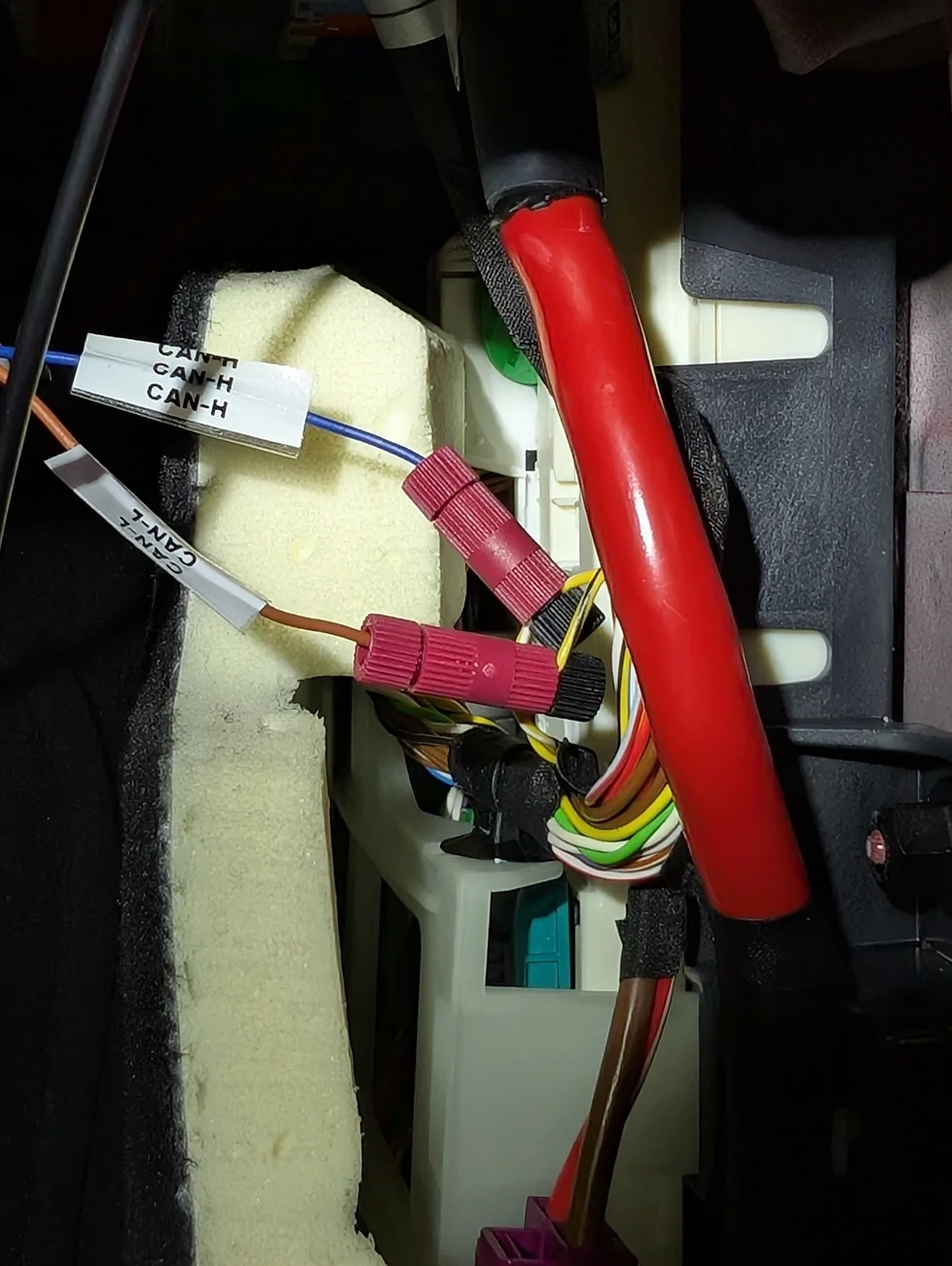
If using a splitter to run DCAN + PT-CAN to Can1/Can2 are there any gotchas or caveats I should be aware for the actual software setup?

Going to start working on it this weekend
Sponsored

 
OP
OP
A-ARON

A-ARON

Member
First Name
Aaron
Joined
Nov 28, 2025
Threads
3
Messages
14
Reaction score
1
Location
BLACKSBURG VA
Car(s)
2026 Supra
Starting on this project today 😄 the remaining parts should hopefully be here this afternoon, and I'll post up everything once I'm done to hopefully help others. Should be relatively straightforward aside from maybe software setup but I'll cross that road when I get there 😜.

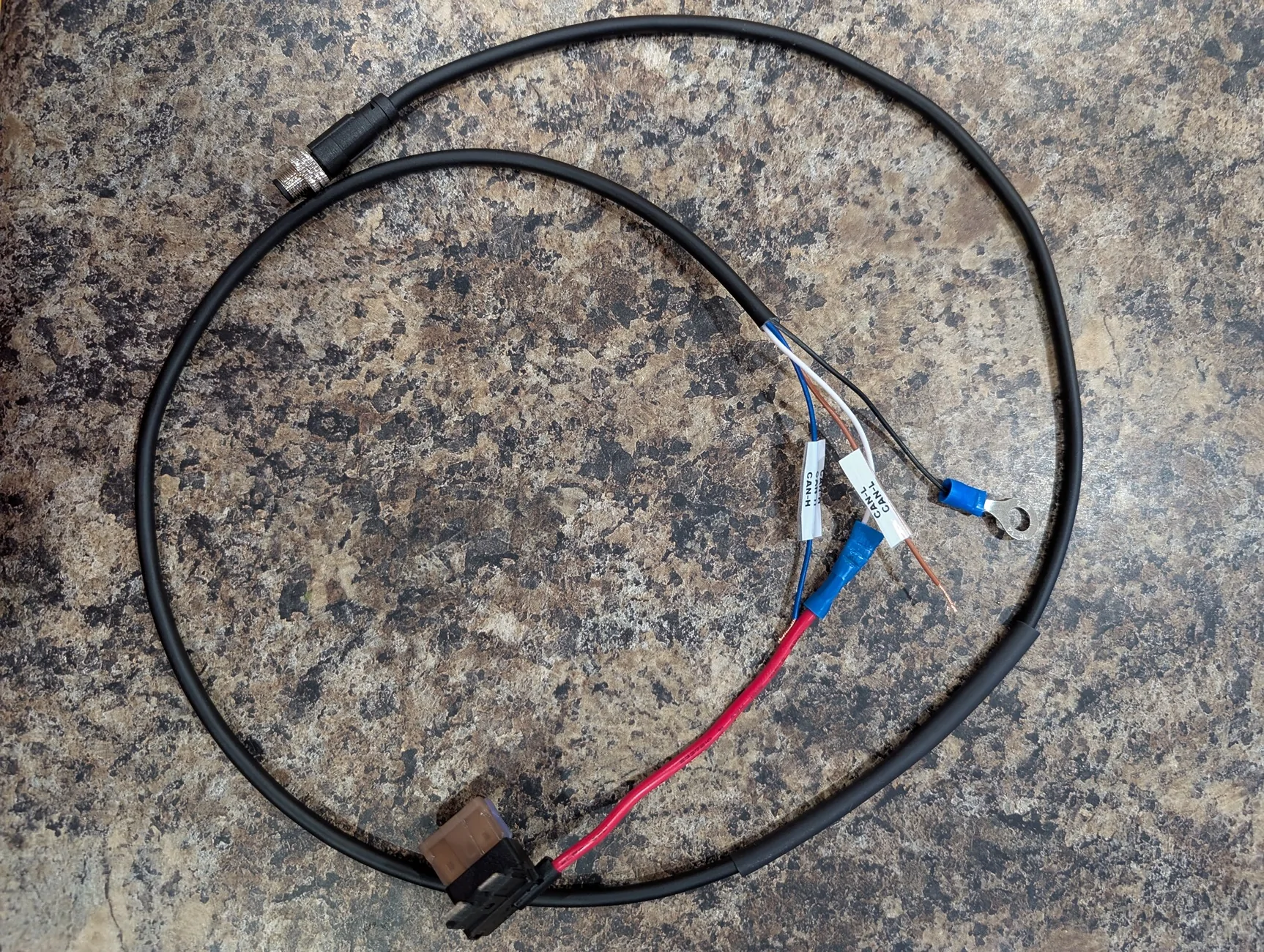
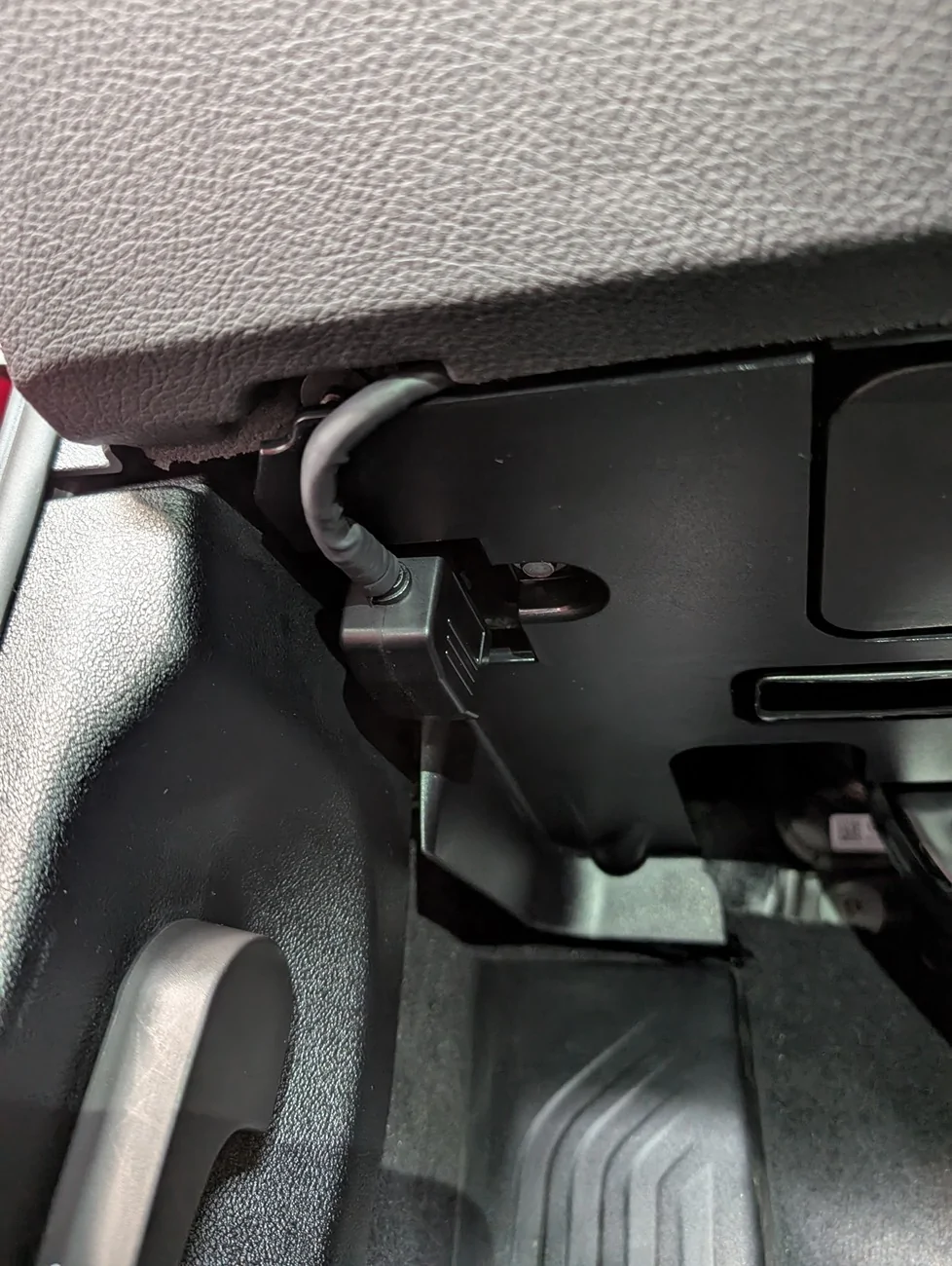
I did decide to cut the power wire on the OBD2 (CAN1) side because that guy is not switched; we'll get power from the PT-CAN (CAN2) side. I also found another dude's website for tapping into both networks https://thesecretingredient.neocities.org/racecapture/#three which is super helpful. I decided to just use the OBD2 adapter cable that came with racecapture but modified it. And another thread on here for radar detectors was helpful. Anyways, I'll do a write up once I'm done 🤘🏼
 
OP
OP
A-ARON

A-ARON

Member
First Name
Aaron
Joined
Nov 28, 2025
Threads
3
Messages
14
Reaction score
1
Location
BLACKSBURG VA
Car(s)
2026 Supra
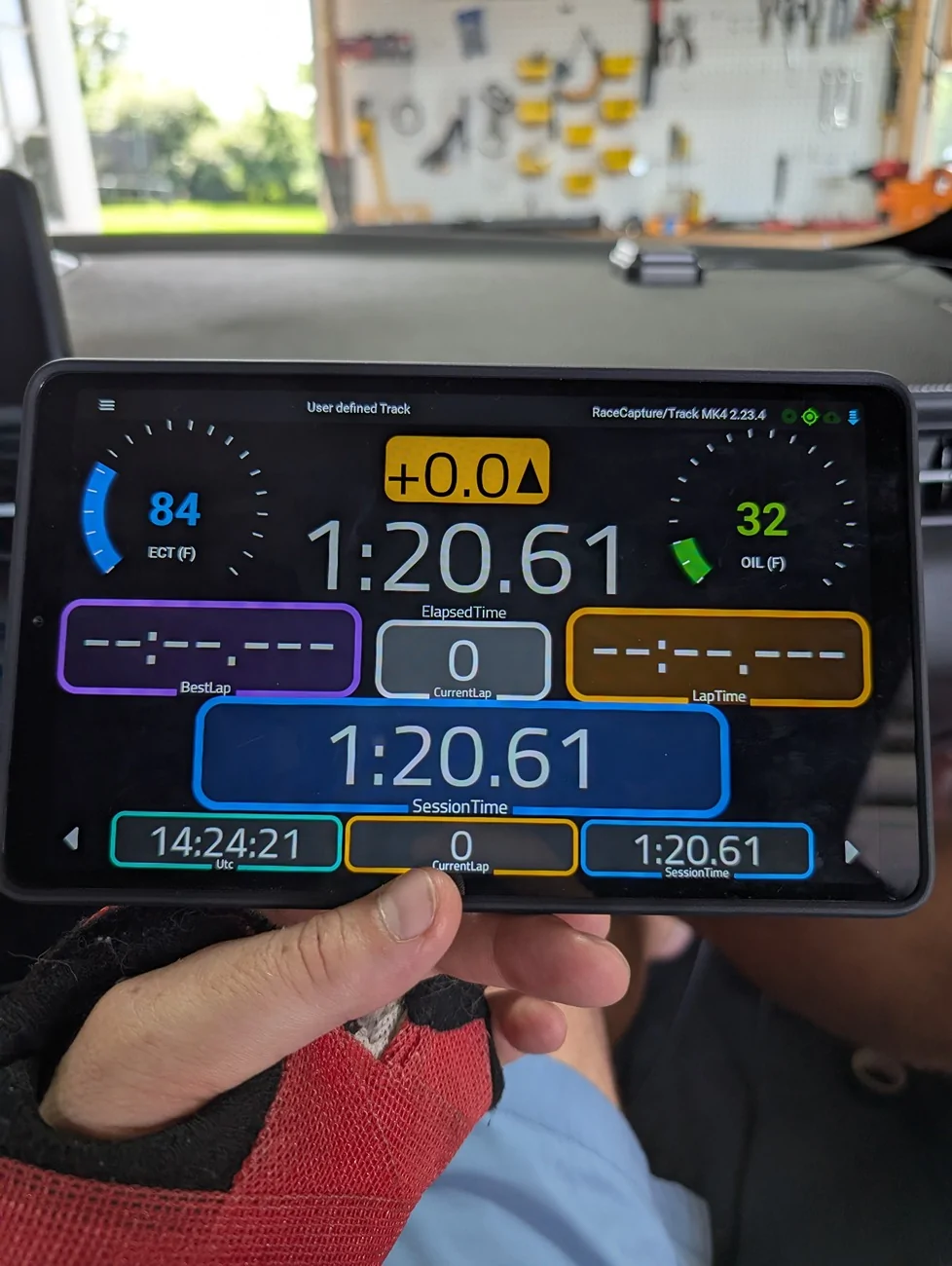
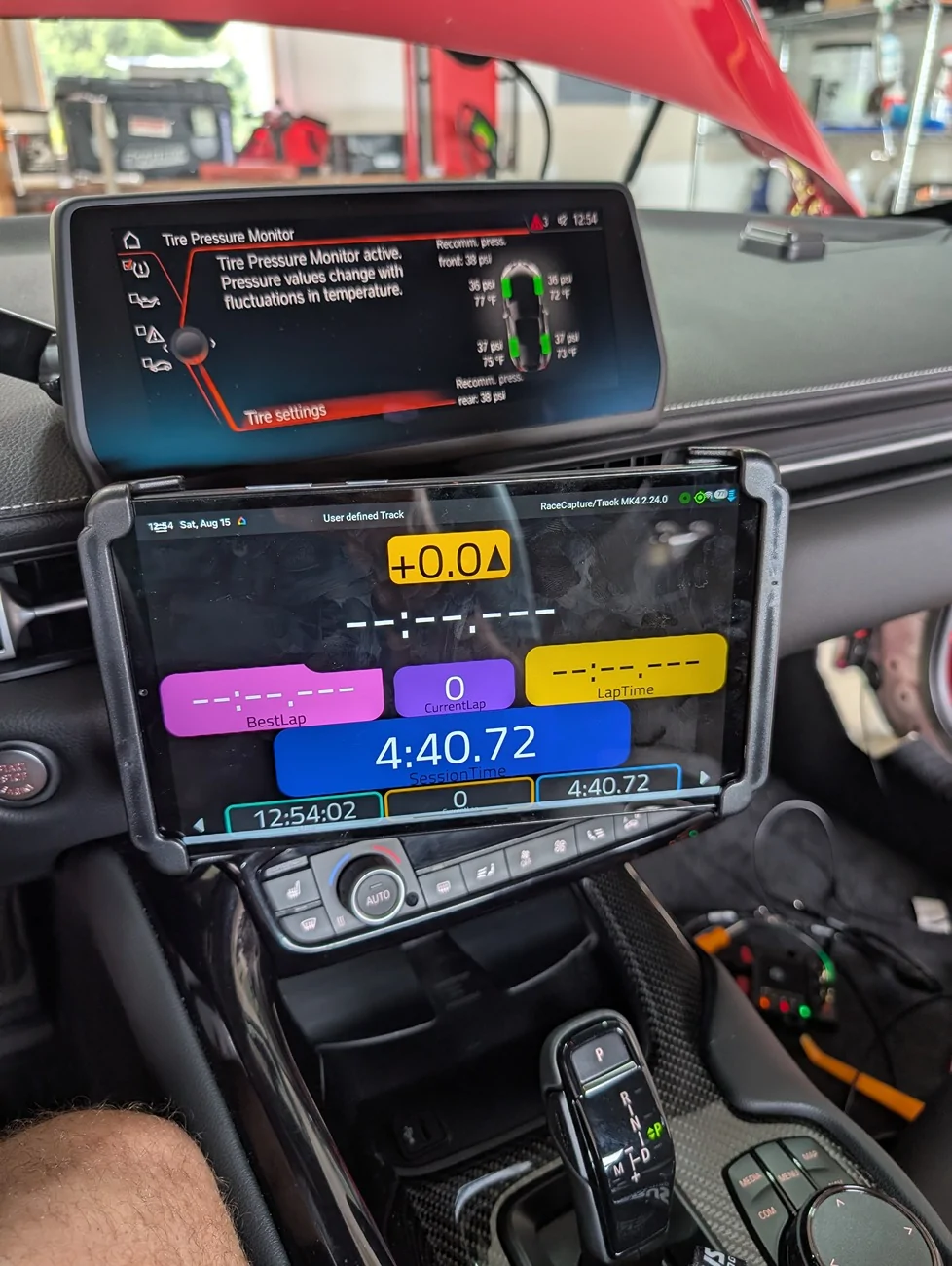
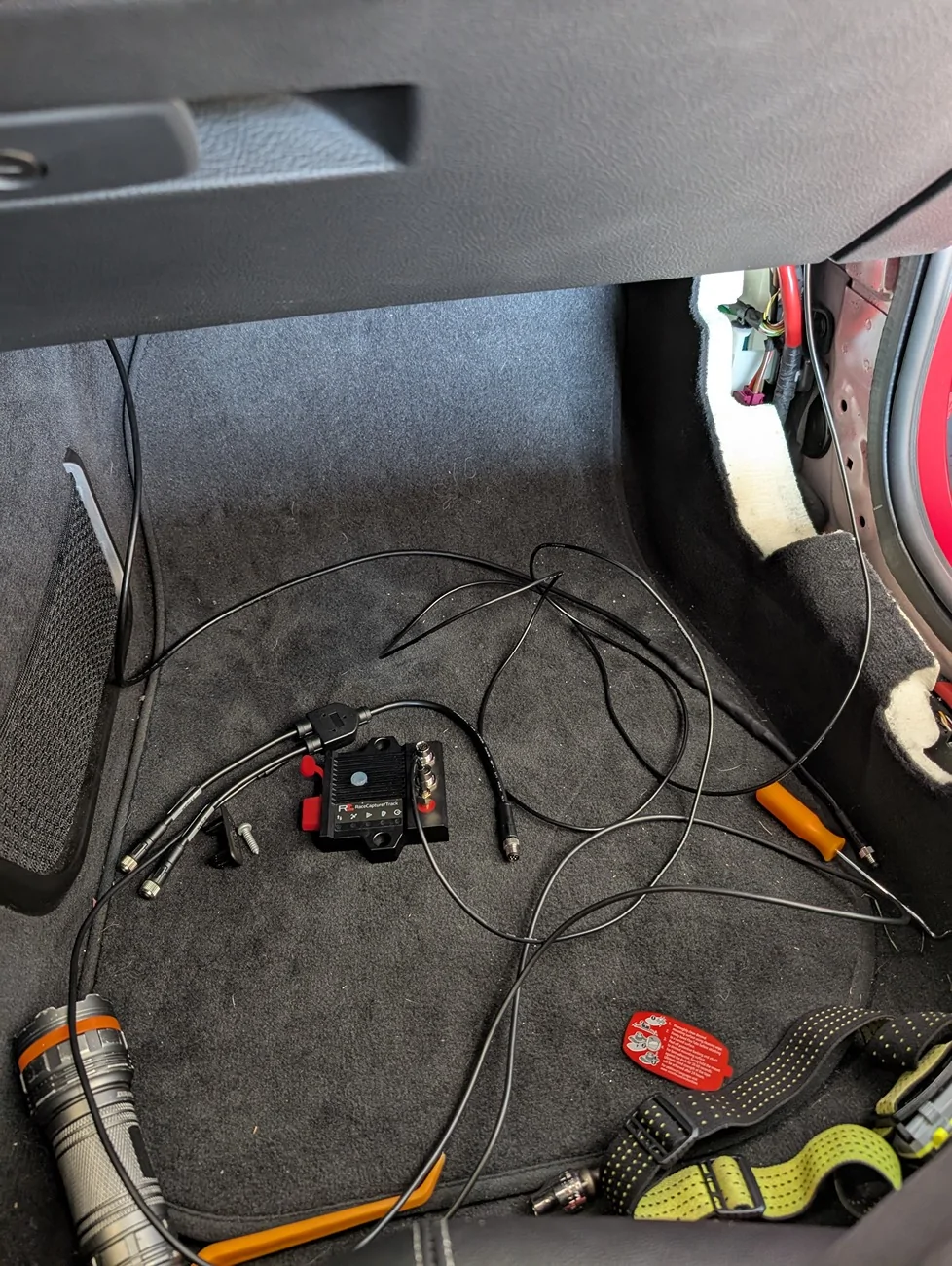
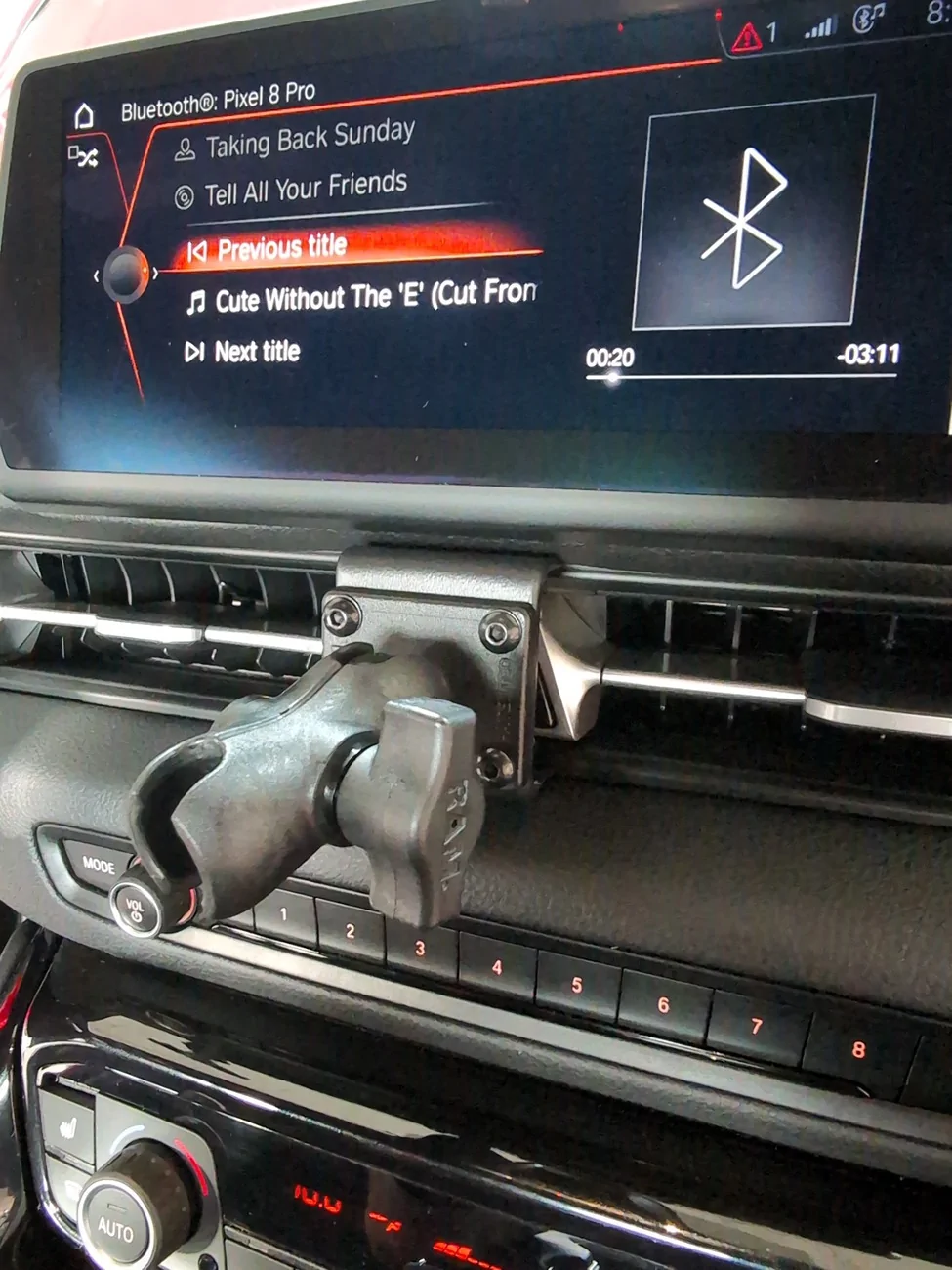
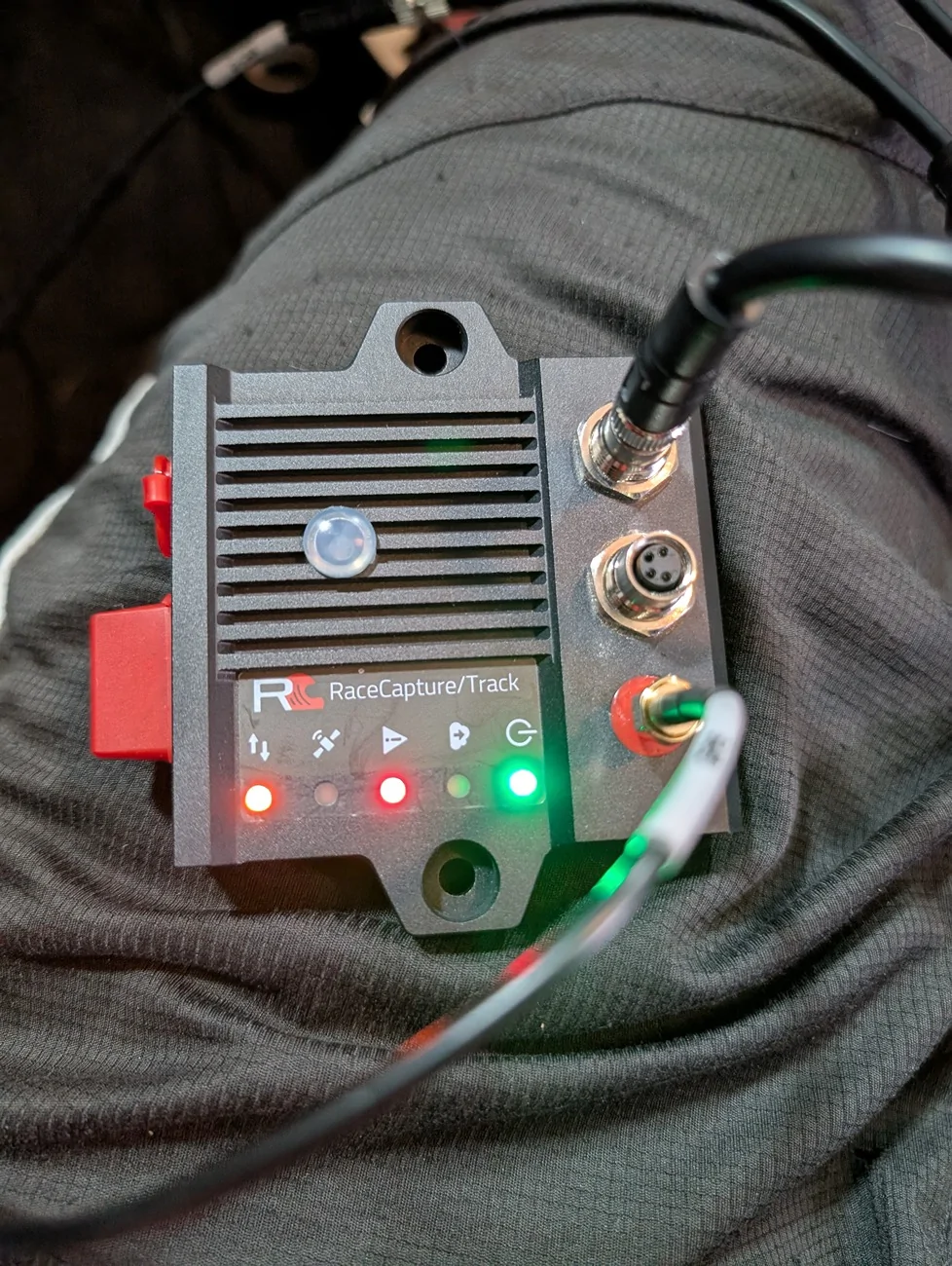
I got most of this set up working as it should. I purchased the race capture Mk4 from autosports lab along with a can pigtail and can splitter. I ordered the wrong pigtail so I bought another one with the mail connector off Amazon and just looked at pinout diagrams to match up the colors. A used a pro clip and a ram mount and a Samsung a11 tablet. The only thing that doesn't seem to be working is certain OBD2 values like the two different intake air temperature sensors. If anyone has any insight on that that would be super helpful?!...

I found this spreadsheet on this site from razorlab which was helpful but like I said I can't get certain OBD2 values to work for some reason.

Like I mentioned before, I cut the power wire in the OBD2 cable that came with the race capture device because it's not switched and it would drain your battery if you left it plugged up all the time.

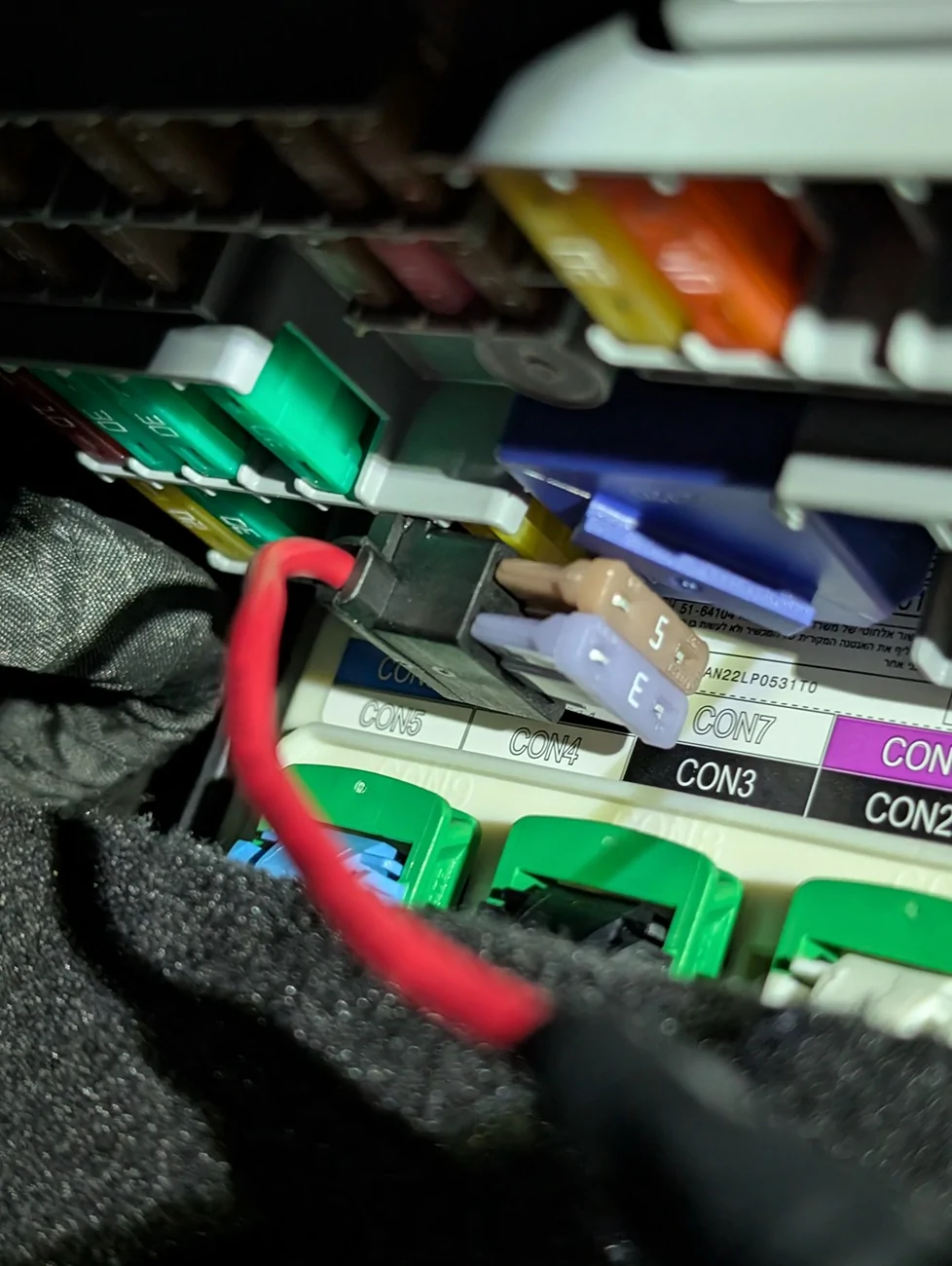
That other website I mentioned above from another member here references all sorts of useful information but specifically where to tap can high and can low for the PT-CAN connection for power train data. I used an add a circuit fuse tap and the empty fuse slot F47 to provide power over the cable that taps PT-CAN and grounded it nearby.

I put the device in the passenger side cargo net for now which changes the g sensor axis orientation but you can adjust for that in software.

You can import the canbus mappings directly from the RC app that someone created I believe the same guy that did the secret ingredients website. Just make sure to login with an account you set up on podium. If anyone wants assistance with this just holler.

I'll be at Summit Point next month with NASA so it'll be a good test for the setup. Great bang for your buck it seems. It's not going to be as convenient as some other platforms for predicted lap timing, etc. But it's flexible and more granular than some platforms; you can add external sensors, cameras, do video overlay, etc.

PXL_20260816_191904244.webp


PXL_20260816_182422116.webp


PXL_20260816_113733320.webp


PXL_20260816_113727169.webp


PXL_20260816_110743999.webp


PXL_20260815_165404649.webp


PXL_20260815_113102775.webp


PXL_20260815_125146599.webp


d6a3a24d-3cd4-408b-937d-842a3cd95fc1.webp


PXL_20260816_114307640.webp
Sponsored

 
Last edited:


Top