Sponsored

Native Android Auto Development Thread

OP
OP
nanaisu

nanaisu

Well-Known Member
First Name
Ronnie
Joined
Jul 2, 2024
Threads
2
Messages
359
Reaction score
536
Location
United States
Website
bananaisu.com
Car(s)
2022 Supra 3.0 Premium
Anyone have any tips on how to prevent it from kicking itself out of AA and into the factory infotainment? That's happened a few times now (one time when I went to the 9 dot menu to see the app list) but 90% of the time when it happens is when I start the car and it goes to the factory infotainment and starts playing audio via bluetooth and seeing the phones bluetooth as a source.

I realize this is a work in progress, but I'm just wondering if someone had any idea on if there were settings or an update that could fix this.
likely radio rescan, someone has a fix open as a PR. nbt-aad-app.log will tell me
Sponsored

 
First Name
Akinobu
Joined
Aug 15, 2026
Threads
0
Messages
10
Reaction score
1
Location
Japan
Car(s)
GR Supra 22MY Japan(MT)
@nanaisu

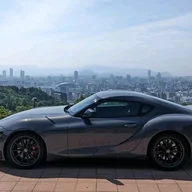
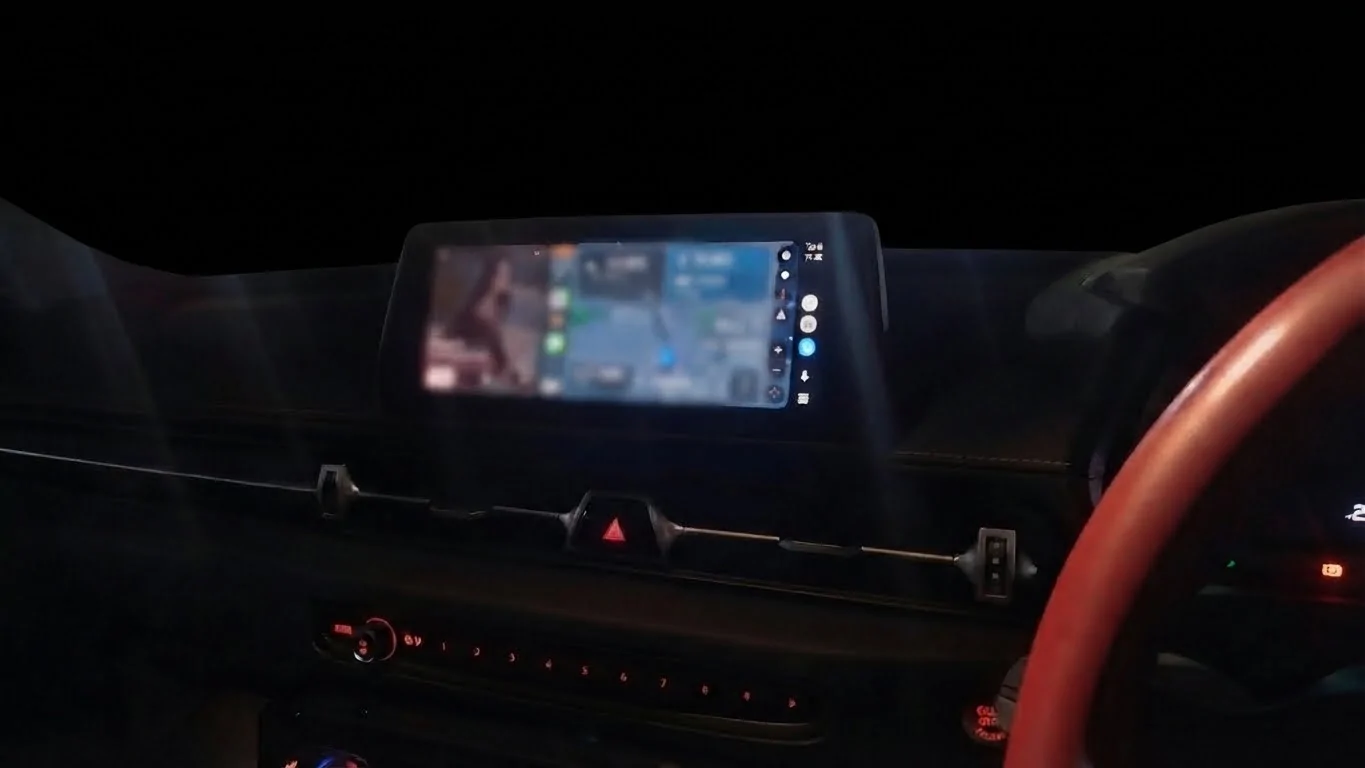
I pleased to announce that we have successfully deployed the Japanese version of the Supra MT model via Bavarian-ssh and NBT-Apps.🎉

I had some trouble with the Ethernet connection on the ZEN PHONE because it was a bit tricky, but once the program was running, it was easy to install!

The Japanese text was displayed perfectly on the HUD, making for a truly amazing experience😭

I'm already excited about taking out that damn MMI BOX microphone and cleaning it up.

NANAISU-San
Thank you for the wonderful experience!

1795689754133~2.webp
 
OP
OP
nanaisu

nanaisu

Well-Known Member
First Name
Ronnie
Joined
Jul 2, 2024
Threads
2
Messages
359
Reaction score
536
Location
United States
Website
bananaisu.com
Car(s)
2022 Supra 3.0 Premium
@nanaisu
I'd like to help with the Japanese localization, but are there any requirements or conditions listed on GitHub?
You can definitely help - all translations live in:
https://github.com/Sq00ky/Supra-iDrive6-Android-Auto/blob/main/milestone-7/rhmiapp/make_db.py

You'd want a new section like:
Code:
LANGS = {"de": "Deutsch", "en-UK": "English (UK)", "en-US": "English (US)", "es-ES": "Espanol", "es-US": "Espanol (US)",
         "fr-FR": "Francais", "fr-CA": "Francais (CA)", "it": "Italiano", "pt": "Portugues", "ru": "Russian", "pl": "Polski", "hu": "Hungarian", "tr": "Turkce", "jp": "Japanese"}
LANG_TEXTS = {
"jp": {52: "translated text for field 52",
        51: "translated text for field 51",
        ...
        1: "translated text for field 1"
        },
"de": {52: "translated text for de field 52",
        ...
AI tooling should be able to help you format things if you provide it the translated fields

After all the changes are made, you'll want to create a pull request on GitHub for Japanese language support.

AI Summary TL:DR

All iDrive texts live in milestone-7/rhmiapp/make_db.py:
  1. TEXTS holds the English text, as {id: "text"}.
  2. LANG_TEXTS["<lang>"] holds one language's texts with the same ids. Any id missing there falls back to English, so partial translations are fine.
  3. To add a new language, add it to LANGS ("tr": "Turkce", language code → name shown in iDrive), then add its LANG_TEXTS block. Use the language code iDrive uses (the existing ones are de, en-UK, en-US, es-ES, es-US, fr-FR, fr-CA, it, pt, ru, pl, hu, tr). Which other codes iDrive accepts hasn't been verified.
  4. UTF-8 works: German, Polish and Hungarian already have accented letters, despite an outdated "ASCII only" comment. Write a line break as \\n.
  5. Run cd milestone-7/rhmiapp && python3 make_db.py. This rebuilds NbtAad_ALL_Texts.zip. Then make check (test_text_ids.py fails if any language is missing an id the XML uses).
  6. Install on your car & test
  7. Open a PR with make_db.py changes.
Sponsored


Top