
Sponsored
Native Android Auto Development Thread
- Thread starter nanaisu
- Start date
- Watchers 54
-
- Tags
- android auto head unit ssh
Loading
kungfujedis
Well-Known Member
- First Name
- Greg
- Joined
- Nov 13, 2023
- Threads
- 12
- Messages
- 189
- Reaction score
- 226
- Location
- Washington DC
- Car(s)
- 2024 Supra MT, 2013 WRX
Both of those are aktiv, 0x01. I assume I shouldnt change it to nicht_aktiv?ah gotcha - sorry, I forget how much bimmercode sucks ass and that there isn't an easy search function. Bimmerutility has me spoiled.
A4A_ANDROID is under 3002 AUDIO_TUNER_TRAFFIC
A4A_WIRELESS_ANDROID is under 3003 TELEFON_TELEMATIK_ONLINE
OP
OP
nanaisu
Well-Known Member
- First Name
- Ronnie
- Joined
- Jul 2, 2024
- Threads
- 2
- Messages
- 349
- Reaction score
- 526
- Location
- United States
- Website
- bananaisu.com
- Car(s)
- 2022 Supra 3.0 Premium
- Thread starter
- #153
No - they should both be aktiv. If it's not working, it's most likely a pairing issue.Both of those are aktiv, 0x01. I assume I shouldnt change it to nicht_aktiv?
0. Stop Android Auto
1. Unpair phone from car
2. Unpair car from phone
3. Go to Android settings, search for Android Auto, select Vehicles, then Toyota, then click Forget.
4. Make sure USB is disabled in Android Auto settings
5. Start Android Auto
6. Re-pair phone to car
7. Wait a minute or so, and it should come up.
--
Other things you can try:
Make sure AA is up to date.
Clearing Android Auto's cache in Phone Settings.
Reboot phone.
OP
OP
nanaisu
Well-Known Member
- First Name
- Ronnie
- Joined
- Jul 2, 2024
- Threads
- 2
- Messages
- 349
- Reaction score
- 526
- Location
- United States
- Website
- bananaisu.com
- Car(s)
- 2022 Supra 3.0 Premium
- Thread starter
- #154
I can help w/ AA if the self install video gives you trouble (see 1st post on the thread), but the other custom apps stuff, I'm not well versed in.@nanaisu, given the recent development with the custom ID6 modules -- Would you be open to aiding a real dummie like myself with getting that activated sans AA (still in carplay)? I've an enet cable, overbuilt laptop, and a thick skull.
I haven't tried installs on any of those, and I've looked at some of them today, and some of them were outside of my personal comfort zone (e.g. API hooking & such, which I don't do in this project) due to fragility in code, and higher risk of things breaking.
ek1978
New Member
OP
OP
nanaisu
Well-Known Member
- First Name
- Ronnie
- Joined
- Jul 2, 2024
- Threads
- 2
- Messages
- 349
- Reaction score
- 526
- Location
- United States
- Website
- bananaisu.com
- Car(s)
- 2022 Supra 3.0 Premium
- Thread starter
- #156
TurboCode's AA installer will pull the latest Releases.zip and nbt-aad and install both files for you.@nanaisu ,thank you for the great work .
One small question : is the Auto installer capable of installing the additional add-on ( Releases.zip ) that is released with the V1.9.93 ,or it has to be done manually ?
kungfujedis
Well-Known Member
- First Name
- Greg
- Joined
- Nov 13, 2023
- Threads
- 12
- Messages
- 189
- Reaction score
- 226
- Location
- Washington DC
- Car(s)
- 2024 Supra MT, 2013 WRX
Thanks, got it working. I'm assuming disabling USB did the trick. Which should have occurred to me to try. Thanks again, this is great!No - they should both be aktiv. If it's not working, it's most likely a pairing issue.
0. Stop Android Auto
1. Unpair phone from car
2. Unpair car from phone
3. Go to Android settings, search for Android Auto, select Vehicles, then Toyota, then click Forget.
4. Make sure USB is disabled in Android Auto settings
5. Start Android Auto
6. Re-pair phone to car
7. Wait a minute or so, and it should come up.
--
Other things you can try:
Make sure AA is up to date.
Clearing Android Auto's cache in Phone Settings.
Reboot phone.

TomiyaMäkinen
Member
Dear nanaisu,okay - pushed v1.9.91 tonight (new latest), found an issue with the Bluetooth -> WiFi hand off. I'm interested to see if this fixes the ServiceRequestError that's been plaguing folks
I’ve bought the cable and am all set!
I wasn’t sure if this was the right place to ask, but when are you planning to release #178?
I'm not trying to rush you!
But I saw a draft pull request, so I just had to check it out
OP
OP
nanaisu
Well-Known Member
- First Name
- Ronnie
- Joined
- Jul 2, 2024
- Threads
- 2
- Messages
- 349
- Reaction score
- 526
- Location
- United States
- Website
- bananaisu.com
- Car(s)
- 2022 Supra 3.0 Premium
- Thread starter
- #159
Maybe tomorrow? I need to do some more testing. I honestly haven't looked at it in a week or so. I've been focused on bug fixes, stability improvements, and getting Wi-Fi Direct working for people.Dear nanaisu,
I’ve bought the cable and am all set!
I wasn’t sure if this was the right place to ask, but when are you planning to release #178?
I'm not trying to rush you!
But I saw a draft pull request, so I just had to check it out
iffy
Member
Following this thread in earnest watching AA development. Curious if there are any perceived performance differences between the wired and wireless connections.Thanks, got it working. I'm assuming disabling USB did the trick. Which should have occurred to me to try. Thanks again, this is great!
I've experienced intermittent AA / Carplay failures in BMWs for years, was hopeful the wired option would eliminate these issues.
OP
OP
nanaisu
Well-Known Member
- First Name
- Ronnie
- Joined
- Jul 2, 2024
- Threads
- 2
- Messages
- 349
- Reaction score
- 526
- Location
- United States
- Website
- bananaisu.com
- Car(s)
- 2022 Supra 3.0 Premium
- Thread starter
- #161
wired allows for higher bandwidth in terms of video streaming. the built in car hotspot is only 2.4GHz (though it's chip has 5GHz support).Following this thread in earnest watching AA development. Curious if there are any perceived performance differences between the wired and wireless connections.
I've experienced intermittent AA / Carplay failures in BMWs for years, was hopeful the wired option would eliminate these issues.
from a technical perspective, yes. it's much more stable.
OP
OP
nanaisu
Well-Known Member
- First Name
- Ronnie
- Joined
- Jul 2, 2024
- Threads
- 2
- Messages
- 349
- Reaction score
- 526
- Location
- United States
- Website
- bananaisu.com
- Car(s)
- 2022 Supra 3.0 Premium
- Thread starter
- #162
Todays updates:
- Favorites bar now displays over the top of Android Auto
- You can now change the car manufacturer display between Auto, Toyota, BMW, MINI, and RR (for those of you who coded in the RR startup animation... I know you're reading this...)
- Status improvements, want to know what you're stuck on? Pairing, Connecting to WiFi, Missing CarPlay and need to fall back to WiFi Direct? No WiFi equipped in your vehicle? It'll now tell you!
Next release, we're targeting:
- New volume pill displaying the audio source (Entertainment, Phone, or Navigation)
- Cryillic name support for streets in HUD/KOMBI
- Hungarian Language Support
- fixing media keys & song in HUD in Native Audio
- Favorites bar now displays over the top of Android Auto
- You can now change the car manufacturer display between Auto, Toyota, BMW, MINI, and RR (for those of you who coded in the RR startup animation... I know you're reading this...)
- Status improvements, want to know what you're stuck on? Pairing, Connecting to WiFi, Missing CarPlay and need to fall back to WiFi Direct? No WiFi equipped in your vehicle? It'll now tell you!
Next release, we're targeting:
- New volume pill displaying the audio source (Entertainment, Phone, or Navigation)
- Cryillic name support for streets in HUD/KOMBI
- Hungarian Language Support
- fixing media keys & song in HUD in Native Audio
OP
OP
nanaisu
Well-Known Member
- First Name
- Ronnie
- Joined
- Jul 2, 2024
- Threads
- 2
- Messages
- 349
- Reaction score
- 526
- Location
- United States
- Website
- bananaisu.com
- Car(s)
- 2022 Supra 3.0 Premium
- Thread starter
- #163
Todays updates:
- Refinement on the current status displayed (connecting, need to code in XYZ feature), etc. More things to give you clues on whats wrong without reading the logs! It's not a replacement for logs, but it's to ideally guide people down and let them know without bothering me. You're more than welcome to of course, but pushing forward to self diagnostics
- Beta for native audio controls. If you enable the setting, HUD media metadata/thumb wheel should go back to working
- Media in KOMBI/HUD - this uses the navigation pipeline to display media title. This is also optional and can be enabled/disabled in the settings. It should remove itself if you have navigation active.


&&
Working on a side project of displaying whatever media you want on the KOMBI, or have an anime girl dancing. Goal is to have Miku chilling there, and maybe album artwork Album artwork will be baked into nbt-aad if I can get it working. Another option is we could replace trip/odo with it, as it also supports text, but I think this is fine for now, and most folks probably like their range/milage displayed there
- Refinement on the current status displayed (connecting, need to code in XYZ feature), etc. More things to give you clues on whats wrong without reading the logs! It's not a replacement for logs, but it's to ideally guide people down and let them know without bothering me. You're more than welcome to of course, but pushing forward to self diagnostics
- Beta for native audio controls. If you enable the setting, HUD media metadata/thumb wheel should go back to working
- Media in KOMBI/HUD - this uses the navigation pipeline to display media title. This is also optional and can be enabled/disabled in the settings. It should remove itself if you have navigation active.
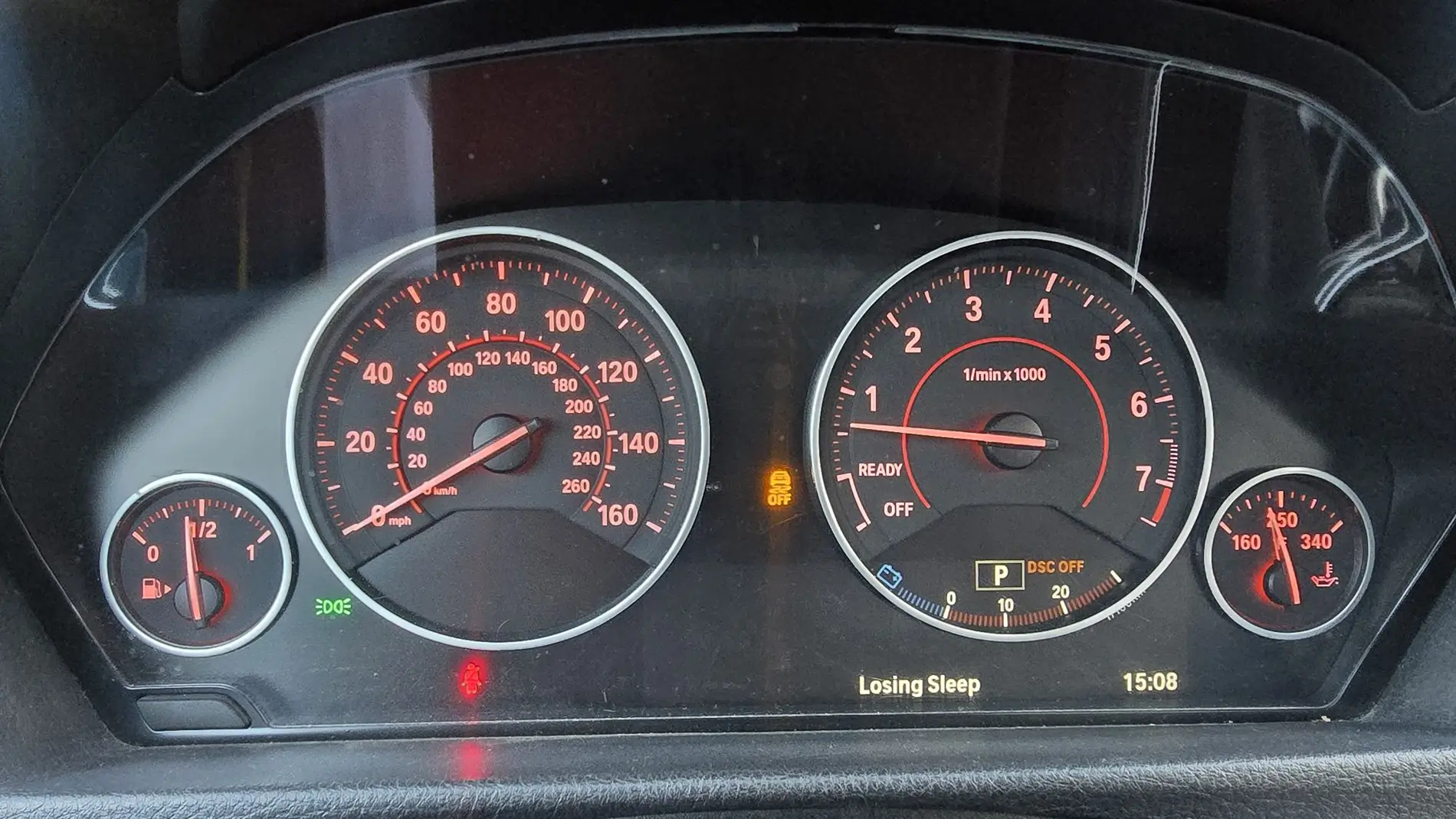
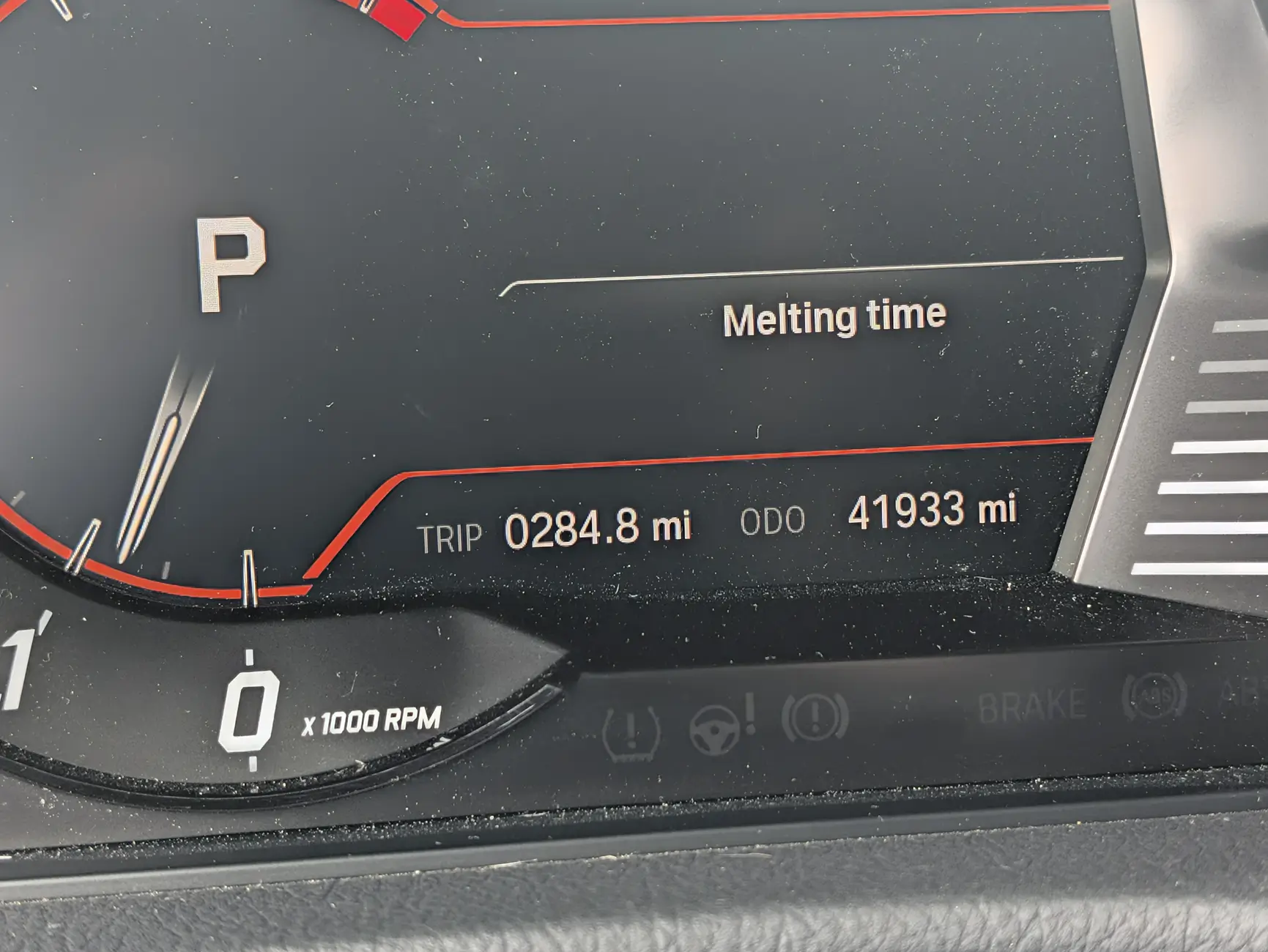
&&
Working on a side project of displaying whatever media you want on the KOMBI, or have an anime girl dancing. Goal is to have Miku chilling there, and maybe album artwork
Album artwork will be baked into nbt-aad if I can get it working. Another option is we could replace trip/odo with it, as it also supports text, but I think this is fine for now, and most folks probably like their range/milage displayed therePenguinGovernor
Member
@nanaisu Dude this is awesome work. I have lurked on this forum for a long time. I even bought the box mentioned on the PnP thread a long time ago and while it worked for a while I was never quite happy with it. I installed your native port and from the minute I got it booting I can tell this is far better than the box was. Truly changes the Supra! I had my clanker kinda summarize I did when installing so below is its retelling. But this note was all me, and I truly want to say thanks dude. Also like id be happy to contribute to the project in any way send me a message and I'd love to help!
Here's my AI Summary of stuff
Confirmed working on bone-stock 2021 Supra (NBTevo_T23235J) via Linux + NBTApps (plus a fix for "Waiting: CarPlay Wi-Fi" / missing SDP UUID!)
First off, huge thank you to everyone behind NBT-AAD (Sq00ky / nanaisu), NBTApps (tom-pryor), and the Bavarian SSH Client (ssh.bavarian-aa.uk). Getting native wireless Android Auto with HUD/cluster arrows, uncompressed Wi-Fi audio, and wireless phone updates on a bone-stock Supra — completely free and without ripping apart the dash for an MMI box — is genuinely incredible.
Sharing my full end-to-end experience in case it helps other Linux/Pixel users (and to confirm NBTevo_T23235J works!).
My Setup
End-to-End Flow
The One Snag & Exact Fix (helpful for anyone stuck on "Waiting: CarPlay Wi-Fi" with NBTApps)
Redacted logs + adb UUID diff: pastebin.com slash kdExxq3n
Again, massive thanks to the devs — this completely transforms the Supra!
Here's my AI Summary of stuff
Confirmed working on bone-stock 2021 Supra (NBTevo_T23235J) via Linux + NBTApps (plus a fix for "Waiting: CarPlay Wi-Fi" / missing SDP UUID!)
First off, huge thank you to everyone behind NBT-AAD (Sq00ky / nanaisu), NBTApps (tom-pryor), and the Bavarian SSH Client (ssh.bavarian-aa.uk). Getting native wireless Android Auto with HUD/cluster arrows, uncompressed Wi-Fi audio, and wireless phone updates on a bone-stock Supra — completely free and without ripping apart the dash for an MMI box — is genuinely incredible.
Sharing my full end-to-end experience in case it helps other Linux/Pixel users (and to confirm NBTevo_T23235J works!).
My Setup
- Car: 2021 Toyota GR Supra (J29), bone stock, NBTevo_T23235J (no prior coding or SSH)
- Phone: Google Pixel 11 Pro (latest Android)
- Laptop: Linux (x86_64) + OBD-to-ENET cable + USB-C to Ethernet adapter
- Installed via: bavarian-ssh-client (native Linux GUI) → NBTApps (Agent 1.6.0 / App 0.8.0) → Android Auto (v1.9.115, updated wirelessly to v1.9.116)
End-to-End Flow
- Clean-slate Bluetooth: Deleted all old phones in iDrive and paired just my Pixel via standard Bluetooth (Phone calls and audio).
- One-time ENET setup (Linux):
- Linux tip: The ENET port doesn't run DHCP, so NetworkManager spun on "Connecting..." until I switched the Ethernet connection's IPv4 method to Link-Local Only (169.254.x.x).
- Ran the native Linux bavarian-ssh-client GUI (no sudo needed), enabled SSH, and installed the NBTApps Agent.
- Wireless install via NBTApps:
- Paired the NBTApps Android app using the GUI's Pair button, let it install the NBTApp iDrive plugin, restarted iDrive, and unplugged the ENET cable for good.
- Installed Android Auto wirelessly over Bluetooth from the NBTApps catalogue (and even grabbed the v1.9.116 update wirelessly right after!).
- In iDrive (Media/Radio → Android Auto → Settings), enabled Install PF rules, Show navigation in HUD/gauge cluster, and Start automatically.
The One Snag & Exact Fix (helpful for anyone stuck on "Waiting: CarPlay Wi-Fi" with NBTApps)
- USB Android Auto worked immediately, and nbt-aad.log showed everything on the car side was healthy (pf_aa rules active, CarPlay Wi-Fi listening on 172.16.224.1:5277, SppUuidRegister for 4DE17A00-52CB-11E6-BDF4-0800200C9A66 returning GapErrorCode=0, zero ServiceRequestErrors).
- However, wireless stayed stuck on "Waiting: CarPlay Wi-Fi" / "No Bluetooth link", even after forgetting and re-pairing Bluetooth.
- Checking adb shell dumpsys bluetooth_manager on the Pixel showed why: the Supra was advertising the NBTApps UUID (58876f35-7f3f-4592-b65d-9912589a4f51), while the Android Auto UUID (4de17a00-52cb-11e6-bdf4-0800200c9a66) was missing from the SDP list — it looks like on NBTevo_T23235J, nbtagent autostarting first occupied the custom SDP slot.
- Fix:
- In the NBTApps phone app → Head Unit → toggled OFF "Start the agent when the car starts".
- Rebooted the head unit (held power/volume knob for 30 seconds).
- Forgot & re-paired Bluetooth one last time while nbt-aad was running.
- Immediately after re-pairing, 4de17a00-52cb-11e6-bdf4-0800200c9a66 appeared in dumpsys bluetooth_manager, and Wireless Android Auto popped up and connected right away!
- Whenever I want to install future updates wirelessly, I can just start the agent on demand from iDrive (Media/Radio → NBTApp → Start the agent), update from my phone, and after iDrive restarts, nbtagent stays off and Wireless Android Auto connects cleanly every drive.
Redacted logs + adb UUID diff: pastebin.com slash kdExxq3n
Again, massive thanks to the devs — this completely transforms the Supra!
OP
OP
nanaisu
Well-Known Member
- First Name
- Ronnie
- Joined
- Jul 2, 2024
- Threads
- 2
- Messages
- 349
- Reaction score
- 526
- Location
- United States
- Website
- bananaisu.com
- Car(s)
- 2022 Supra 3.0 Premium
- Thread starter
- #165
Yeah, I just figured out a couple of hours ago about nbtapps causing issues with AA running, auuuhhh.
Sponsored
Similar threads


- Replies
- 5
- Views
- 1,178
