Sponsored

Passenger's Side Firewall Access?

Mayday

Well-Known Member
First Name
Nayef
Joined
Feb 17, 2023
Threads
9
Messages
204
Reaction score
252
Location
Qatar
Website
www.instagram.com
Car(s)
A91-MT
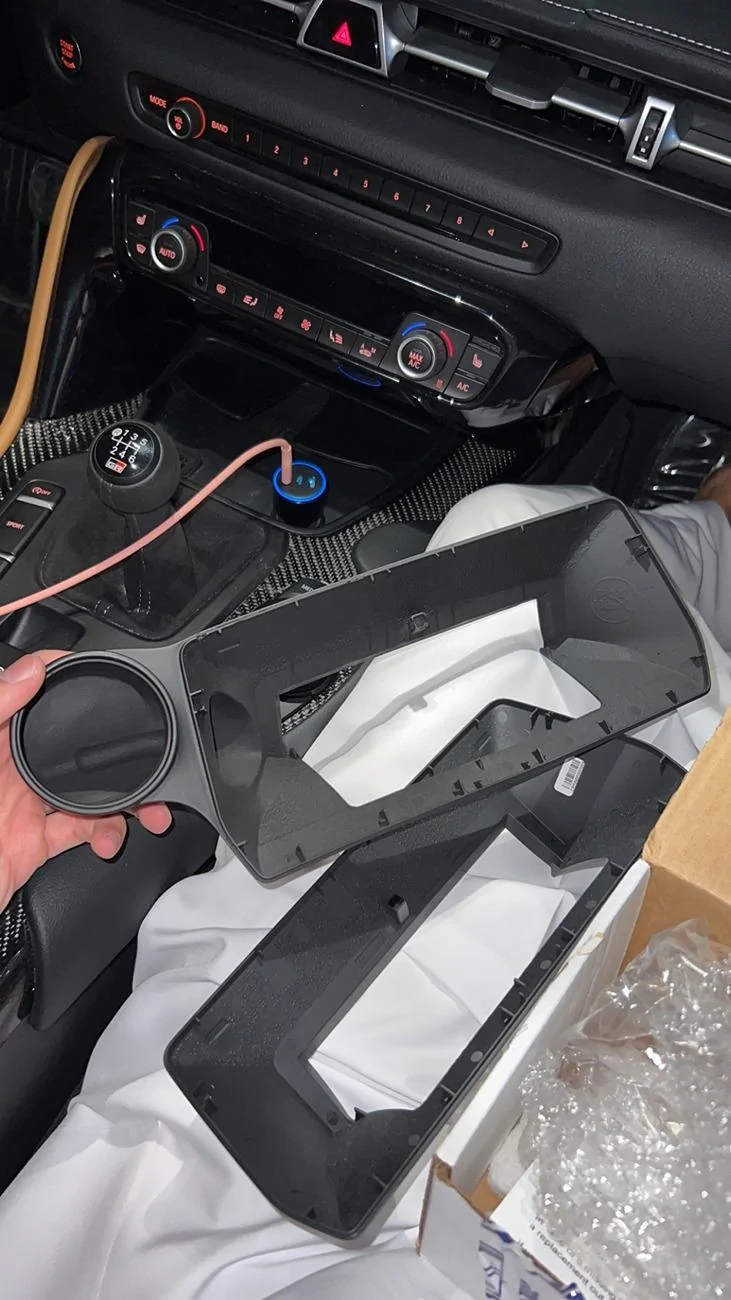
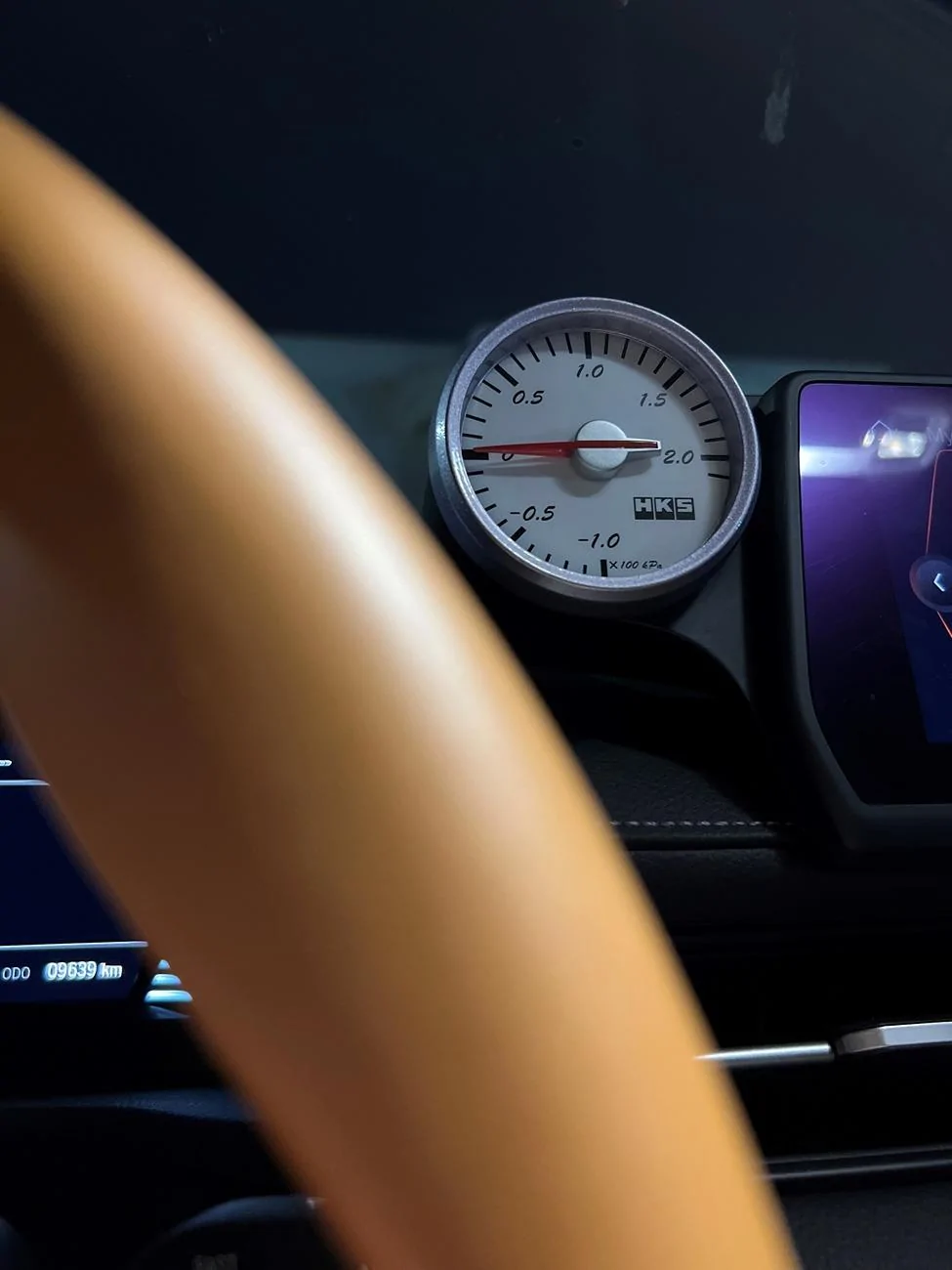
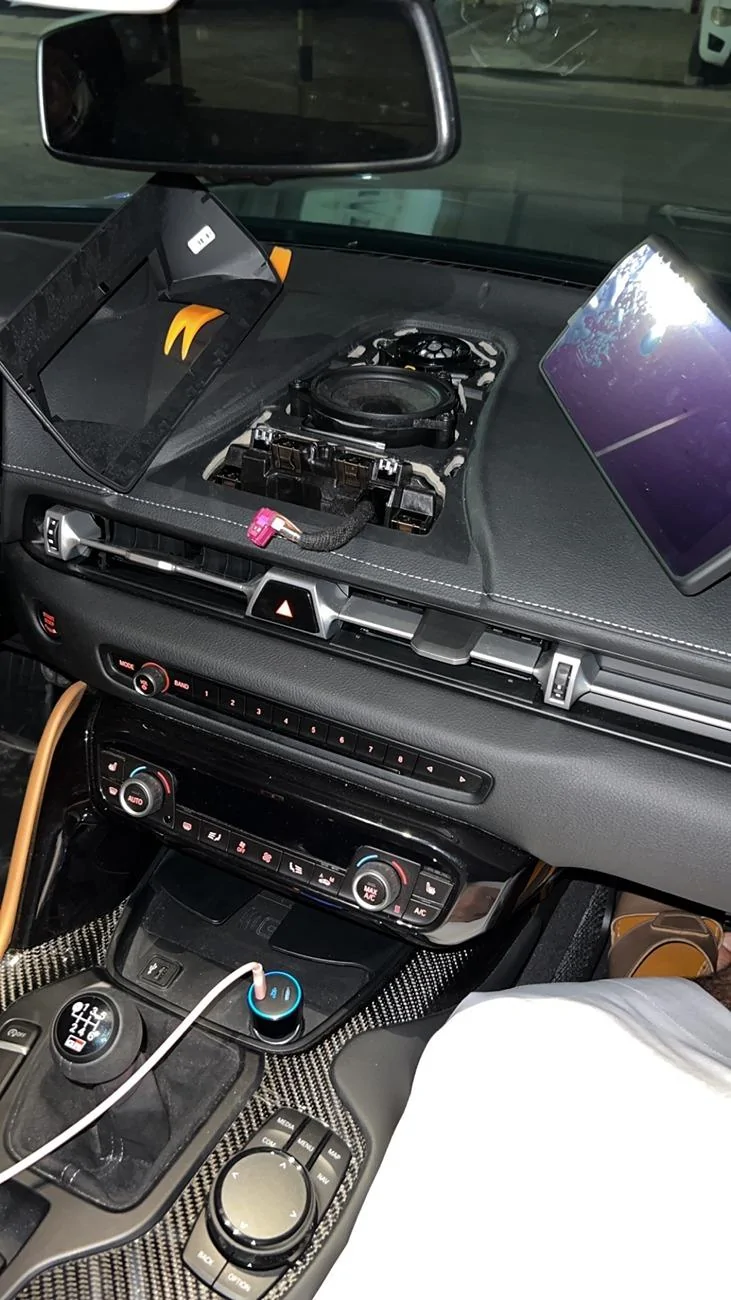
Does anyone know where is firewall access from engine compartment to passenger side? I'm trying to install analog gauge, I already installed the gauge pod and put my analog gauge without running the wires to it just to see the fitting and it works fine. There should be a way from engine bay to glove box underneath passenger side dashboard. I have been searching the forums but I couldn't find anything related to passenger's side even jb4 installing videos are helpful for driver's side which I don't like the way to access firewall from that side. There are a PDF of installing gauge pod from Podwurx which I bought their gauge pod, but they didn't explain how to run the wires there. I just want to reach the screen display inside the cabin from the engine bay. I will share some photos that will explain the situation until now.

1.webp


2.webp


3.webp


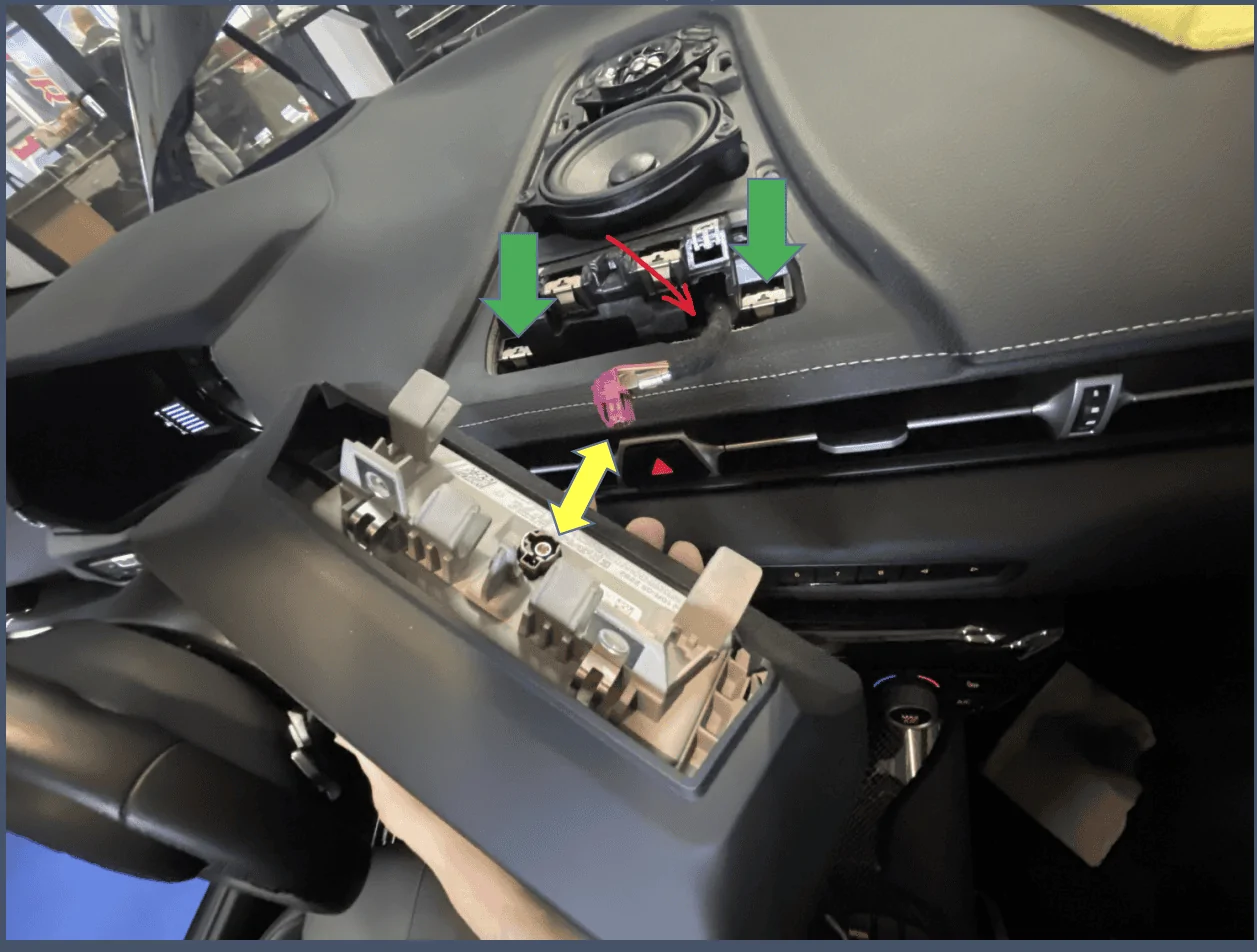
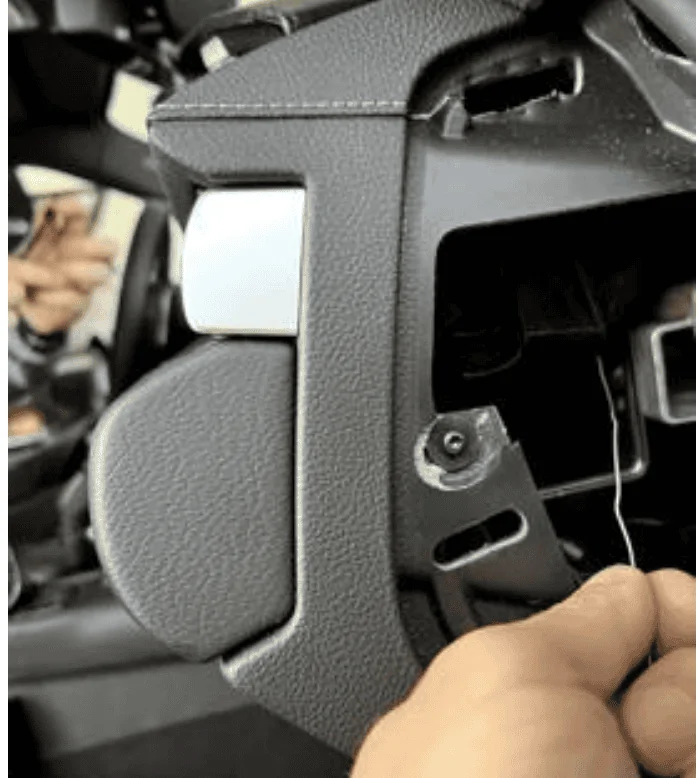
Now I will share some photos from Podwurx (that I bought the gauge pod from them) & CANchecked.de that they some useful photos that helps to reach the screen display.

Screenshot (315).webp


The red arrow which I drew it, This is the place where I want to reach from the engine bay to there.

Screenshot (316).webp
Sponsored


Attachments

razorlab

Well-Known Member
First Name
Bryan
Joined
Oct 2, 2021
Threads
29
Messages
8,568
Reaction score
16,798
Location
Hudson Valley, NY
Car(s)
Not a Corvette.
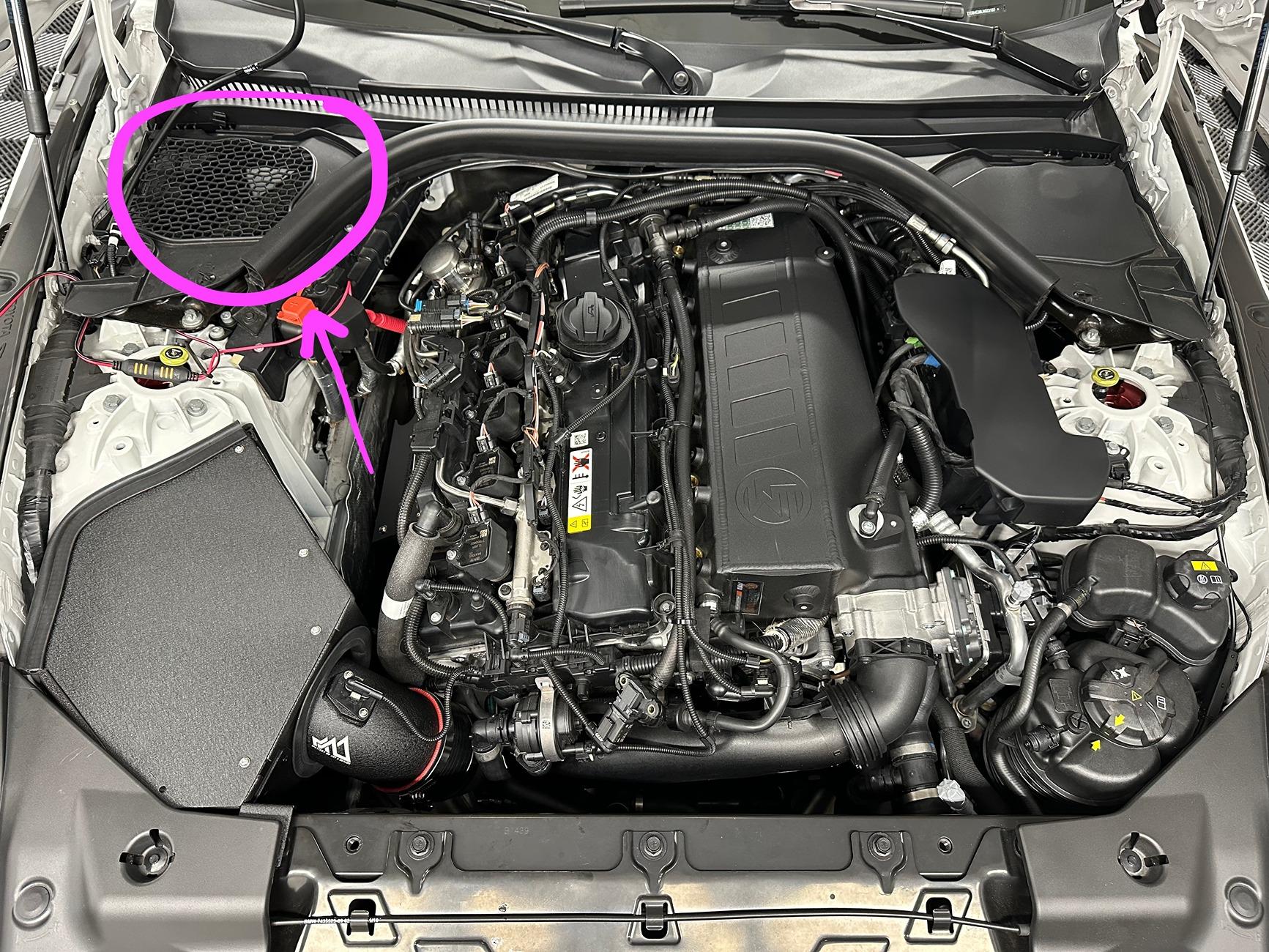
exact same as drivers side. Actually, much easier. You take off the passenger side grill cover (mirror of the drivers side where the brake fluid reservoir is) and there is a little hole there covered in that cloth/nylon flap and you poke a hole through the rubber. Anything going through that hole drops right under the glove box and you can feed it up to the side where you are referencing.

IMG_3825.jpeg
 
OP
OP
Mayday

Mayday

Well-Known Member
First Name
Nayef
Joined
Feb 17, 2023
Threads
9
Messages
204
Reaction score
252
Location
Qatar
Website
www.instagram.com
Car(s)
A91-MT
exact same as drivers side. Actually, much easier. You take off the passenger side grill cover (mirror of the drivers side where the brake fluid reservoir is) and there is a little hole there covered in that cloth/nylon flap and you poke a hole through the rubber. Anything going through that hole drops right under the glove box and you can feed it up to the side where you are referencing.

IMG_3825.jpeg
thank you for sharing this info with me, really appreciate it. I will share some photos of what i’ve done.
 
OP
OP
Mayday

Mayday

Well-Known Member
First Name
Nayef
Joined
Feb 17, 2023
Threads
9
Messages
204
Reaction score
252
Location
Qatar
Website
www.instagram.com
Car(s)
A91-MT
here is some photos.

IMG_2667.jpeg

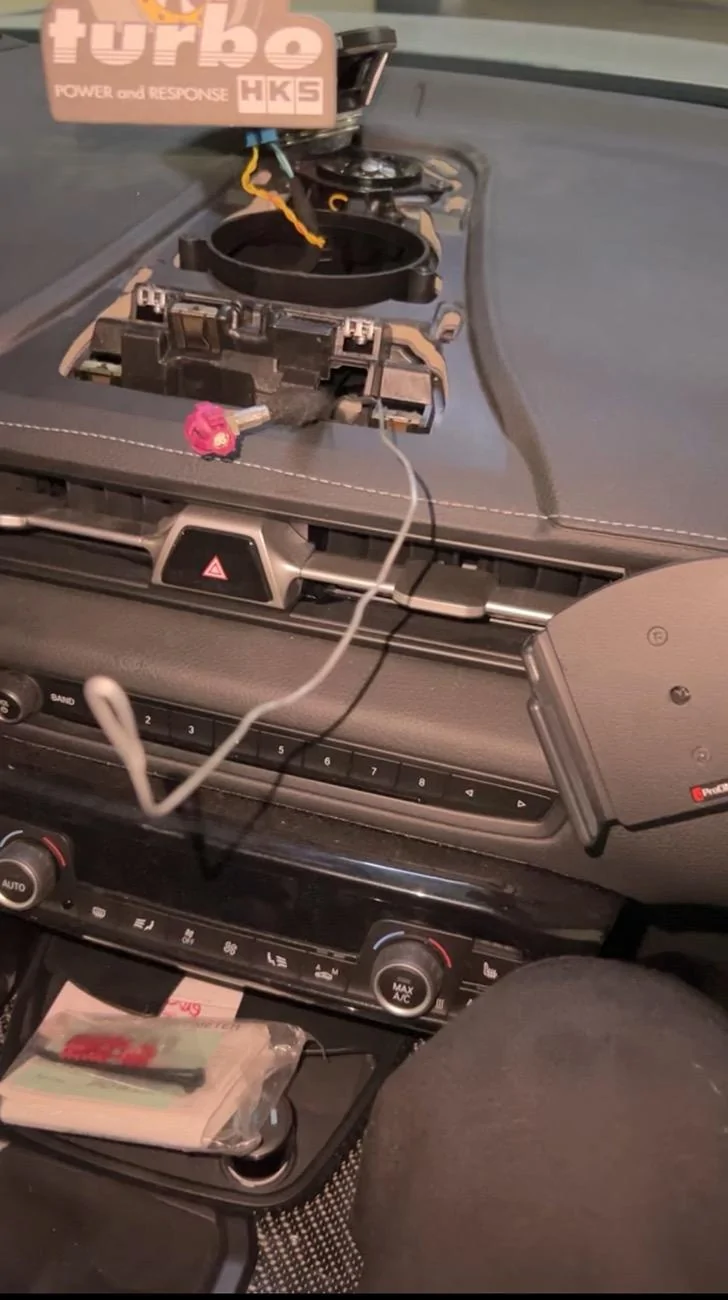
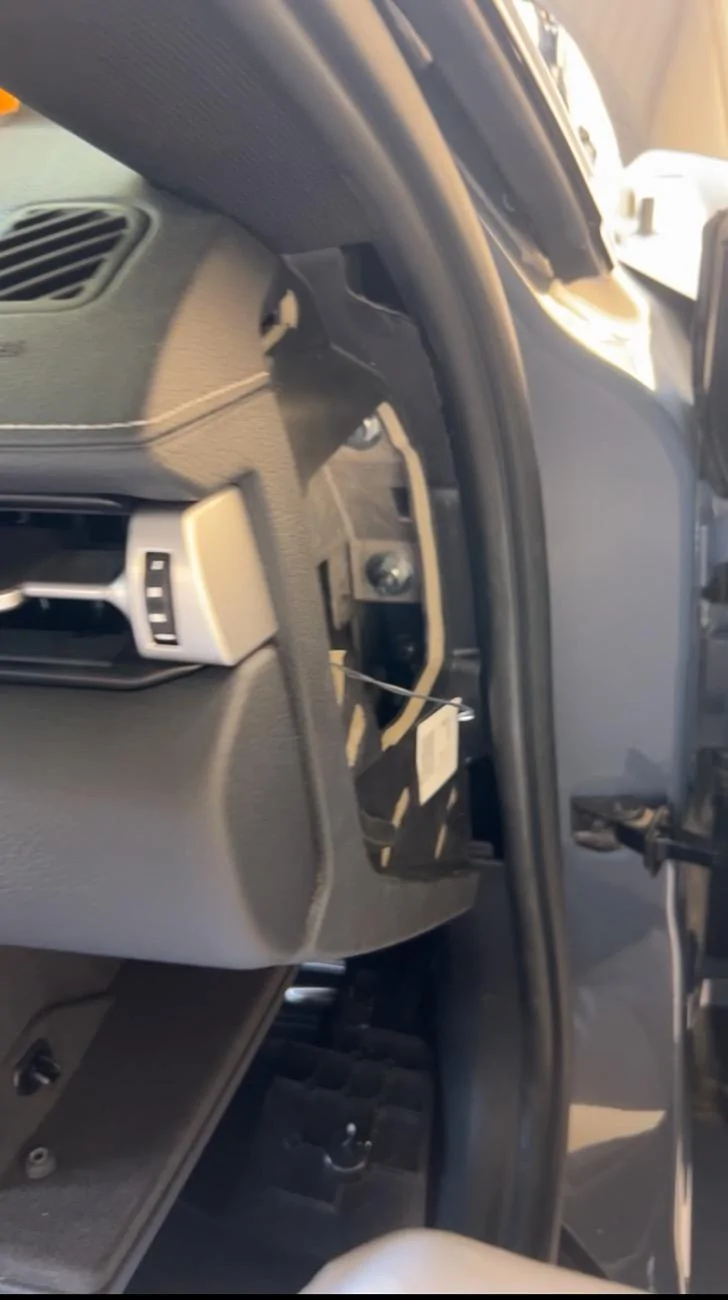
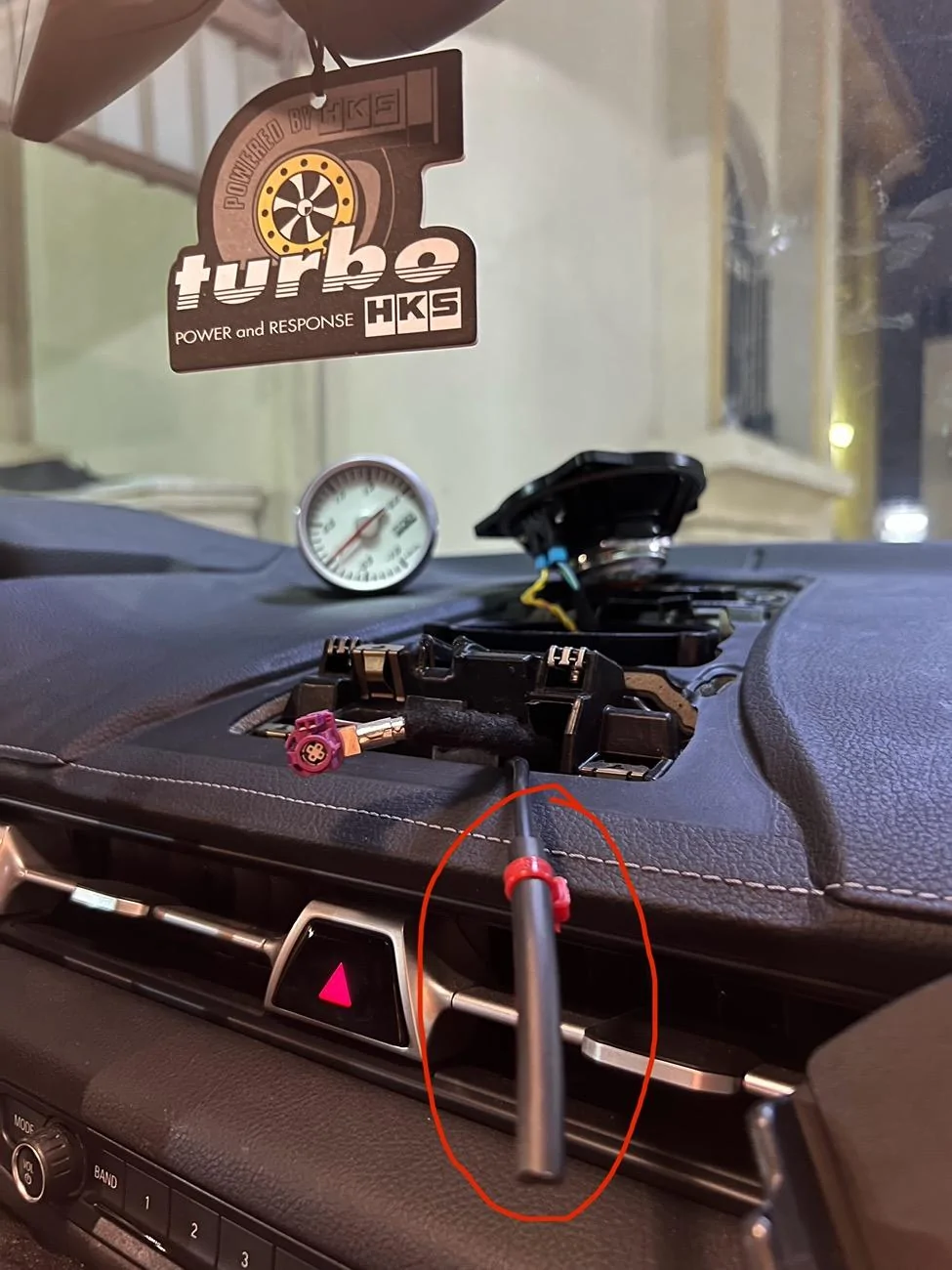
this was the hardest part for me. the steel wire, I inserted a steel wire from side panel to the display screen so I can tape the boost hose along with the steel wire together. it took me hours tbh to grab the steel wire from the side panel to the display screen.
IMG_2669.jpeg


IMG_2598.jpeg

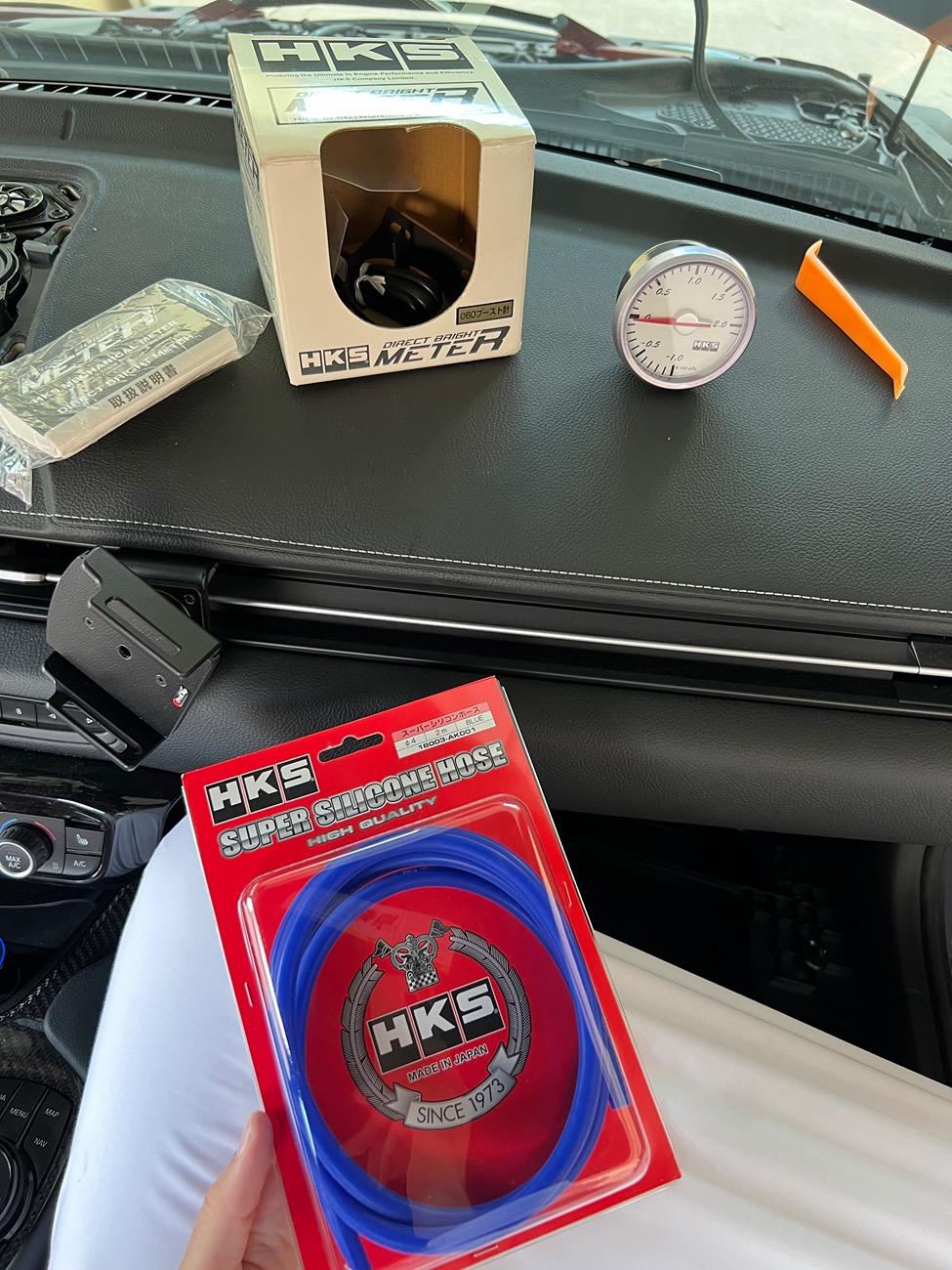
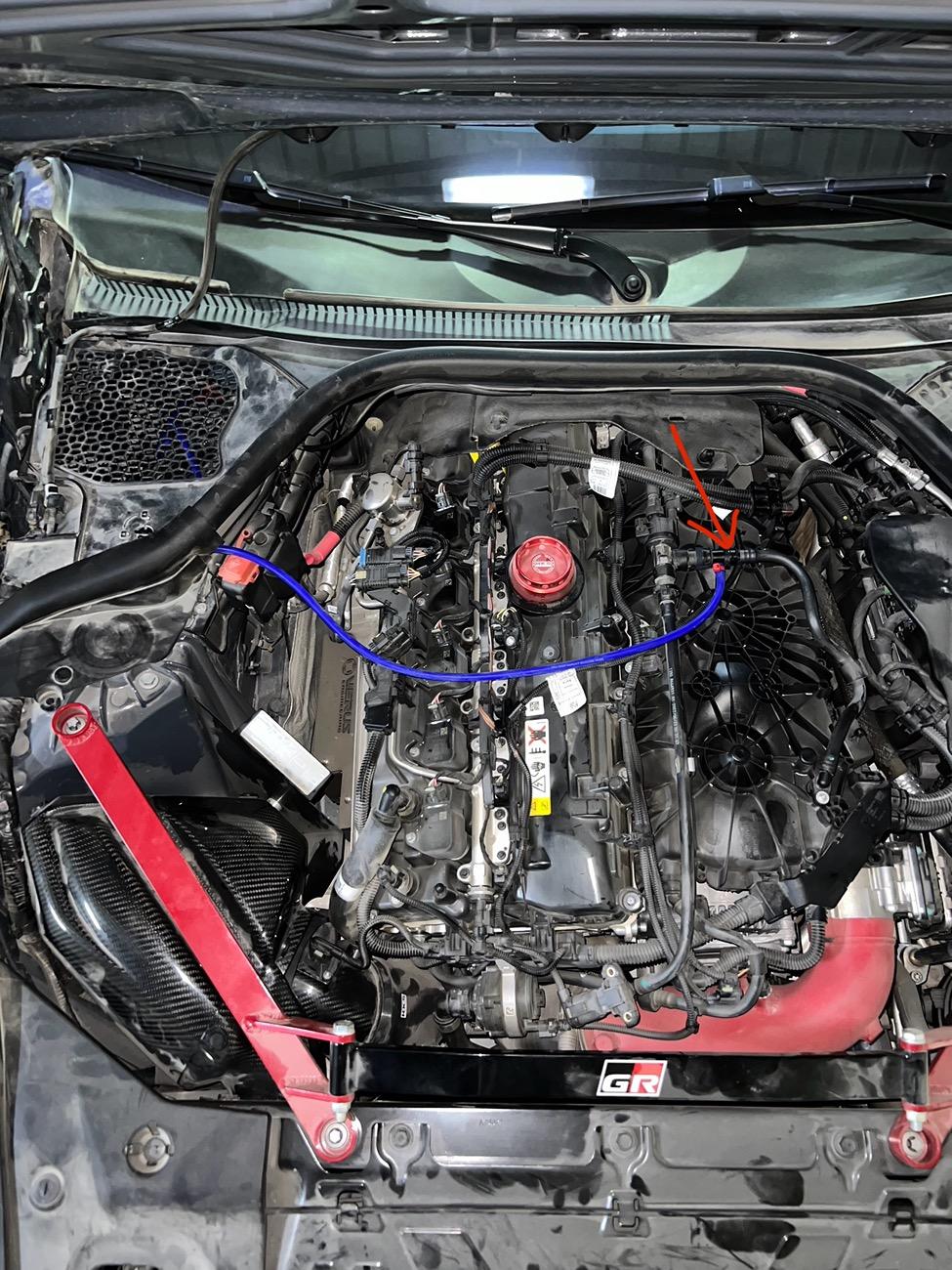
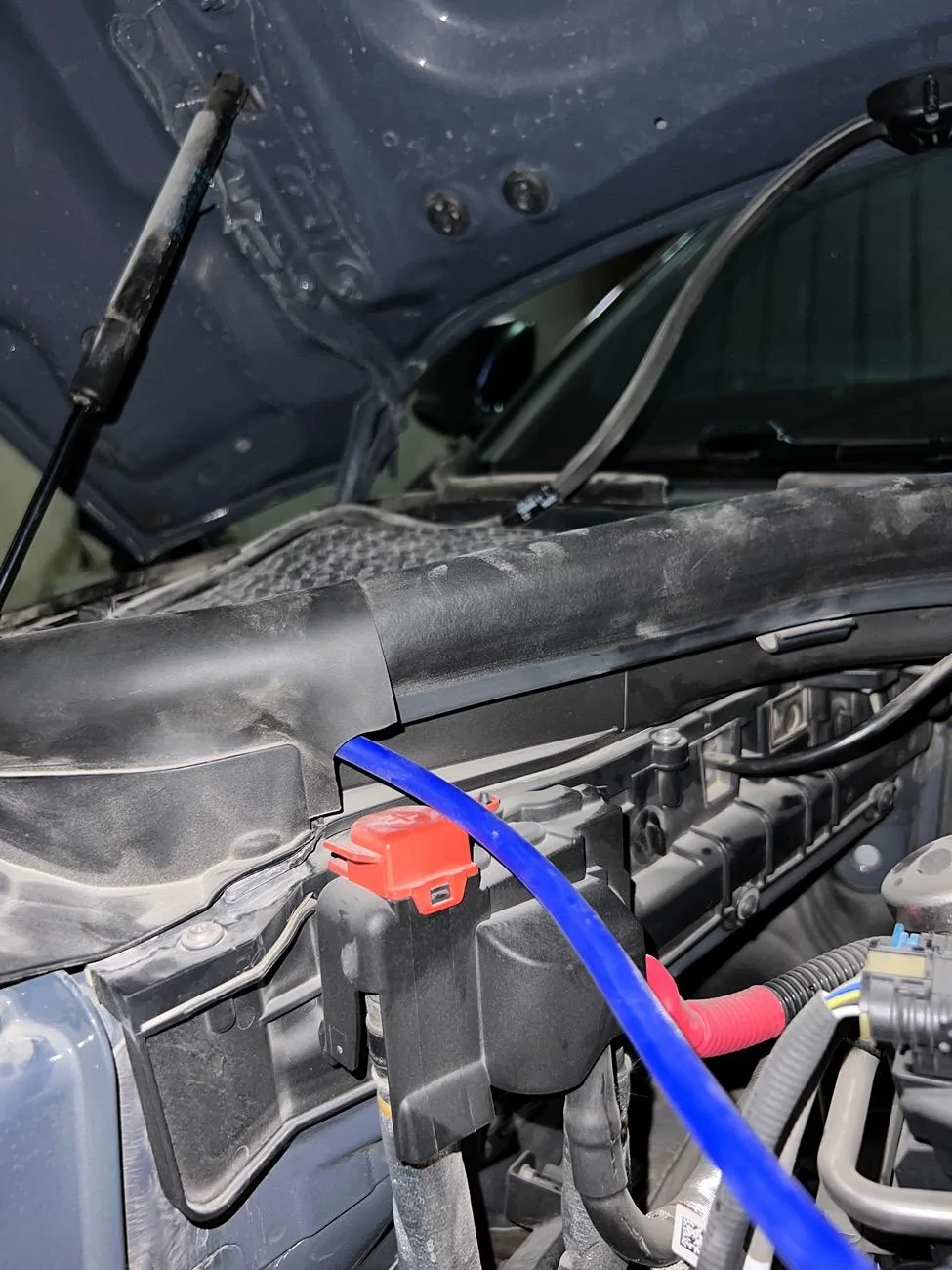
this is the hose that I used it to ran it from boost sensor tap in engine bay to the display screen to connect it later with my boost gauge.

IMG_2651.jpeg

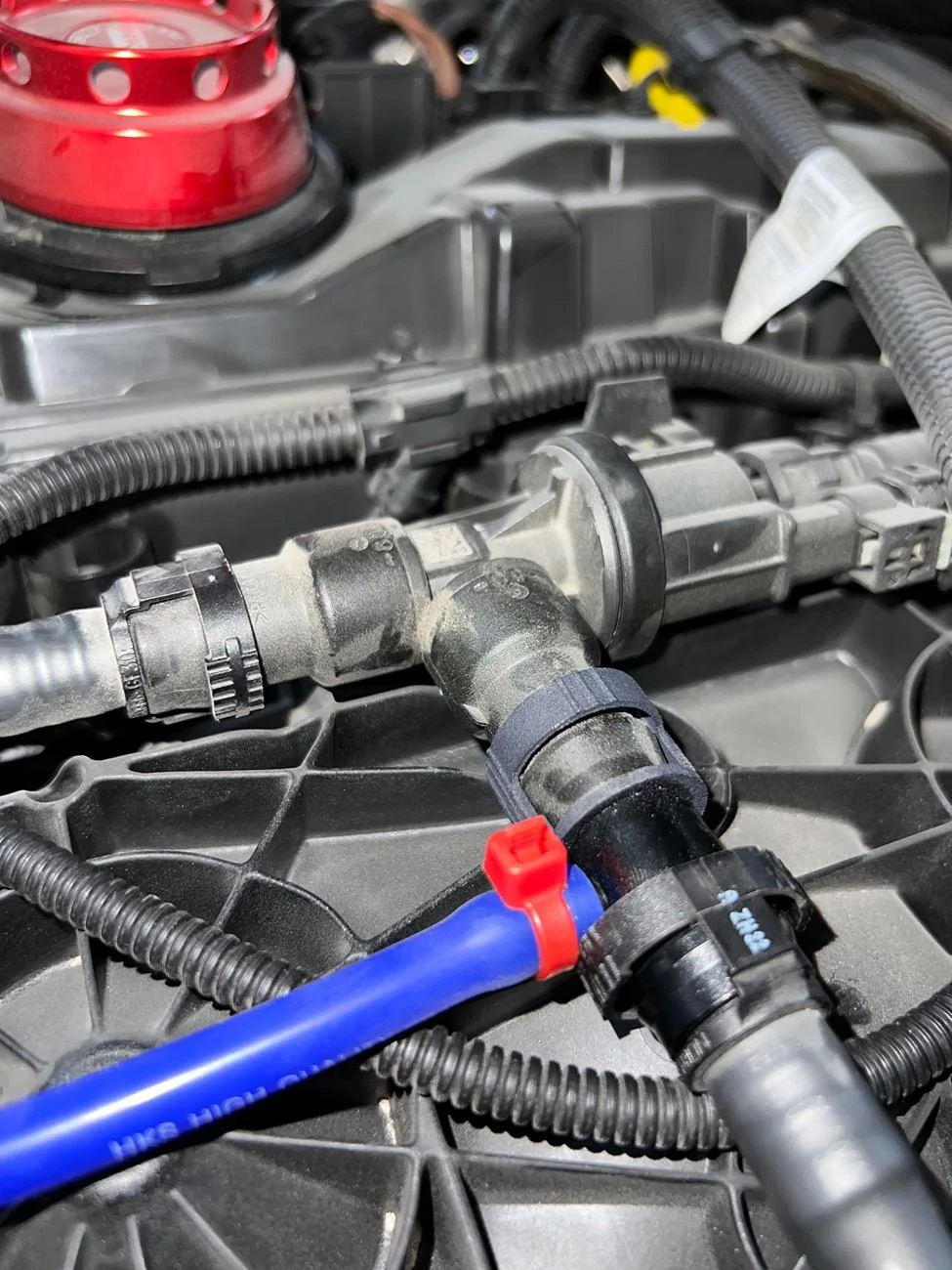
this is the boost sensor tap that arrow shows.

IMG_2649.jpeg

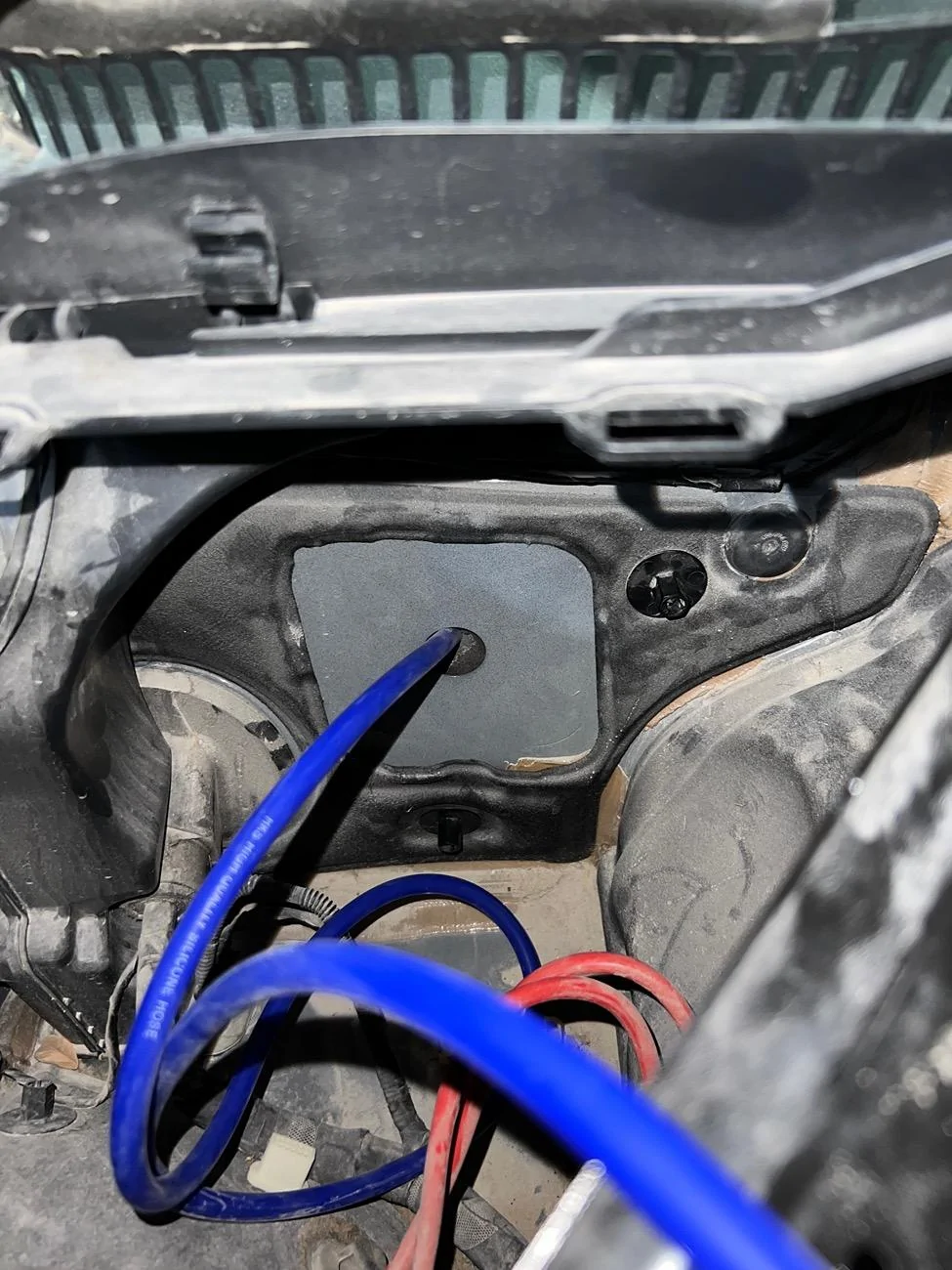
this is the access to the firewall from passengers side. It was easy to access exactly like what @razorlab said. you just need to poke a hole with a screwdriver or anything else. then you will reach glove box (underneath passenger side).

IMG_2643.jpeg

finally I pulled my boost gauge hose, so you don’t get confused, the blue hose was short (2m) so I extended it with a hose that comes with the boost tap sensor I’ve ordered from p3gauges. at that moment I felt I failed when I saw the hose was very short ? but thankfully i got an extra hose that I used it as an extension.

IMG_2647.jpeg

here is the boost tap sensor from p3gauges. I closed it with a cable tie for precaution.

IMG_2650.jpeg

just a temporary solution, I know my cable management is the worse.

3CFB6B15-CBE0-408D-B0AE-17A14B389A6E.jpeg

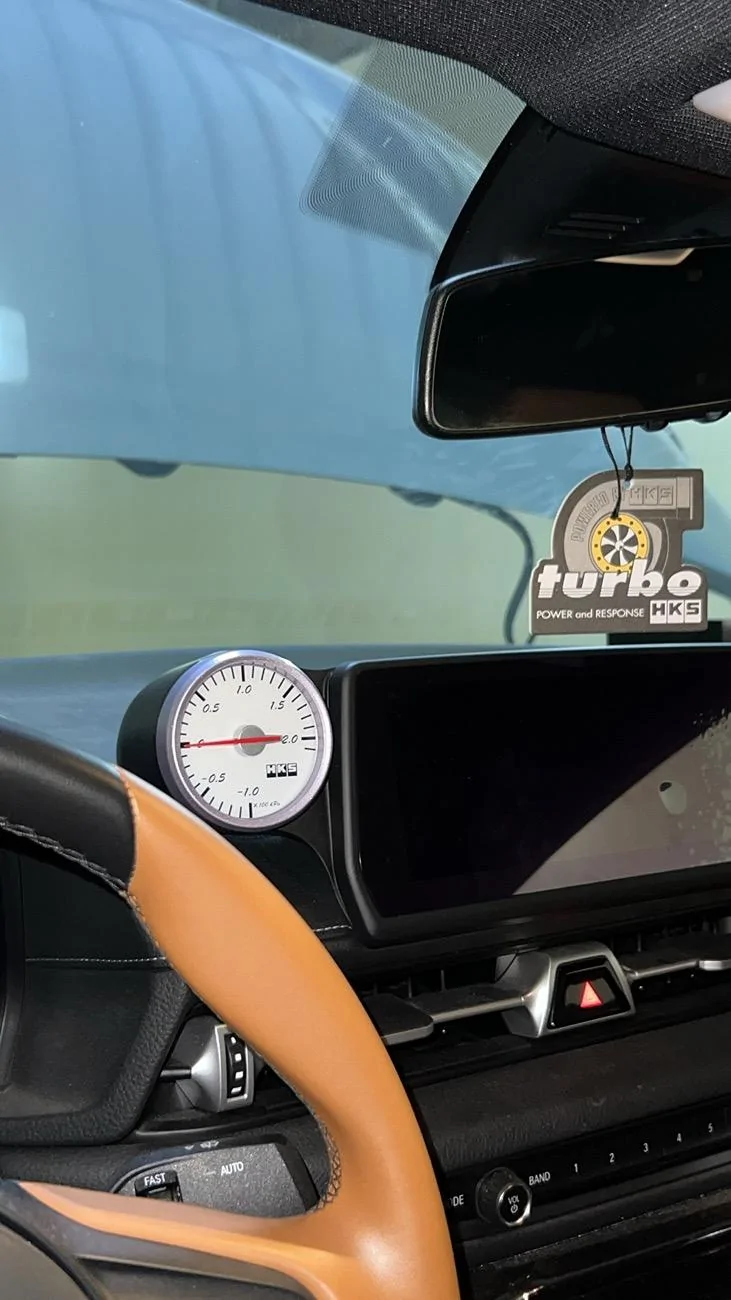
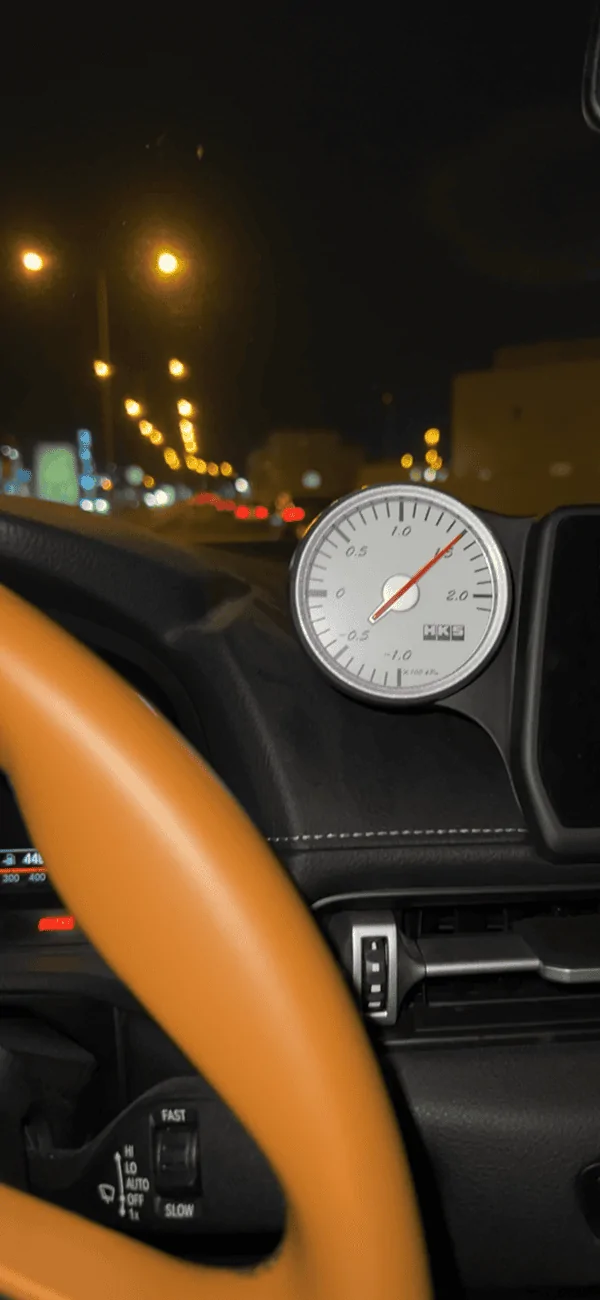
the pod gauge from podwurx

IMG_2668.png

I tested it and it was working perfectly. the gauge comes with a light inside it blue light I believe, but I didn’t connect the light cables because the light wires that comes with my HKS gauge was very very short that’s why I didn’t think of running it.
Sponsored


Top