razorlab
Well-Known Member
- First Name
- Bryan
- Joined
- Oct 2, 2021
- Threads
- 29
- Messages
- 8,568
- Reaction score
- 16,796
- Location
- Hudson Valley, NY
- Car(s)
- Not a Corvette.
- Thread starter
- #1
I've been working on a pretty robust web app for tuning and track analyzation. I just pushed v1.0 live today. I will continue to update the experience but take it for a spin!
Check it out here
With tuning currently, every piece of the puzzle lives in a different app, nothing talks to anything else, and half your session is just moving files around and trying to remember what you looked at last time.
Tuning Tools fixes that. It's a browser-based platform that brings your datalogs, your BIN files, and your lap data into one place — with enough built-in knowledge about BMW engine management that you don't have to be an expert to understand what you're looking at. Every calibration table comes with a plain-English description of what it does, what its axes mean, and which other tables you need to touch at the same time. No more Googling "what does KF_ZW_PF1 do" at midnight.
Drop in a log, load your BIN, and within a minute you can see the current state of your boost vs boost target, where your timing is getting pulled, whether you're close to a thermal protection limit, and what the car made on a virtual dyno that pull. You can easily create shares of your datalogs and send a link to anyone. They get a fully interactive view of everything, no login needed, no files to transfer, and no ability to download the raw .csv log file.
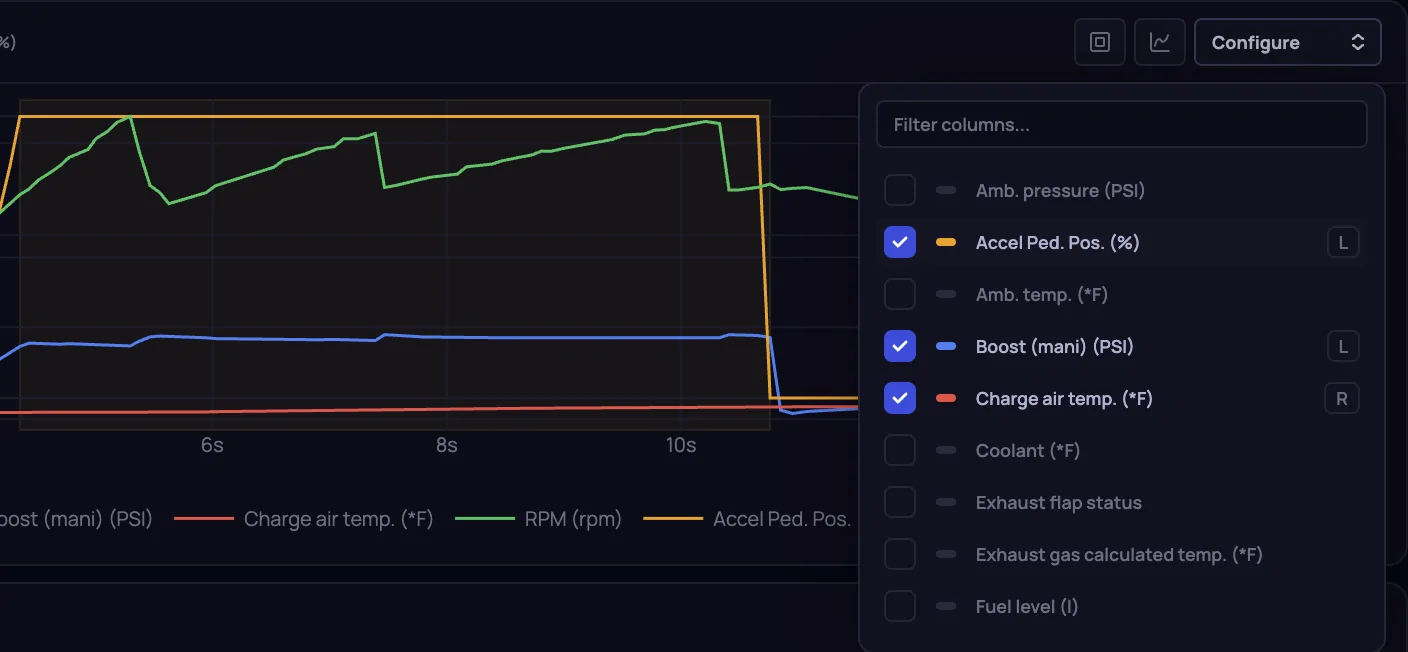
Datalog Viewer
Check it out here
With tuning currently, every piece of the puzzle lives in a different app, nothing talks to anything else, and half your session is just moving files around and trying to remember what you looked at last time.
Tuning Tools fixes that. It's a browser-based platform that brings your datalogs, your BIN files, and your lap data into one place — with enough built-in knowledge about BMW engine management that you don't have to be an expert to understand what you're looking at. Every calibration table comes with a plain-English description of what it does, what its axes mean, and which other tables you need to touch at the same time. No more Googling "what does KF_ZW_PF1 do" at midnight.
Drop in a log, load your BIN, and within a minute you can see the current state of your boost vs boost target, where your timing is getting pulled, whether you're close to a thermal protection limit, and what the car made on a virtual dyno that pull. You can easily create shares of your datalogs and send a link to anyone. They get a fully interactive view of everything, no login needed, no files to transfer, and no ability to download the raw .csv log file.
Datalog Viewer
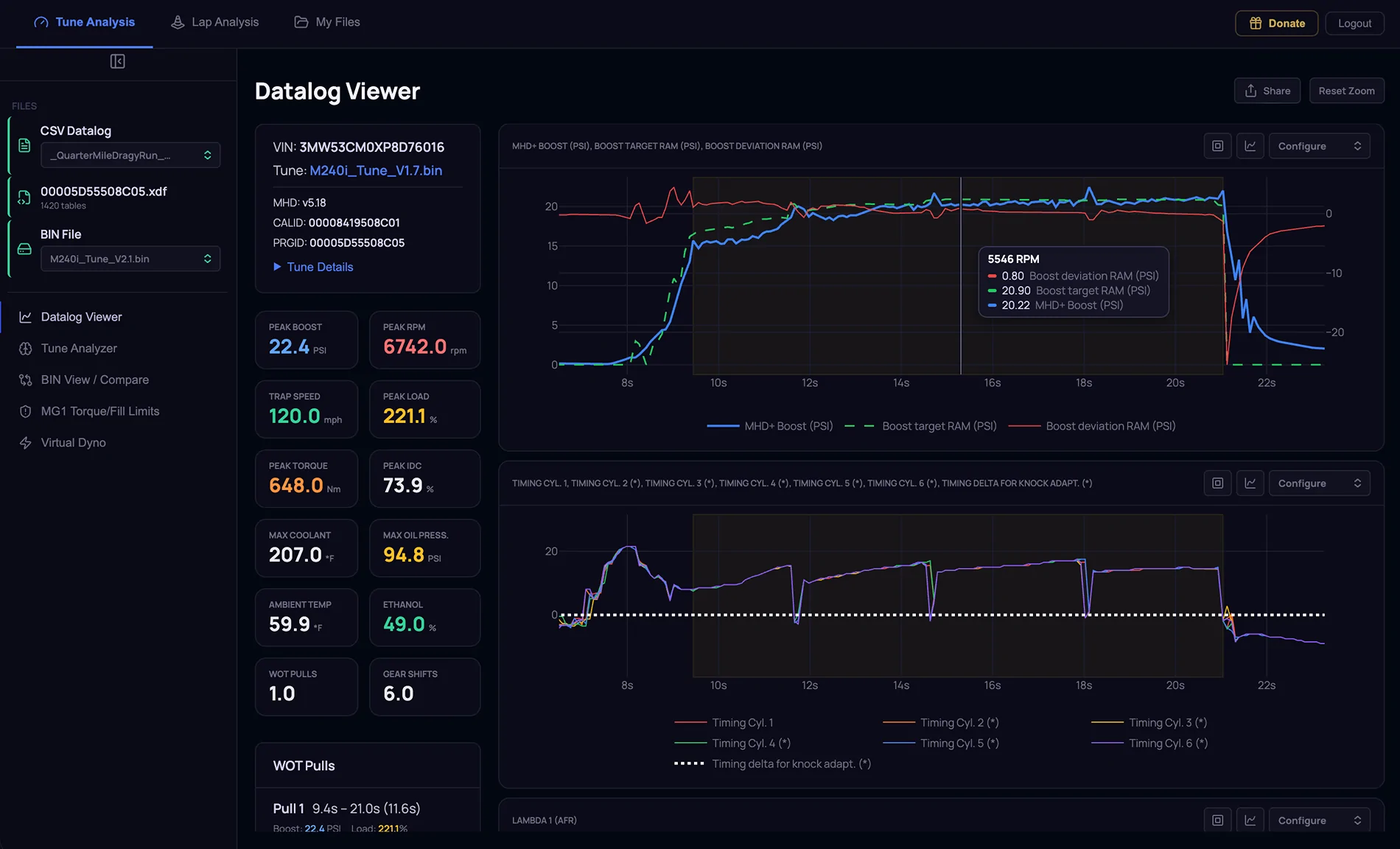
- Load any compatible (currently MHD, BM3, MGFlasher) CSV datalog from your computer or from your saved files
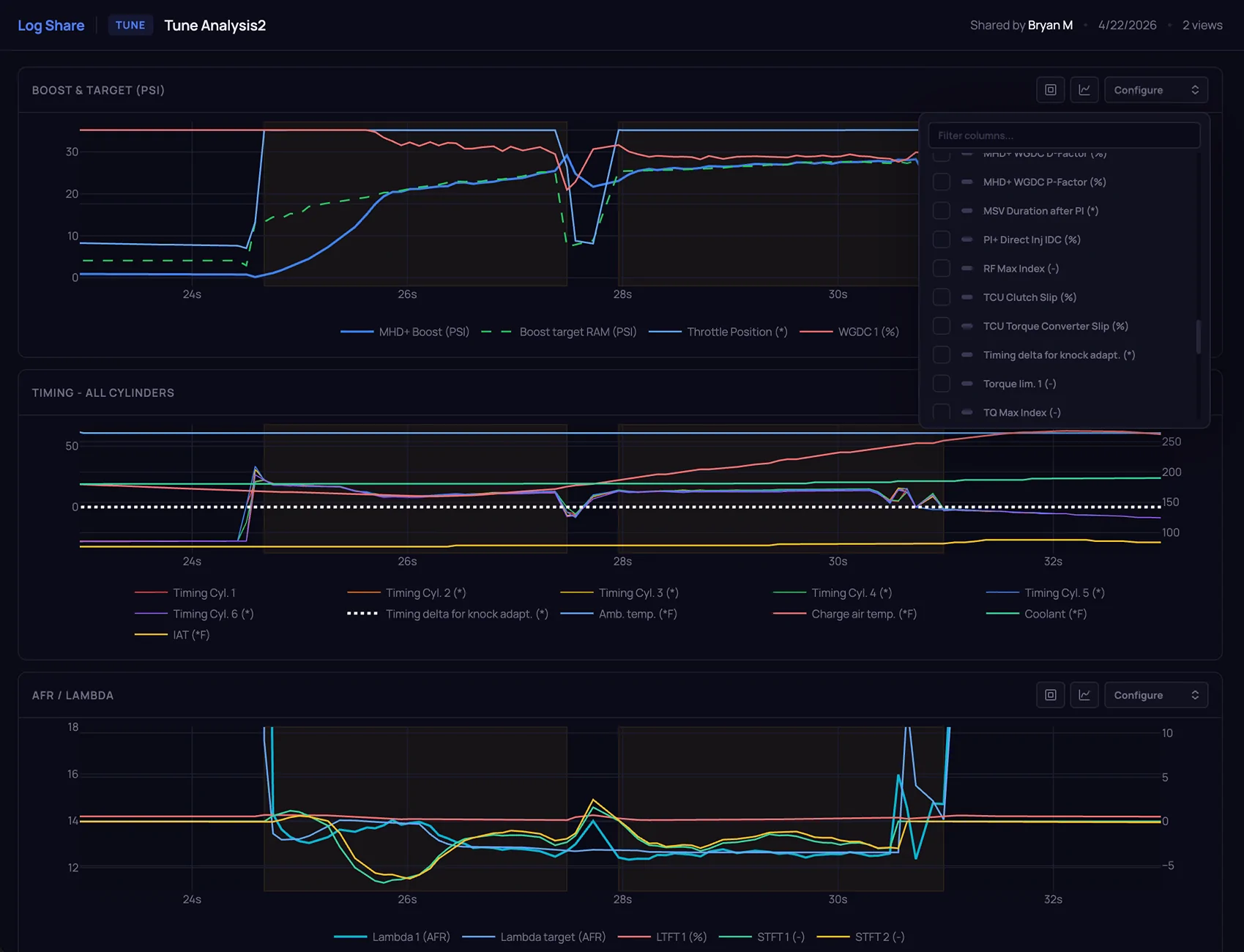
- Interactive charts for every logged channel — boost, timing, AFR, temps, RPM, lambda, knock adaptation, and more
- Zoom, pan, and hover across all charts simultaneously — they stay in sync
- WOT regions are automatically detected and highlighted across all charts so you can focus on the pulls that matter
- Per-chart channel selector with search — add or remove any column from the log without reloading
- Per-chart Y-axis range control — set custom min/max for left and right axes independently
- Overlay controls for WOT markers and gear bands
- Share button — package the entire session into a shareable link in one click
- Recipients get a fully interactive view of all charts — configure channels, adjust axes, toggle overlays — no login required, no files to send
- Share links expire in 30 days, 90 days, 1 year, or never
- View count shown on every shared page
- Load a CSV and BIN together and the analyzer maps your logged data back to the actual calibration tables in the tune
- Tune Health panel — quick-scan safety flags and warnings derived from the log data; a prioritised starting point for every session
- Fuel Scalar Analysis — shows current fuel scalar values, the suggested correction delta based on logged fuel trims, and the suggested new target values; supports multiple fuel scalar tables with a table selector
- WGDC Base Analysis — same three-view structure (current / delta / suggested) for wastegate duty cycle base tables
- WGDC P-Factor and D-Factor Analysis — separate panels for P and D correction tables, each with a table selector dropdown
- Ignition Timing Analysis — overlays the map's commanded timing against actual logged timing; the delta view shows precisely where and how much timing was pulled
- Operating Envelope — shows which RPM/load cells were actually visited during the session; makes it clear where your tune has real-world coverage and where it doesn't
- Thermal Proximity — displays how close each channel (coolant, IAT, oil, EGT, etc.) came to its protection threshold during the session
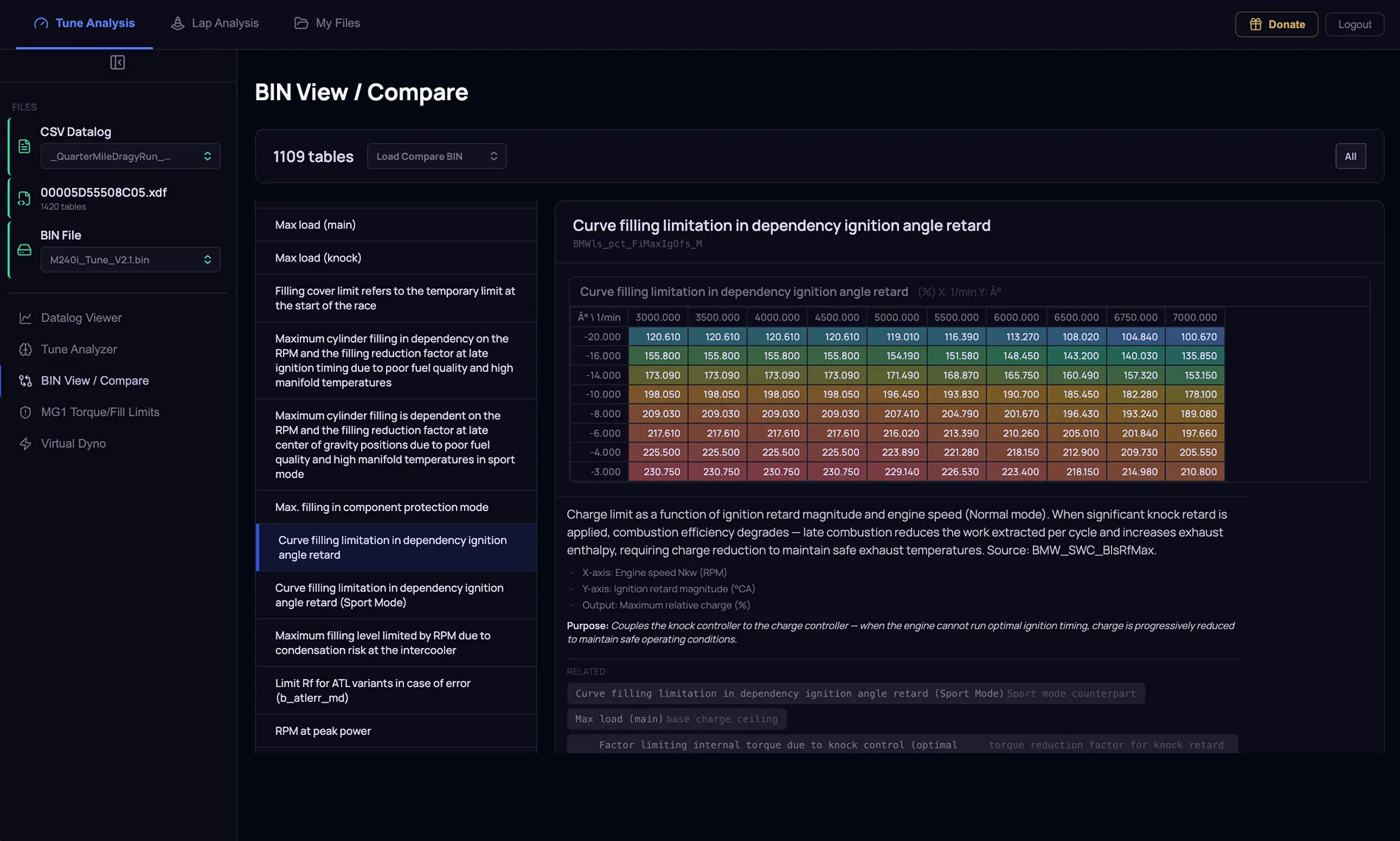
- Load one or two BIN files and the app decodes every calibration table using the matched XDF definition
- Full hierarchical tree of all tables organised by subsystem — Boost, Fuel, Ignition, VANOS, Exhaust, Cooling, Torque, and more
- Changed Only / Unchanged Only filters — instantly narrow the view to only the tables that differ between two BINs, which is the default workflow when reviewing a customer tune or comparing a stock file to a modified one
- Cell-by-cell comparison with colour-coded deltas — red for higher, green for lower, neutral for equal — across every table
- Plain-English table descriptions on every single table — each entry explains what the table does, what the axes represent, what the output controls, and which other tables you need to co-tune alongside it; the kind of knowledge that normally only comes from years of experience and until now, gatekept.
- Cross-references between related tables — change base boost and the description tells you to also check the boost limit, WGDC base, and load model
- Full support for B58 (gen1 and gen2), S58, and N55/S55.
- Purpose-built panel for torque and fill limit tables
- Displays the reference limit table alongside your tune's current values
- Delta view shows exactly where your tune differs from the reference limits
- Flagged items are highlighted with expandable detail tables for each discrepancy
- Overlay Datalog button plots the actual logged values against the limits during a pull — so you can see in real time whether the car is running up against a limit or has headroom
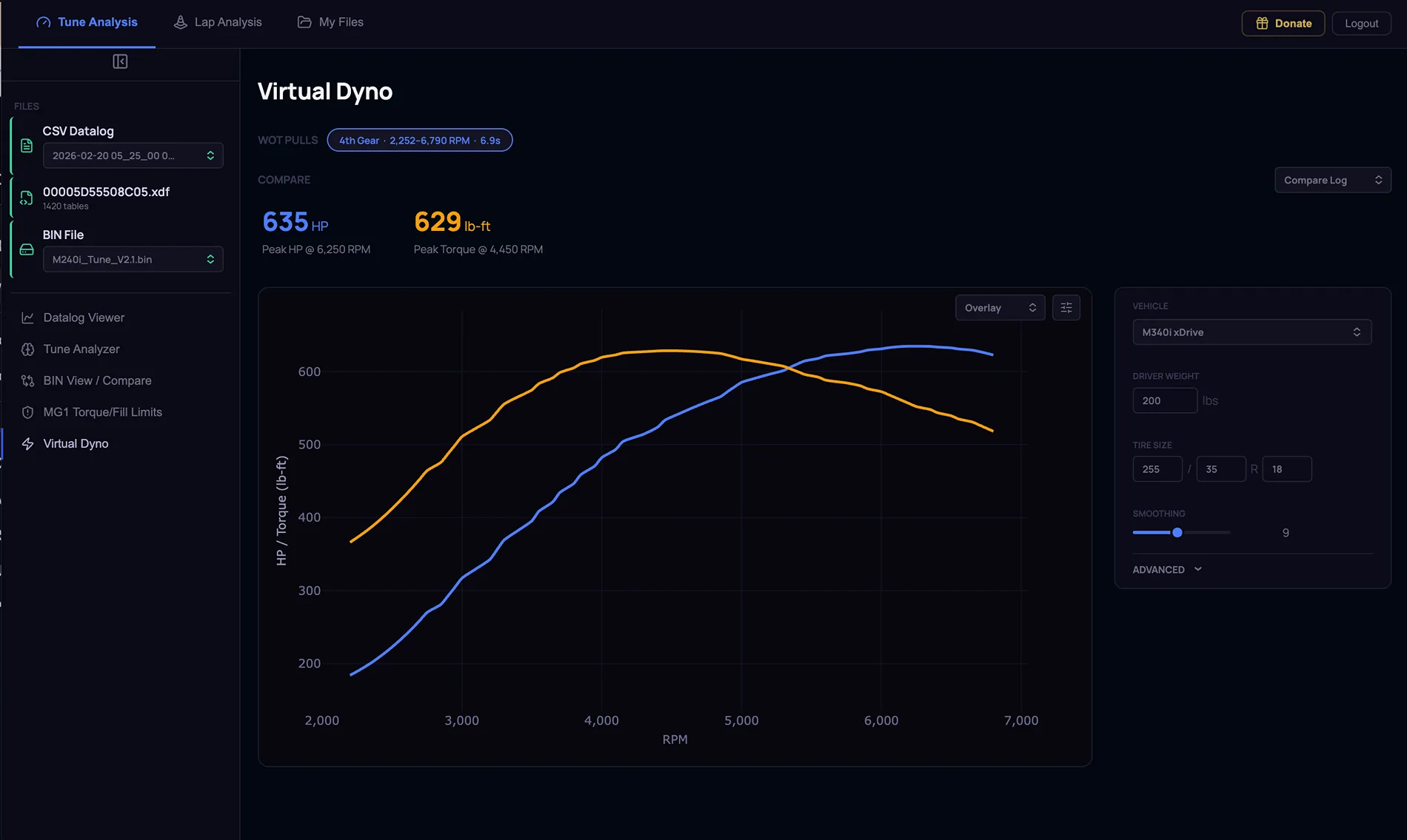
- Select your vehicle from 30+ BMW and Toyota presets — each with accurate gear ratios, final drive ratio, weight, drag coefficient, and frontal area
- Covers B58/S58, N55/S55, S55, M2/M3/M4 (F and G chassis), M5 (F and G), 340i/440i/540i, M340i/M440i/M240i, GR Supra/Z4, and more
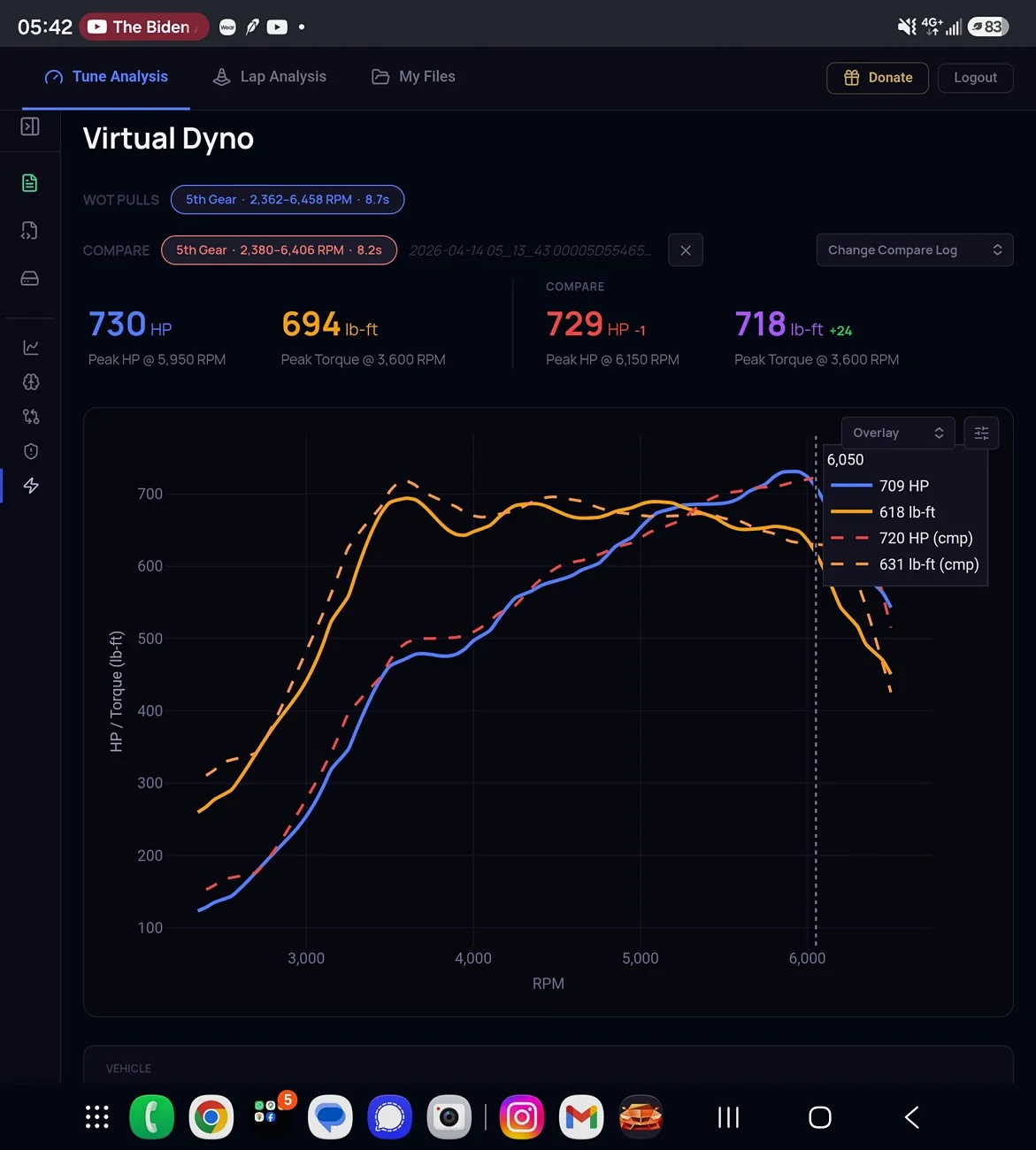
- Automatically detects every wide-open-throttle pull in your log and presents them as numbered pull buttons. (Needs speed to be logged)
- Calculates horsepower and torque from the vehicle physics model — no dyno required
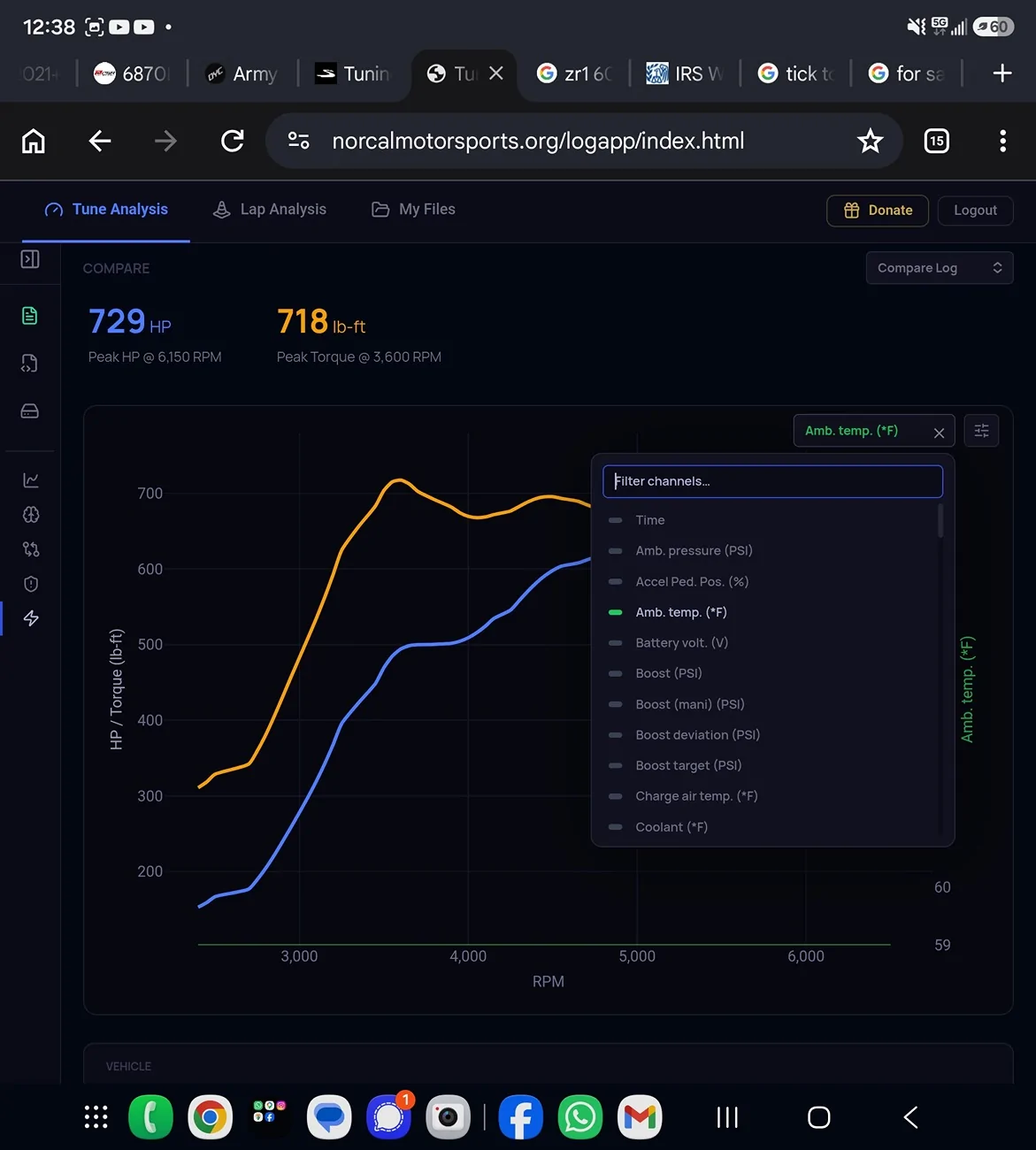
- Comparison overlay — load a second CSV (a different tune, a different fuel, a different day) and plot both dyno curves on the same chart with the delta calculated
- Statistics cards for each pull: peak HP, peak torque, RPM at peak HP, RPM at peak torque
- Overlay channel — plot any logged channel (boost, IAT, timing, etc.) alongside the HP/TQ curves to understand what's happening during the pull
- Smoothing control for cleaner curves on noisy data
- RPM range and Y-axis range controls for both HP and torque axes
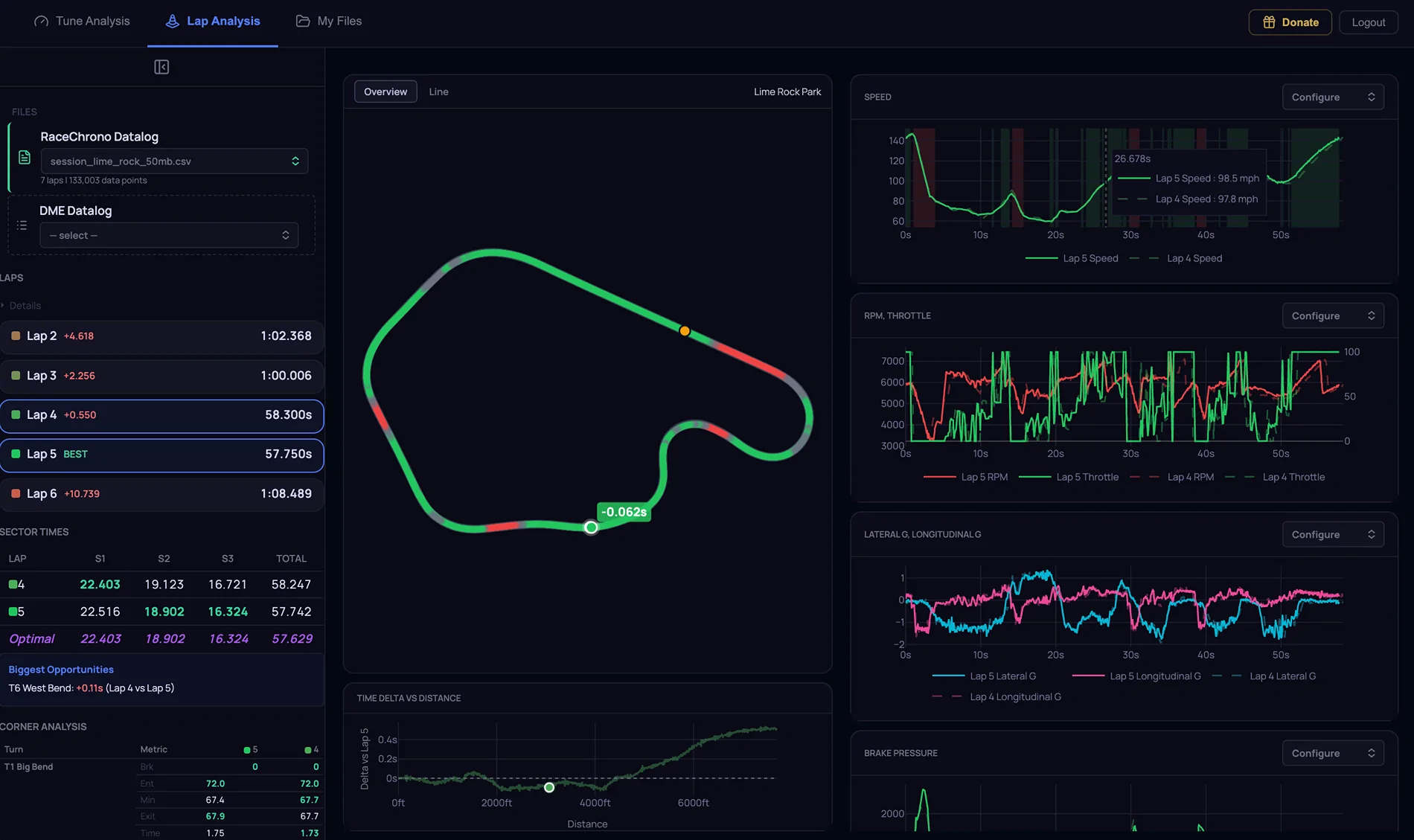
- Load a lap telemetry CSV/VBO with GPS data and the app builds an interactive track map, identifies all laps, and breaks the session down corner by corner
- Lap list — every lap shown with its lap time, delta to best lap, and expandable stats (peak acceleration, braking zones, top speed)
- Best lap is automatically identified; any lap can be selected as the reference for comparison
- Track map — canvas-drawn track layout with your car's line plotted; switch between Overview and Line views; click any corner to drill in
- Corner Detail panel — select any corner on the map and see the raw channel data (throttle, brake, speed, steering) for that corner in a mini chart
- Coaching Insights — AI-generated coaching note for each corner explaining what happened and what to try on the next lap
- DME Tune Alignment — sync your engine log and GPS lap log with a manual offset slider; confidence indicator shows how well the two logs are aligned
- Persistent file storage tied to your account — no more re-uploading the same BIN and XDF every session
- Supports CSV datalogs, BIN calibration files, and lap telemetry CSV/VBO files — all stored separately and labelled by type
- Files are available across all sections of the app — select a saved CSV in the Tune Analyzer, a saved BIN in BIN Compare, a saved lap log in Lap Analysis
- Load and delete files directly from the panel; browse and upload new files from your computer at any time


Sponsored