Sponsored

Tuning Tools v1.0 now live!

OP
OP
razorlab

razorlab

Well-Known Member
First Name
Bryan
Joined
Oct 2, 2021
Threads
29
Messages
8,568
Reaction score
16,797
Location
Hudson Valley, NY
Car(s)
Not a Corvette.
Great! Any chance of a full screen graphing, sort of like old style datazap?

I really liked having 2-3 views i could click through with a large view and auto axis scaling, rather than a lot of scrolling up and down.
Do you mean one card with all plots possible?
Sponsored


mk5.Leo

New Member
First Name
Leo
Joined
Mar 11, 2026
Threads
1
Messages
2
Reaction score
0
Location
arizona
Car(s)
2020 Supra
This is awesome! what can i use to record the lap times? thanks.
 
OP
OP
razorlab

razorlab

Well-Known Member
First Name
Bryan
Joined
Oct 2, 2021
Threads
29
Messages
8,568
Reaction score
16,797
Location
Hudson Valley, NY
Car(s)
Not a Corvette.
Great! Any chance of a full screen graphing, sort of like old style datazap?

I really liked having 2-3 views i could click through with a large view and auto axis scaling, rather than a lot of scrolling up and down.
Would something like this give you what you want? I've been wanting to add resizing for a while now.


ColonelAdama

Well-Known Member
First Name
Adam
Joined
Jan 30, 2023
Threads
2
Messages
1,433
Reaction score
1,646
Location
Greenville, SC
Car(s)
2023 Absolute Zero Supra 3.0 Premium MT, 2015 GTI
Would something like this give you what you want? I've been wanting to add resizing for a while now.

exactly that! very nice implementation. One more idea too, can we upload multiple logs at a time? maybe a max of 3 or 5?
 
OP
OP
razorlab

razorlab

Well-Known Member
First Name
Bryan
Joined
Oct 2, 2021
Threads
29
Messages
8,568
Reaction score
16,797
Location
Hudson Valley, NY
Car(s)
Not a Corvette.
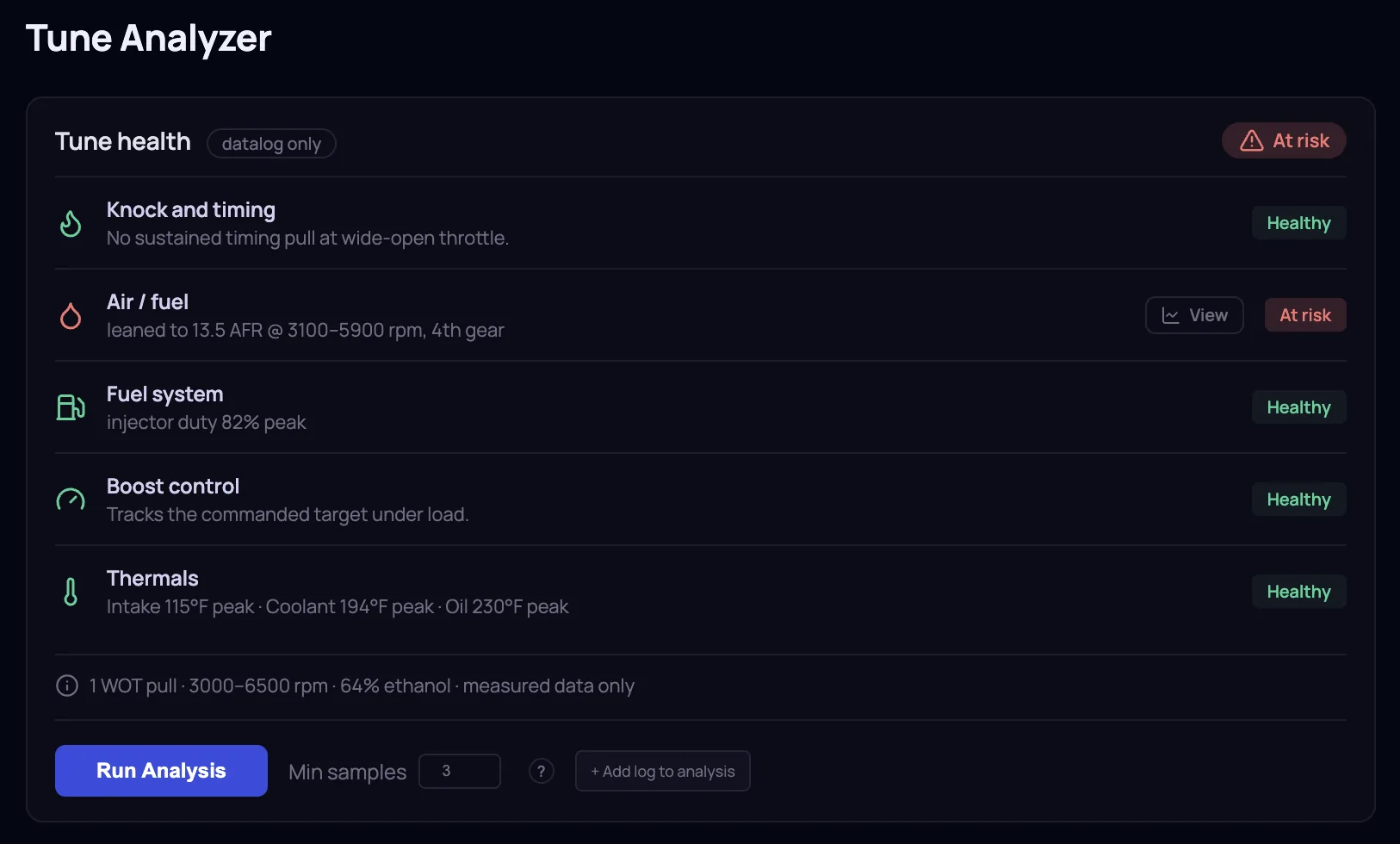
Tuner Tools v1.1 released.

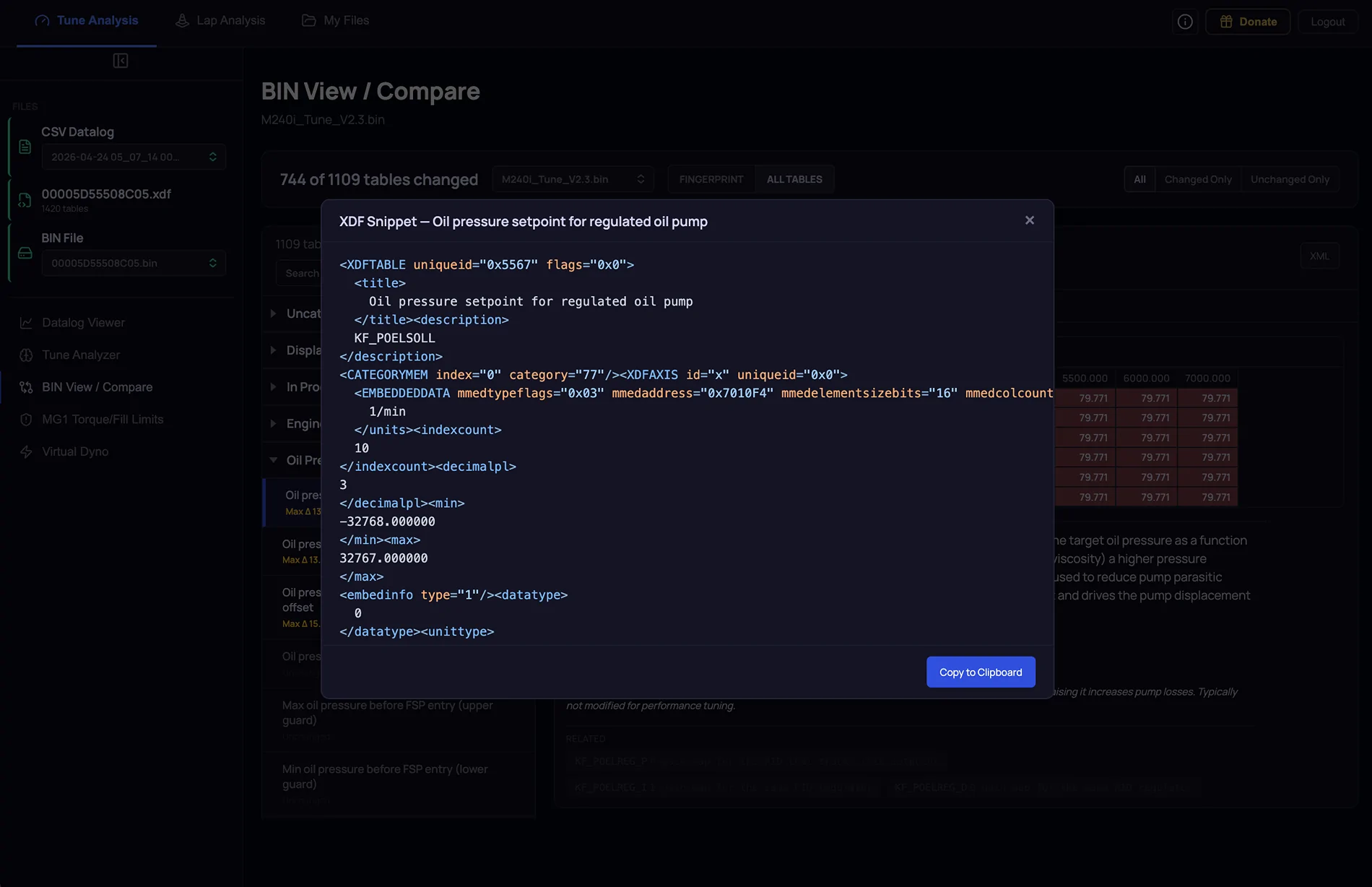
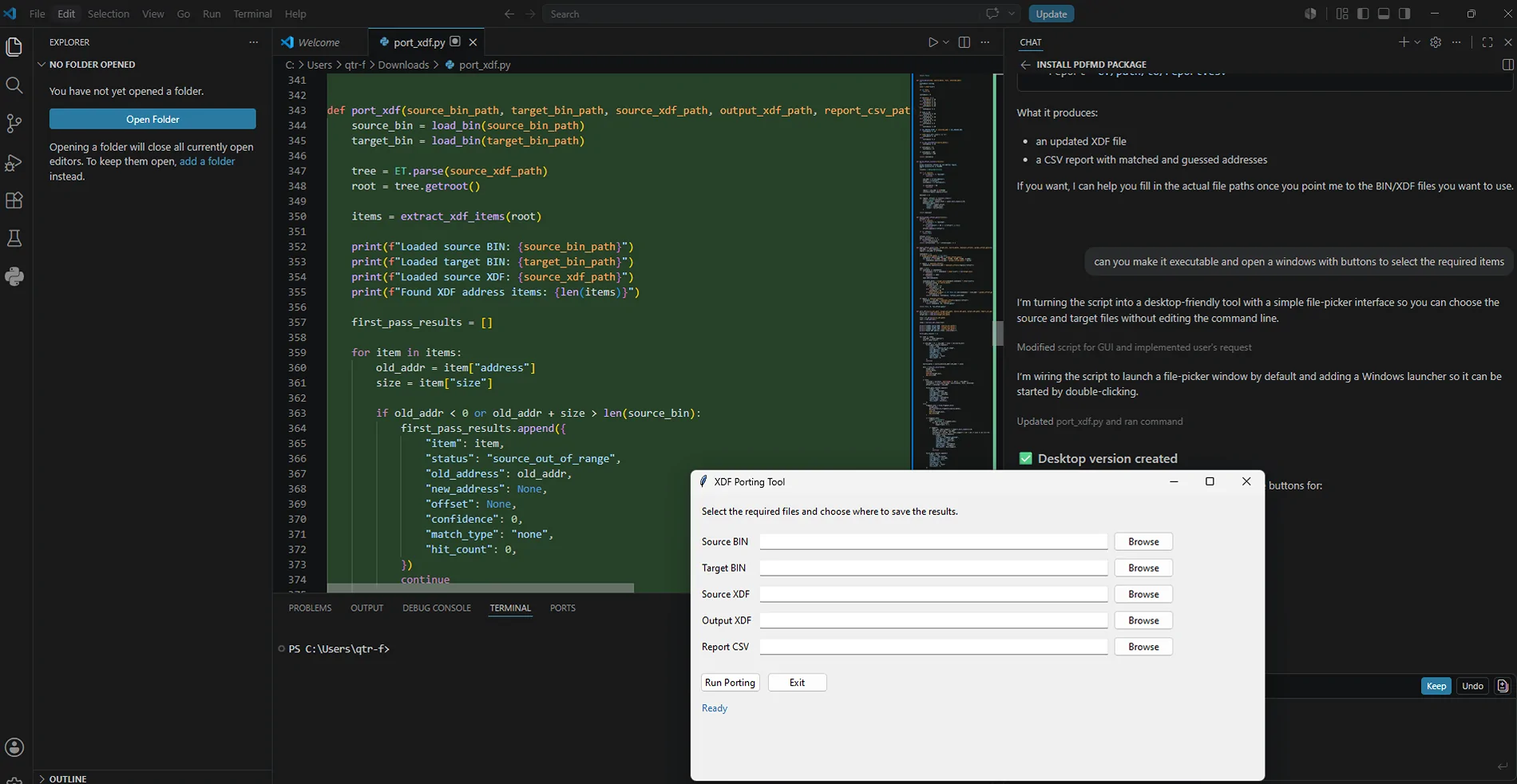
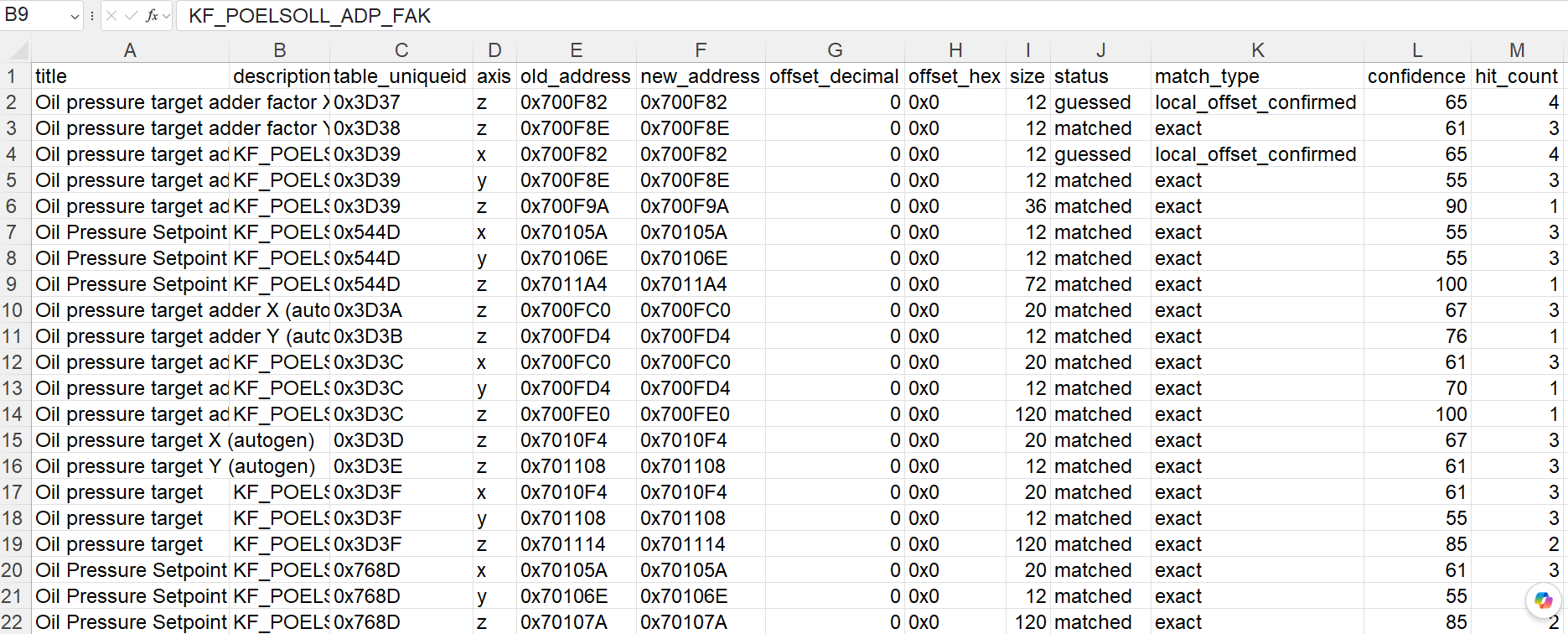
Some of you will probably very much appreciate the XML feature. ;)

https://norcalmotorsports.org/logapp/

Release notes: (Can also be found in the app by clicking on the info button in the top right)

v1.1 — April 24, 2026

Overall


- Release notes modal (this screen)

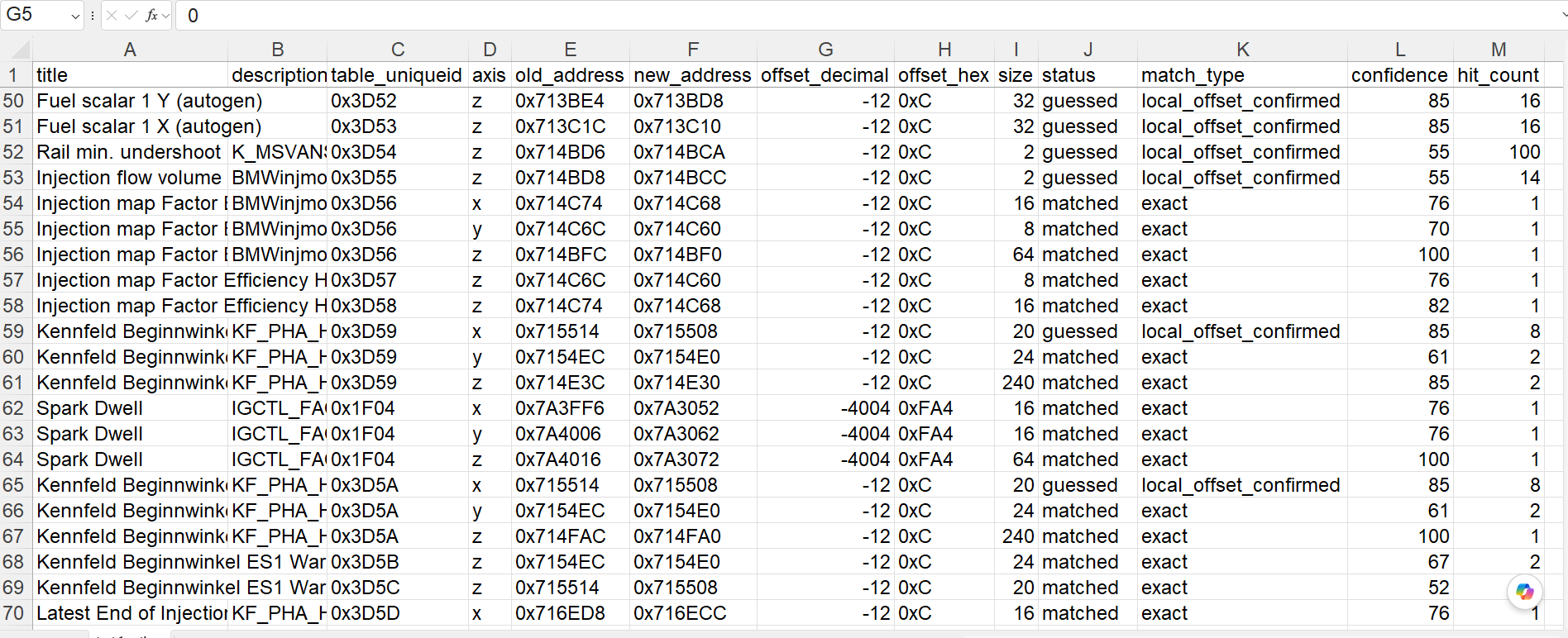
- Added new S58 XDF 00005C64148706 to library

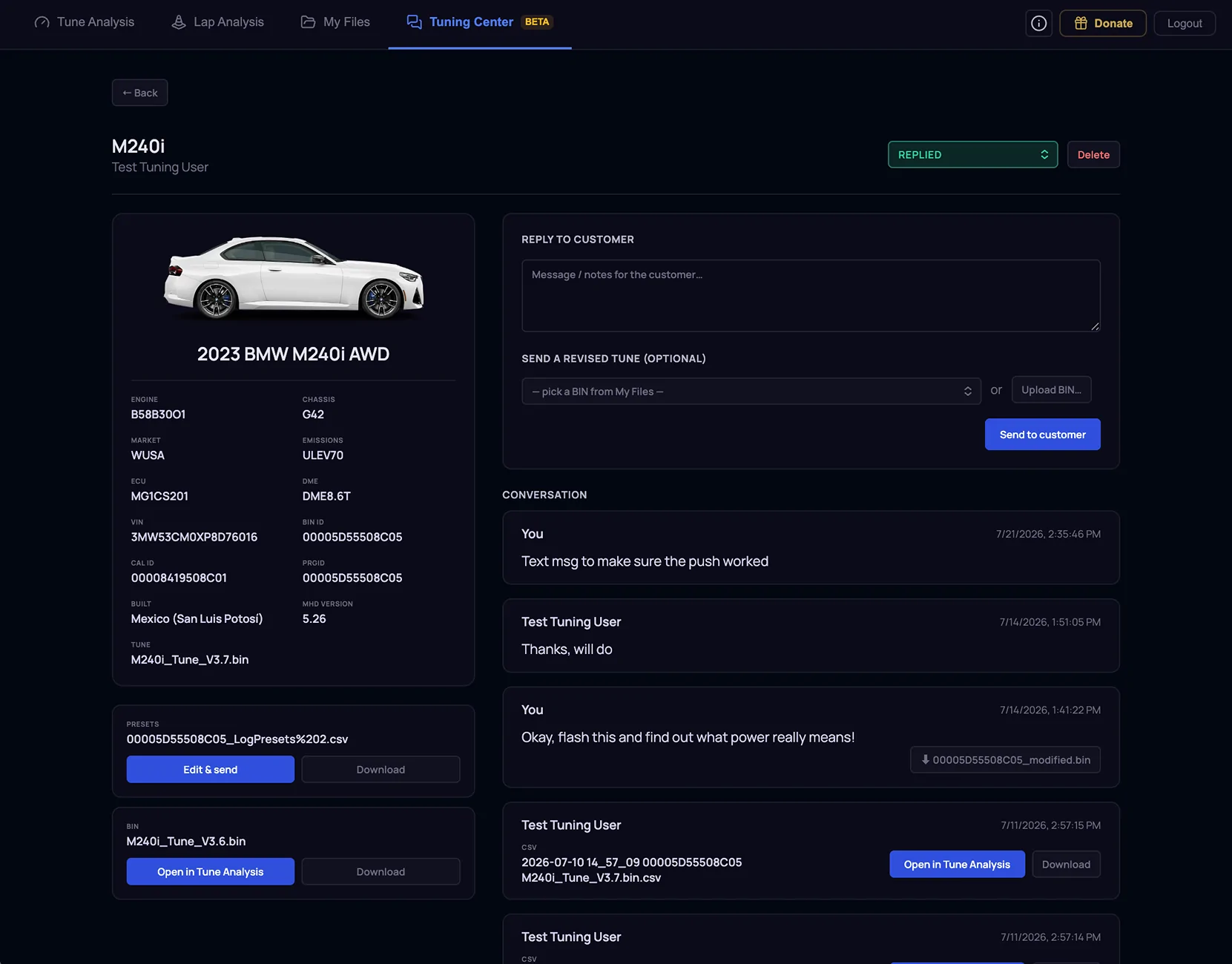
- Added support for multi-file upload in My Files


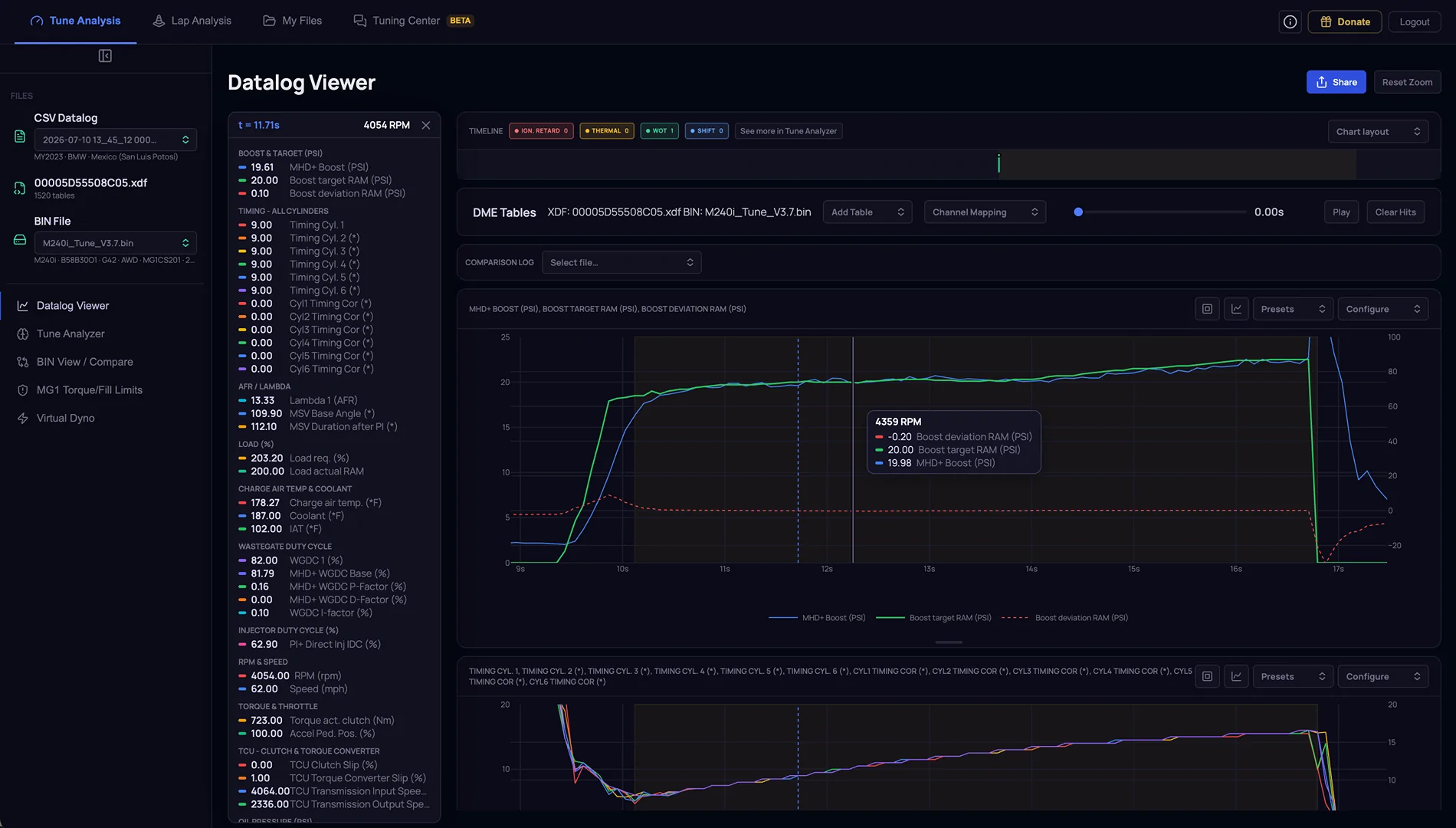
Tune Analysis : Datalog Viewer

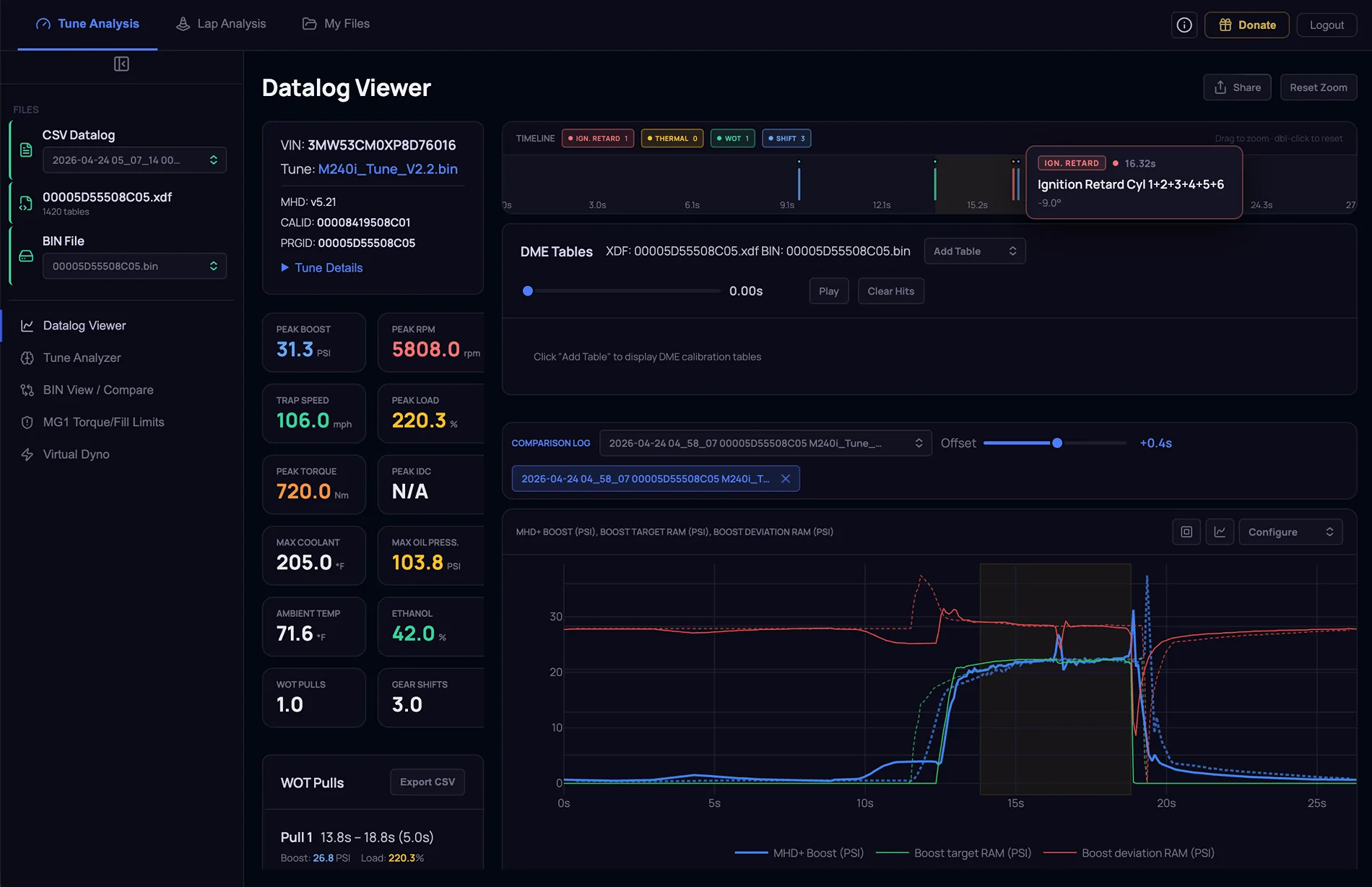
- Added the ability to load a comparison log to overlay onto the current loaded log file. Once the comparison log is loaded, use the Offset slider to align the two log files.

- Timeline markers. When loading a datalog, the system analyzes the file and adds clickable markers to call out certain events on the timeline. Currently showing Ignition Retard, Thermal, WOT, and Shift events. Clicking on a timeline marker zooms in to that event in the log file.

- Datalog plot cards are now user resizable vertically. The size of the card is also remembered across sessions.

- Datalog Viewer Shares: fixed a bug that it would only share the data channels selected at the time of share. Now sharing a datalog retains all logged data channels

- Datalog Viewer Shares: Added the same vertical resizing that was added to the Datalog Viewer

- Default Boost target plot is now a solid thin line instead of dashed for better readability


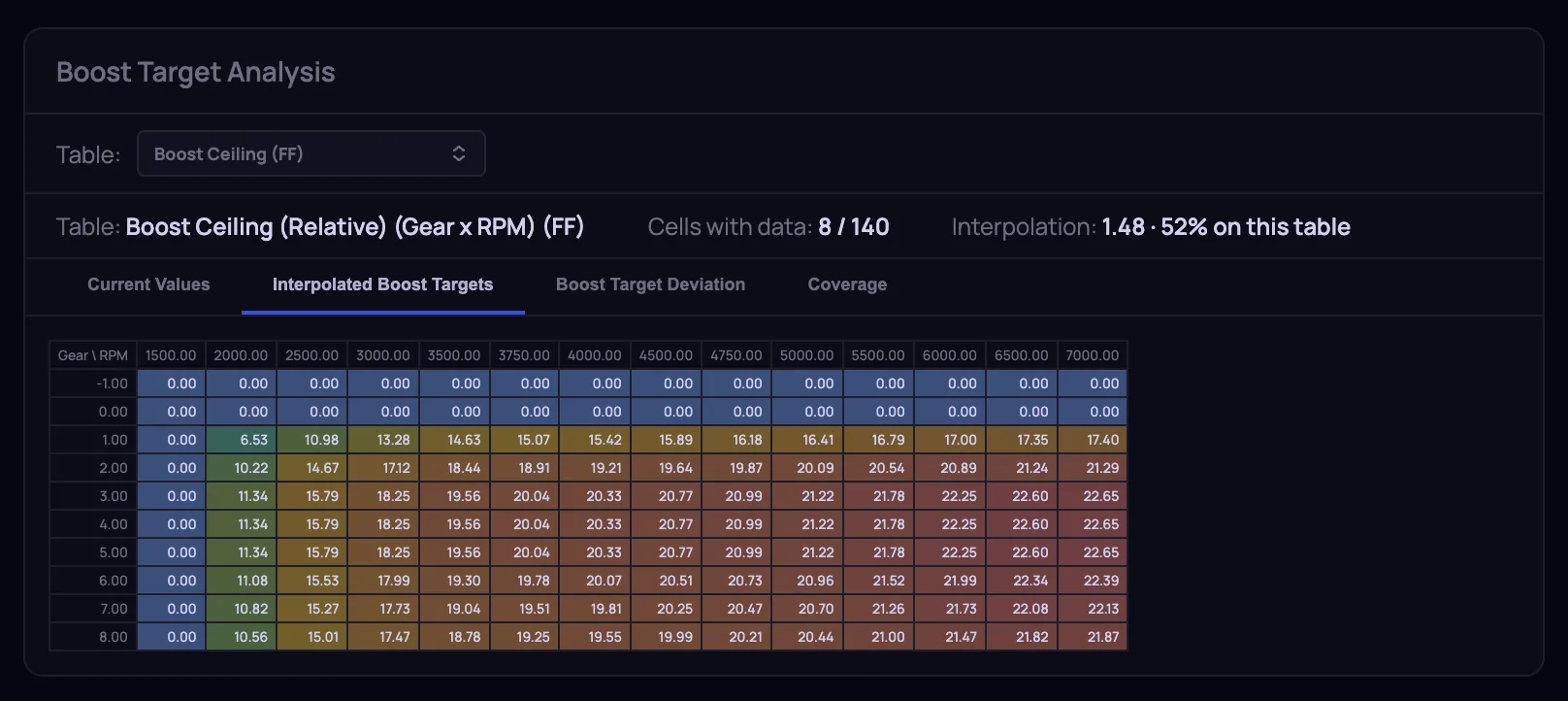
Tune Analysis : BIN View / Compare

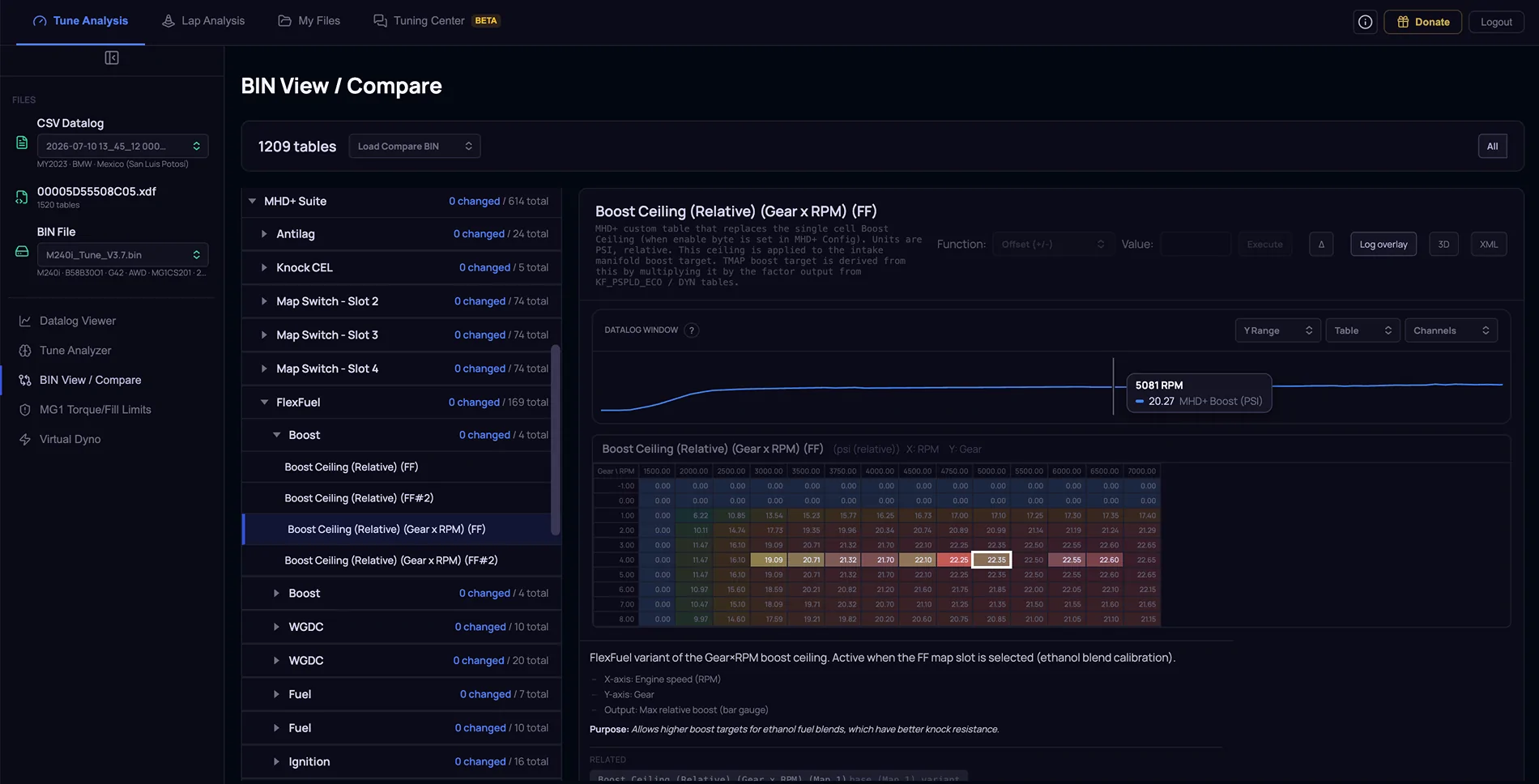
- Added the ability to view and copy the XML snippet for each table.

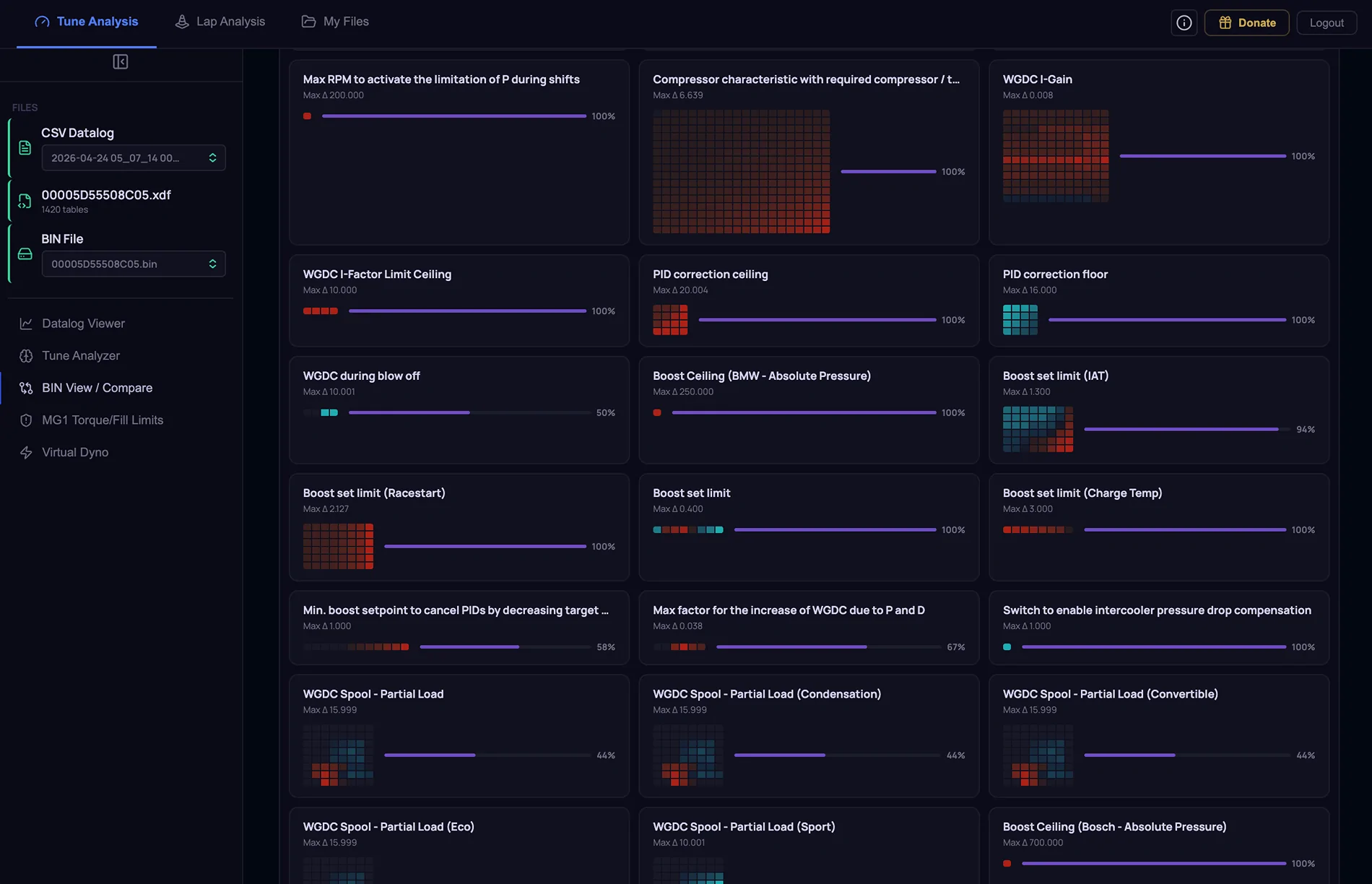
- When you load a BIN to compare, there is a new Fingerprint view that serves as a dashboard for all changes done to the loaded BIN file. Clicking on a table card navigates to the actual table details

- Switch between “Fingerprint” and “All Tables” via a toggle.


Tune Analysis : Virtual Dyno

- When a comparison log is loaded, the HP and lb-ft number colors now match the actual dyno plot colors


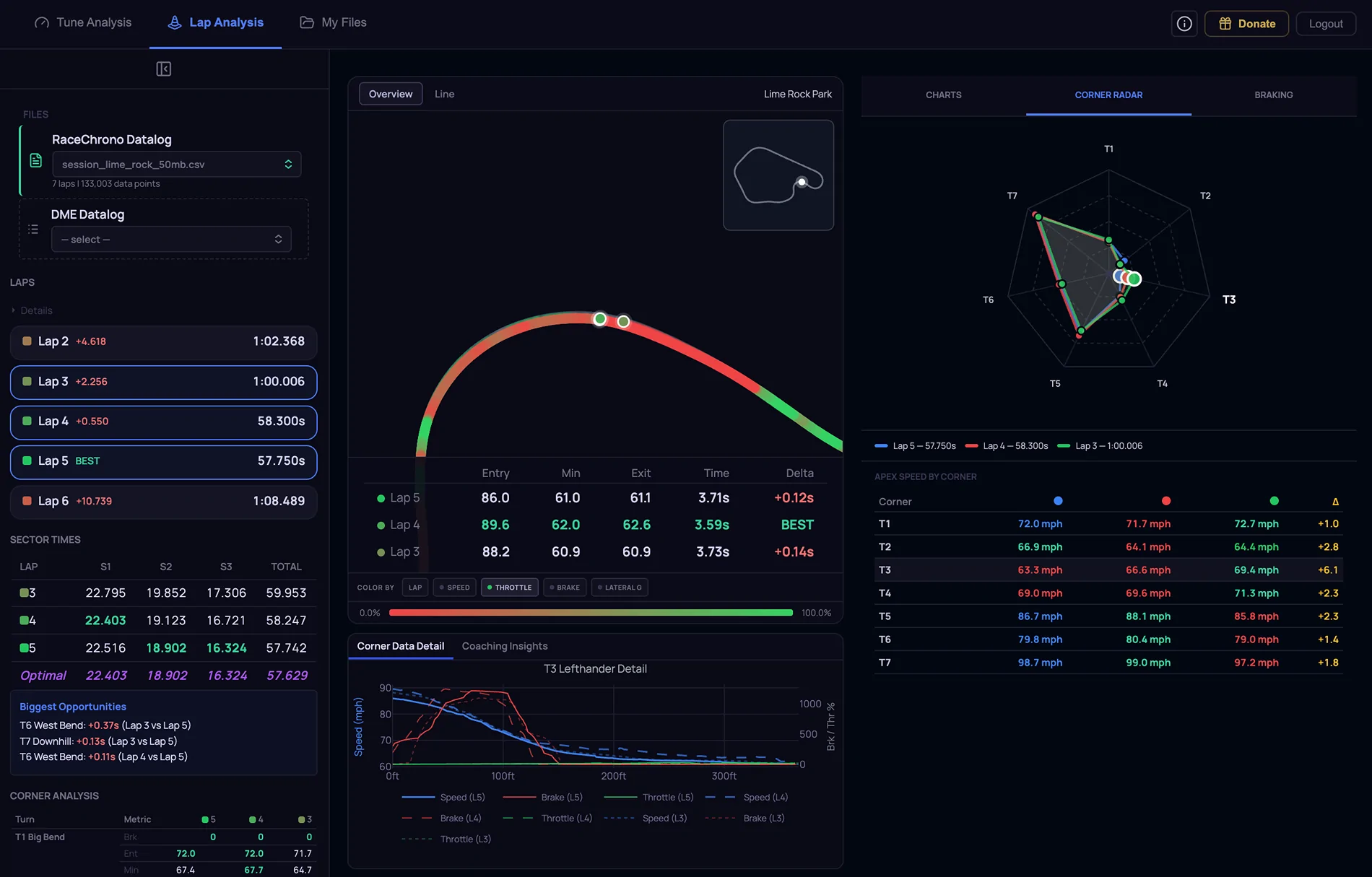
Lap Analysis

- Added support for large CSV uploads up to 200 MB

- Track map can now be colored by Speed, Throttle, Brake, or Lateral G

- Added support for more tracks

- Started to hardcode actual corners and corner names. More to come!

- Added Corner Radar tab on the right. Shows VMIN for each corner with a spider chart and list. When comparing multiple laps, an overlay appears on the spider chart and the list shows the VMIN delta numbers

- Added Braking tab on the right. When selecting multiple laps, braking events for each corner are displayed visually to show braking point differences

Screenshot 2026-04-24 at 1.13.58 PM.webp
Screenshot 2026-04-24 at 1.14.26 PM.webp
Screenshot 2026-04-24 at 1.14.52 PM.webp
Screenshot 2026-04-24 at 1.17.56 PM.webp
Sponsored


Top