Jeff Lange
Well-Known Member
Processing times vary, but they can be ordered ahead of time.
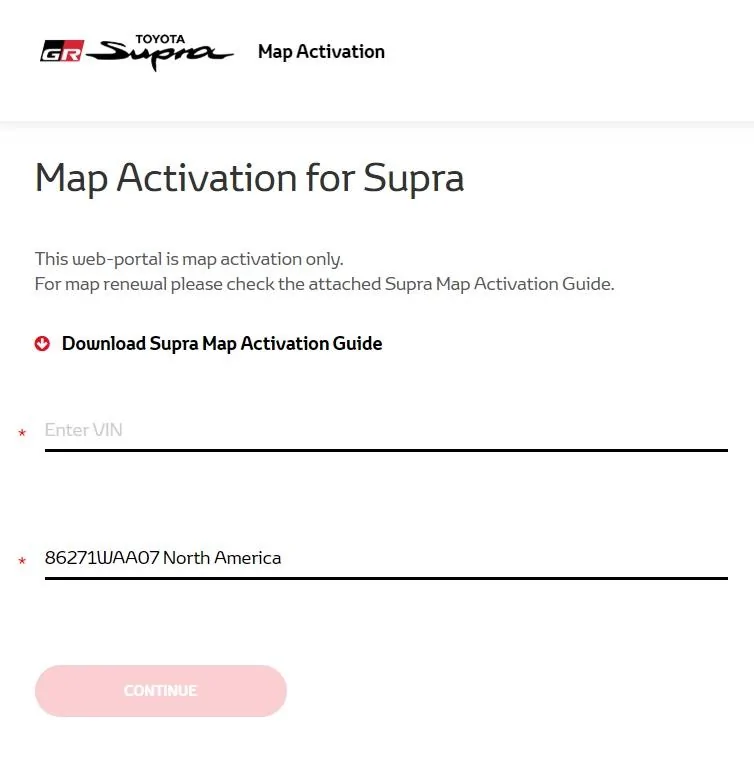
JeffToyota Supra Navigation Key Ordering Instructions said:Navigate to www.supramapactivation.com and order a license key.
NOTE
- Refer to the Map Activation Order Request Guide at https://www.toyota-tech.eu/Supra/MapActivationGuide_EN.pdf#page=4 for complete ordering instructions.
- To place the order, enter the vehicle VIN and select the applicable country.
- Orders can be submitted 24 hours a day, but order processing times are limited. Therefore, orders need to be placed in advance according to the schedule for PDS.
- Time from order placed until order completed: From same-day to max. 3 days (no processing on weekends)
- If an order is placed just before a scheduled order processing time, the order may be processed at the next scheduled order processing time.
- Order processing times (Central European Time): Monday – Friday, 9:45 AM, 12:00 PM, 3:00 PM, 9:00 PM
- Orders are processed in Europe and will therefore follow European Daylight Saving (Summer) Time. The European Daylight Saving Time schedule differs from the USA schedule.
- After the order has been received, an email will be sent to the address that was provided during user registration to inform you of the time at which processing is expected to be completed.
- As long as ISTA is connected to the internet, the ordered license key will automatically populate in ISTA during the navigation map activation procedure. (No physical object will be sent to the dealer.)
- Activation MUST be completed within 30 days of the license key order. If activation is NOT completed within 30 days of the license key order, the license key will become invalid, and it will be necessary to order a new license key.
- The 4-year free update period is calculated from the completion of the license key order, NOT from the activation timing.
Sponsored