Sponsored

Easy Way to Display Temperature, Boost, etc.

OP
OP
Bassoonytoon

Bassoonytoon

Well-Known Member
First Name
Patrick
Joined
Aug 1, 2021
Threads
8
Messages
176
Reaction score
680
Location
Canada
Car(s)
2021 Supra - Nitro Yellow / 2017 86 Special Editio
Update: I found the refresh rate on these gauges to be incredibly slow. I'm sure it's fine for things like temps, but it was unusable for me for anything that required real time feedback like boost and AFR.

Anybody else have a similar or different experience?

It was refreshing <= 1 time a second.
That’s too bad. What device are you using? For me, most gauges are fast (RPM is instantaneous) but boost and AFR will display for a split second before refreshing. That said, they do update several times per second.

There are a couple of things to try that could help.
  • In “Settings,” go to “Preferences” and then “Communication”
  • Make sure that “Fast Polling” is active and lower your dwell time to 0ms (if it’s not already)
  • You could also try changing your “Communication Type” to see if that helps (switching to Wi-Fi or Bluetooth depending on how you are currently connecting).
  • Make sure your app and the OBD module are both up to date.
Some gauges will have a “Number of Samples” selection in the “Display Configuration” tab. I doubt this is what is happening, but it is worth a look.

Finally, try creating a dash with only boost or AFR. Use a different kind of gauge than what you are currently using to see if this gives you a different result.

I hope one of these solves it for you.

Good luck!
Sponsored
 

B58_ hwAyaq

Well-Known Member
Joined
Dec 12, 2021
Threads
27
Messages
678
Reaction score
793
Location
Tampa, FL
Car(s)
'20 Supra (sold), '21 Mustang GT 10R80, '23 F150
There are a couple of things to try that could help.
Thanks, I will try these. There was a firmware update that popped up right when I loaded the app, but I ignored it because I was short on time. I'll try out your tips soon and report back.
 

Phantom Menace

Active Member
First Name
Clive
Joined
Aug 10, 2022
Threads
0
Messages
26
Reaction score
15
Location
Vancouver
Car(s)
2022 GR Supra 3.0 Premium in Phantom Matte Grey
I have an Obd link MX (not MX+) all I really want is coolant and oil temp (especially oil), and maybe IAT.
Will the MX get me these values from a 2022?
 
OP
OP
Bassoonytoon

Bassoonytoon

Well-Known Member
First Name
Patrick
Joined
Aug 1, 2021
Threads
8
Messages
176
Reaction score
680
Location
Canada
Car(s)
2021 Supra - Nitro Yellow / 2017 86 Special Editio
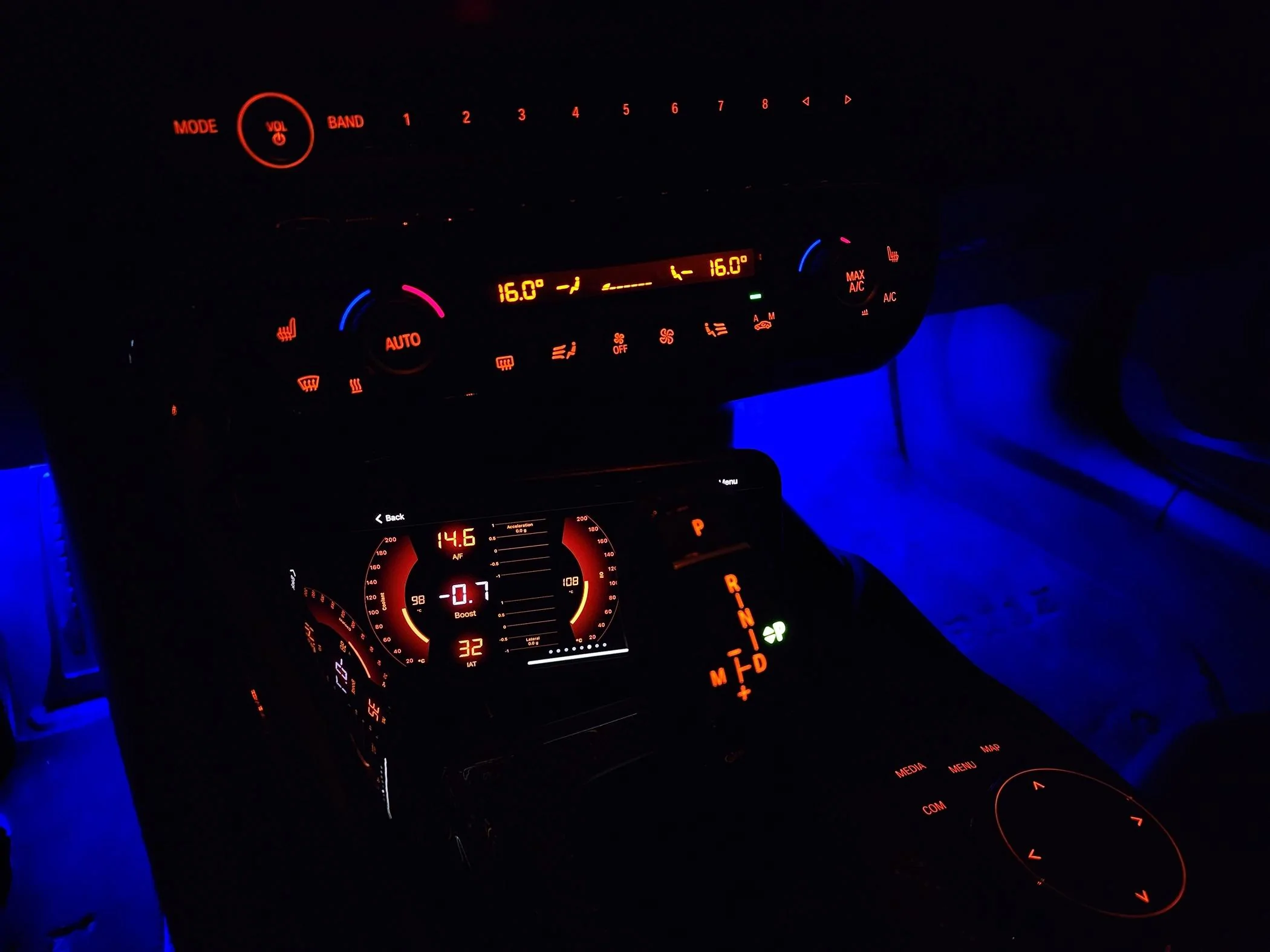
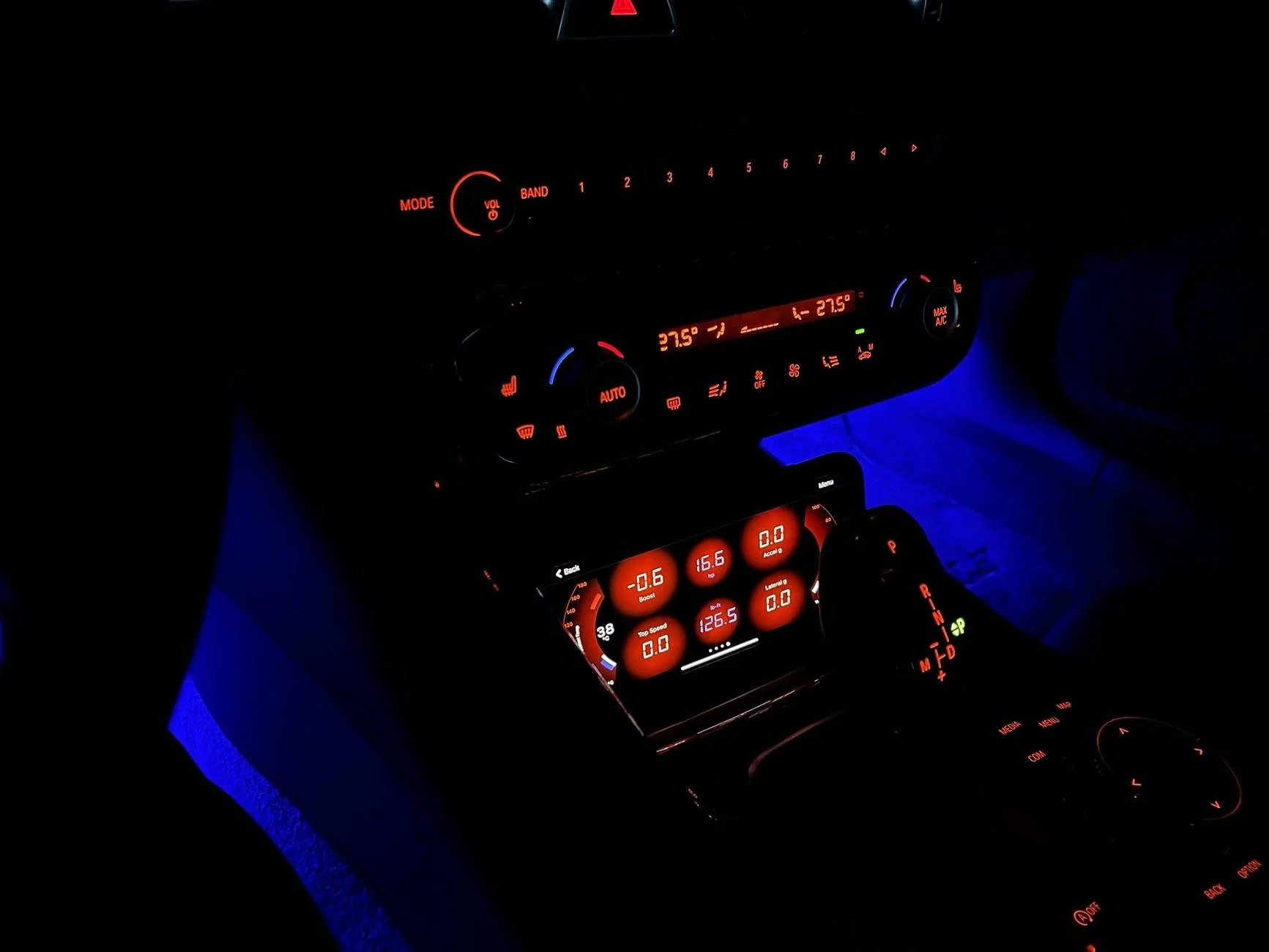
Thought I might as well update this thread for those who want to try this method of mounting their phone and displaying some further information while driving.

Here is a closer picture of the phone as it is mounted. The far right side of the screen is blocked by the shifter but there is still enough screen visible for a lot of easily visible information.

20230920_201533.webp


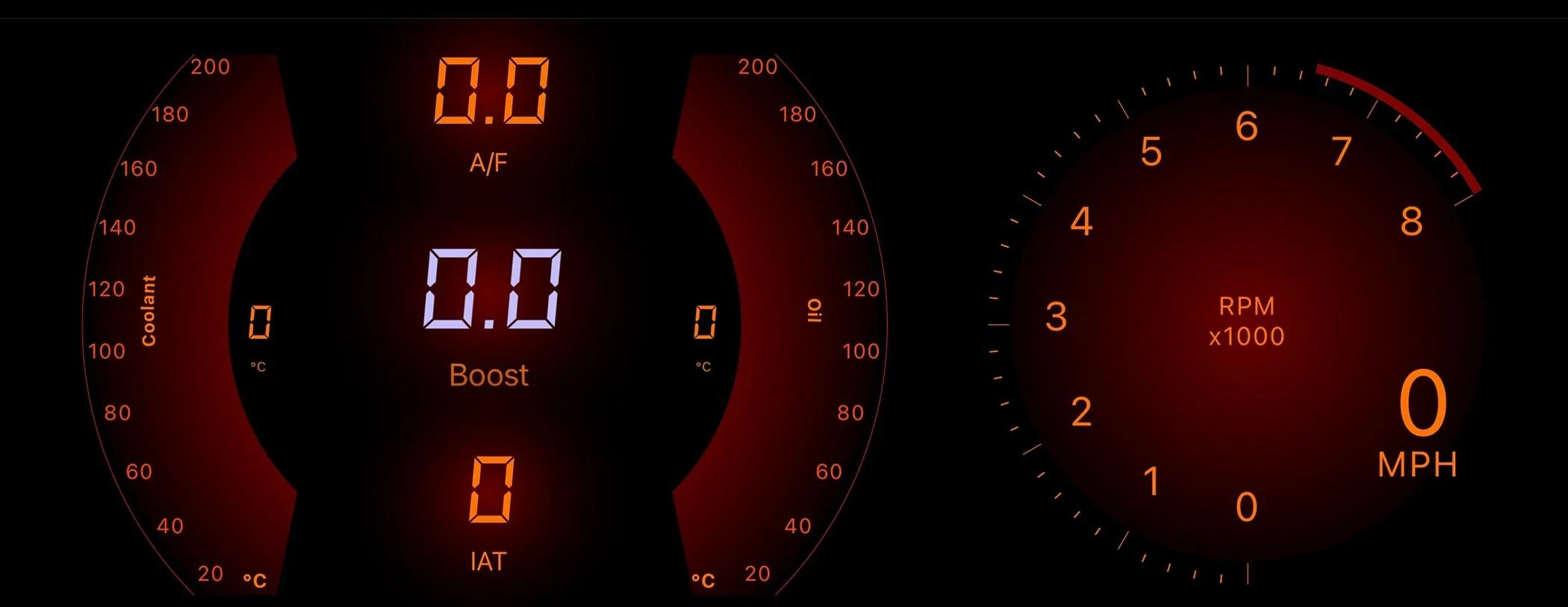
I have also updated my display. Maybe someone will find this useful. I moved most of the displays left so that I can see everything without the shifter blocking anything. I then put a speed/tach readout on the right so my son can see them easily while driving (these are blocked by the shifter so I can't see them). The colours match those of the temperature display fairly well.

IMG_E9730.webp


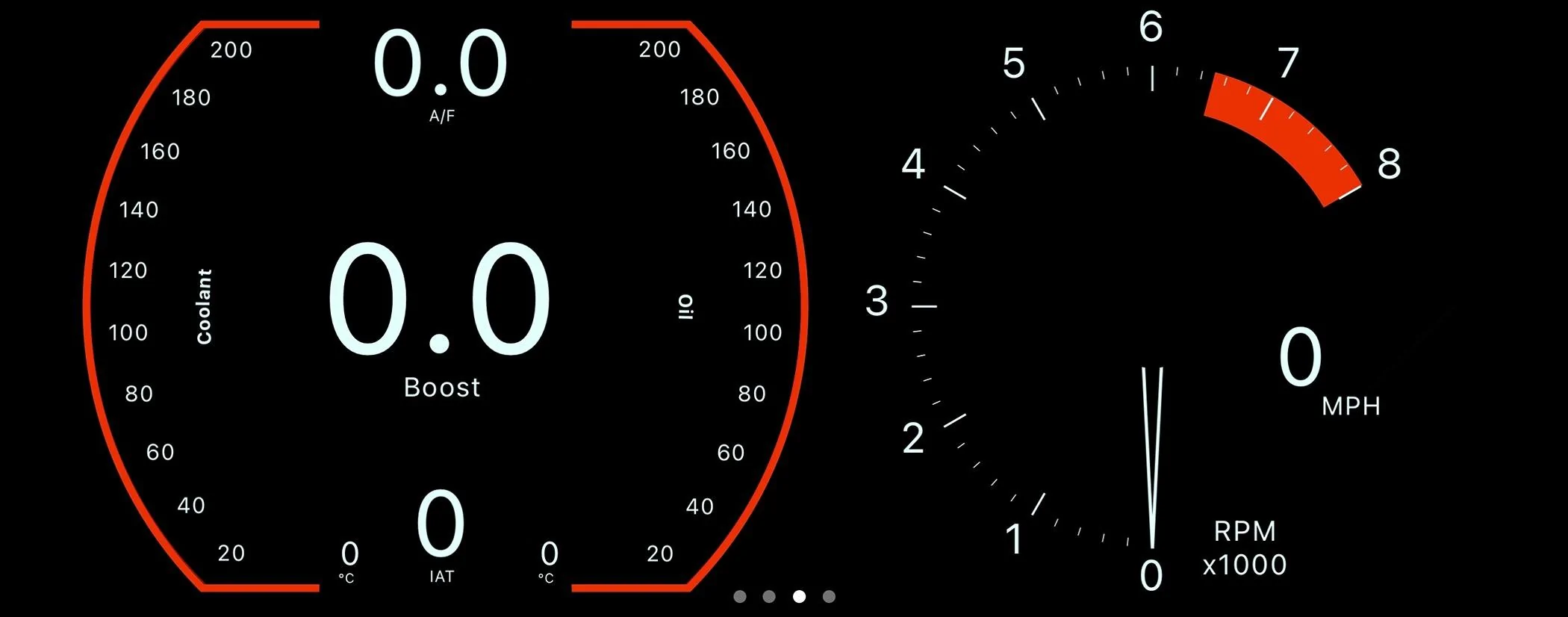
I also made a display that more closely resembles the gauges. It's obviously not a perfect match. It would be great if this app allowed us to use different fonts. If they ever update it to allow this, we could get pretty close.

IMG_E9729.webp


Hope some of you find this helpful!
 

Parkofadown

Well-Known Member
First Name
Richard
Joined
Feb 7, 2024
Threads
2
Messages
125
Reaction score
35
Location
Virginia Beach
Website
www.linkedin.com
Car(s)
2022 Supra 3.0 Premium
How exactly do you get this set up in your car, what tools will i need besides this app? how do I know which connector is compatible with OBD and Bimmercode?
Thanks,
Richard
 
OP
OP
Bassoonytoon

Bassoonytoon

Well-Known Member
First Name
Patrick
Joined
Aug 1, 2021
Threads
8
Messages
176
Reaction score
680
Location
Canada
Car(s)
2021 Supra - Nitro Yellow / 2017 86 Special Editio
How exactly do you get this set up in your car, what tools will i need besides this app? how do I know which connector is compatible with OBD and Bimmercode?
Thanks,
Richard
You will need an OBDLink adapter. Many people on the forum have one from this brand as they are reliable and easily available.

Then you will need to download the OBDLink app from the App Store (iPhone) or Play Store (Android). I have both and each works well with the car (you can use the app in other cars, too. Unfortunately, not all cars seem to respond as well as the Supra).

Finally, you will need a mount for your phone or tablet (whichever you are using to display the information). I prefer my phone since I always have it with me when I drive.

As for which adapter works with BimmerCode, according to their website (https://bimmercode.app/adapters/) either the CX or MX+ Bluetooth models should work.

Hope this helps :)
 

afkdoorbell

Well-Known Member
First Name
Reggie
Joined
Oct 29, 2024
Threads
6
Messages
103
Reaction score
49
Location
The Lone Star
Car(s)
A90, TMY
So this will work on any supra? Sorry for the question but I keep thinking locked ECU ones are out of luck.

Also the obd thst is recommended (cx) is fine vs the mx+?
 

Gabe

Well-Known Member
First Name
Gabriel
Joined
Feb 19, 2024
Threads
39
Messages
674
Reaction score
1,234
Location
Miami
Car(s)
2024 Supra MkV/Tesla Model S/Tesla Model X
So this will work on any supra? Sorry for the question but I keep thinking locked ECU ones are out of luck.

Also the obd thst is recommended (cx) is fine vs the mx+?
That should work on any Supra. But i is very basic and may come out slow. Not sure.

Some person here implemented a very professional way to show telemetry and Car data and lap timing from OBD2 AND CAN BUS in a screen using RaceCapture. Seems to be a very complete system.

I am copying his set up, maybe adding a different placement for the actual screen that shows the data.
 

afkdoorbell

Well-Known Member
First Name
Reggie
Joined
Oct 29, 2024
Threads
6
Messages
103
Reaction score
49
Location
The Lone Star
Car(s)
A90, TMY
Question on this when creating the left and right arches:
In the "Frame" sub-tab:
Location: Left (after you create another template for this gauge, all you should need to do is change this to right for the gauge on the right side)

Background Color
  • Inner Color: FFDF0000
  • Outer Color: FF0A0000
  • Gradient Radius: 0.675

Can you list your right settings?
When I use this to the left and then use it on the right, the right side Gradient is too bright.
I also tried to copy the left and paste it then change it to "right" however same issue.

I'm not able to get it even in the Gradient .

Here is my right side settings:
Background Color
  • Inner Color: FF0A0000
  • Outer Color: FFDF0000
  • Gradient Radius: 1
I had to flip the inner and outer colors to make it come close to matching the left arch
 

MavJ

Well-Known Member
First Name
J
Joined
Oct 22, 2024
Threads
6
Messages
100
Reaction score
35
Location
YVR
Car(s)
GR Supra, Retired: e46 m3, CRG Rotax Max
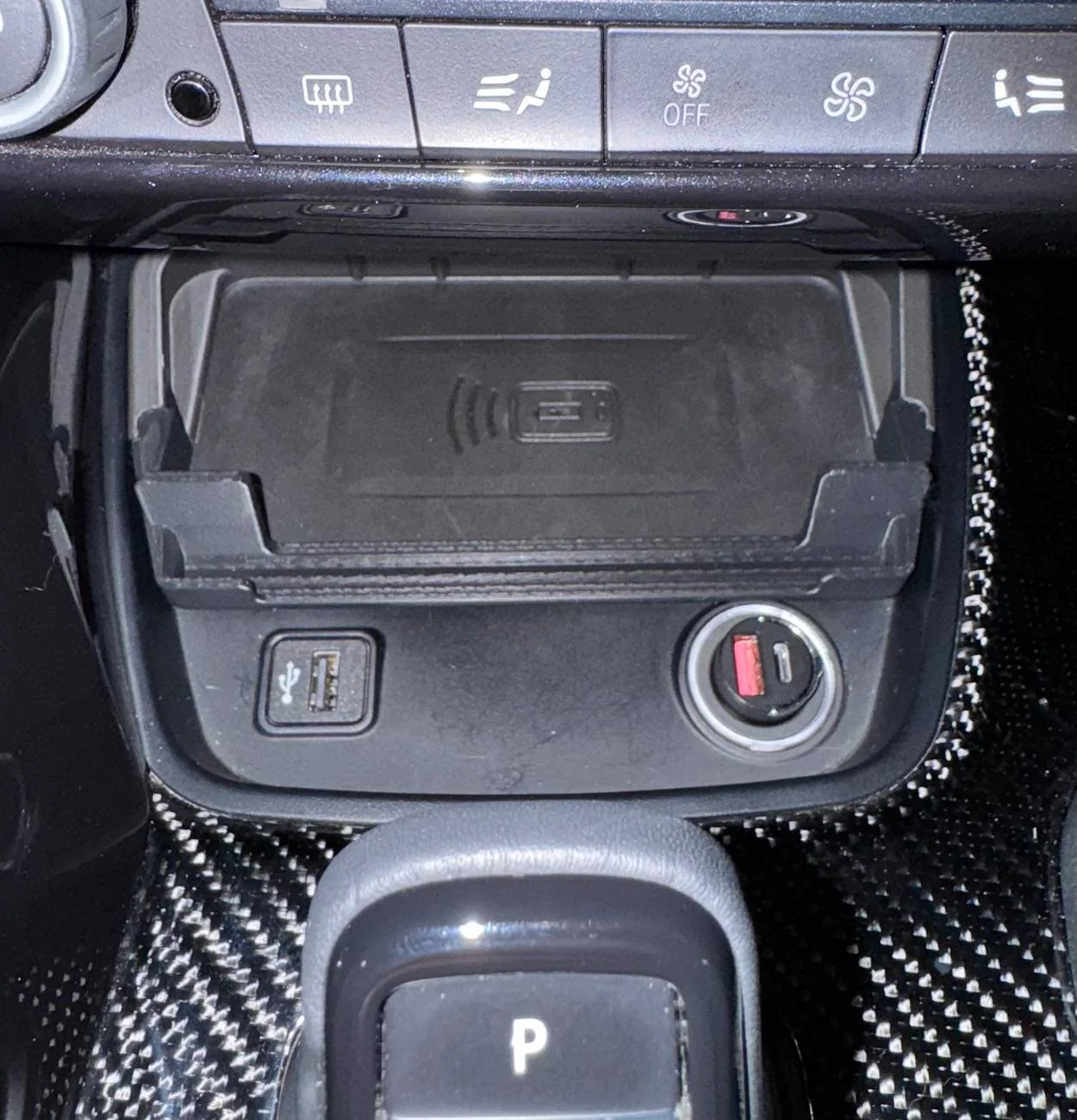
To mount my phone I used this Scosche magnetic mount. It mounts to the cover above the wireless charger and holds the phone securely with no vibrations or rattles (note I'm using an iPhone 11 Pro Max with a case).

I hope this was helpful! Good luck and I would love to see what kinds of "dashboards" anyone may create with this app!
65eabfee-9a7a-426c-ad5e-40635658e3e6-jpeg.webp


Thank you for starting this thread and all the information.

I updated my version of the dashboard with your settings and it looks fantastic!

I had an idea and a super smart friend who made this 3d printed tray extension to another tray from another thread which allows the phone to be placed sideways.

Hope you all like it:

https://www.supramkv.com/threads/replacement-wireless-charger-tray-3d-printed.16126/post-402901

IMG_6933.jpg
 
Last edited:

markssupra219

Member
First Name
Mark
Joined
Sep 29, 2023
Threads
1
Messages
15
Reaction score
17
Location
New York
Car(s)
23 Supra MT
What PID are you all using for boost? I tried the obvious boost one but I don’t get an accurate reading. Stays pretty much at -0.7 psi


Top