
Sponsored
Loading

Callabrator
Well-Known Member
Thanks for the write up! Man, ‘android only’ is a bummer
Xproplayer
Well-Known Member
- First Name
- Aaron
- Joined
- Apr 2, 2022
- Threads
- 7
- Messages
- 269
- Reaction score
- 254
- Location
- Bay Area, California
- Car(s)
- 2021 Supra White
Is there a bimmercode equivalent?
OP
OP

razorlab
Well-Known Member
- Thread starter
- #5
Yea, I bought one just for this. Next thing I am looking for is a way to disable the EDC stuff so the cancellers won't be neededThanks for the write up! Man, ‘android only’ is a bummer
Unfortunately no, bimmercode doesn't have the capability.Is there a bimmercode equivalent?

Rocksandblues
Well-Known Member
Thank you

- First Name
- Evan
- Joined
- Dec 10, 2021
- Threads
- 46
- Messages
- 780
- Reaction score
- 1,263
- Location
- Pittsburgh, PA
- Car(s)
- 21 Nitro Yellow A90 Supra, 10 Honda Fit Sport 5spd
This is awesome, I was considering a seat down the road but was hesitant due to errors and such. Lets say for example I decide to take a long raodtrip and decide to put the stock seat back in, Would I get an error? Id assume even so, this would be the fix.
OP
OP
razorlab
Well-Known Member
- Thread starter
- #8
If you put your stock seat back in, and want the oem seat airbag to work, you would need to reactivate it via protool.This is awesome, I was considering a seat down the road but was hesitant due to errors and such. Lets say for example I decide to take a long raodtrip and decide to put the stock seat back in, Would I get an error? Id assume even so, this would be the fix.
kaj
Well-Known Member
- First Name
- Jason
- Joined
- Aug 6, 2022
- Threads
- 35
- Messages
- 2,212
- Reaction score
- 2,548
- Location
- Fresno, CA
- Car(s)
- '00 360 / '69 Charger
Subd

zrk
Well-Known Member
- First Name
- Zack
- Joined
- Apr 20, 2021
- Threads
- 80
- Messages
- 8,472
- Reaction score
- 14,122
- Location
- Chicago, IL
- Car(s)
- 2021 Supra - Nocturnal Black
You can do that with Bimmercode.Can you code out the stock seat belt buckle too?
718_2T
Active Member
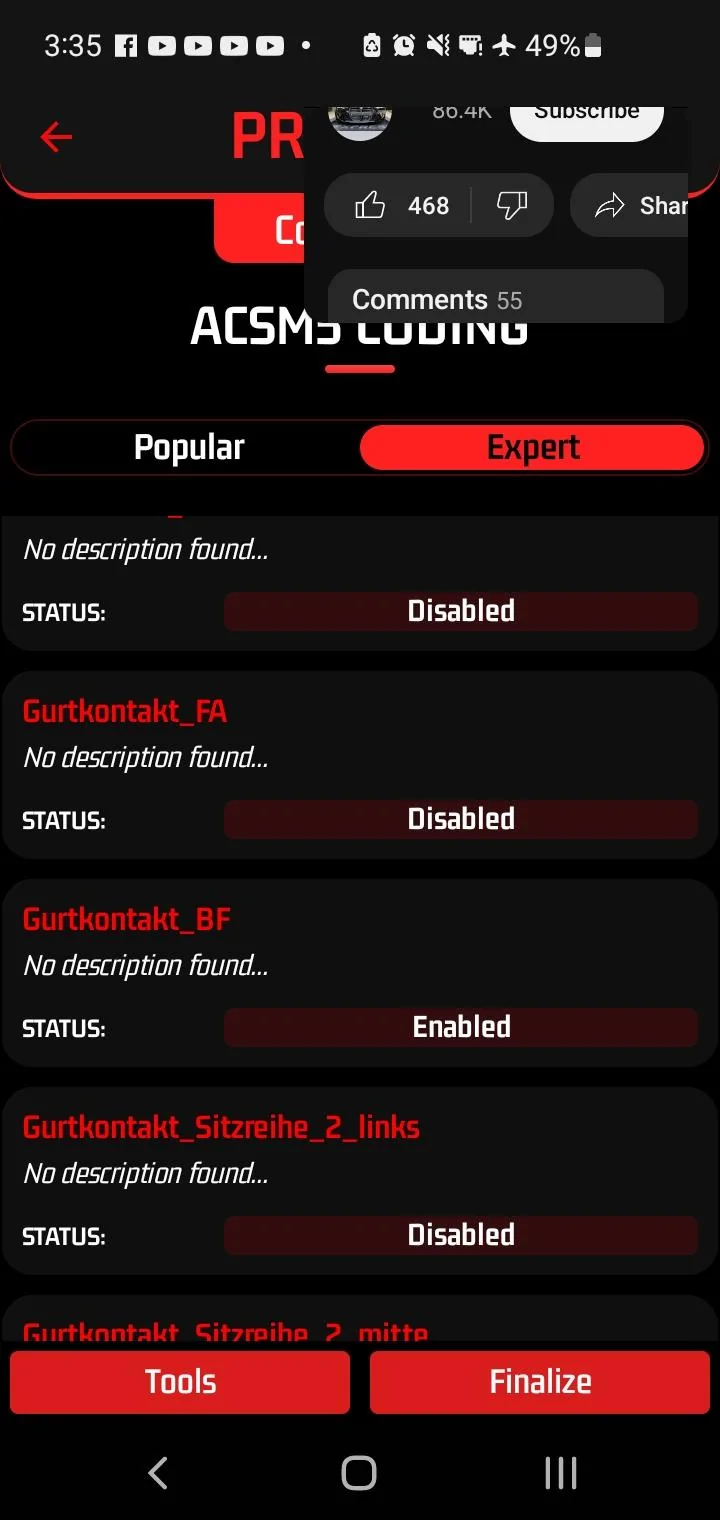
Appreciate it! I think I may have figured something out. There are some ghost errors but not creating CEL
1. Unplugged the belt buckle first from the harness.
2. Disabled Gurtkontact_FA

1. Unplugged the belt buckle first from the harness.
2. Disabled Gurtkontact_FA
FLtrackdays
Well-Known Member
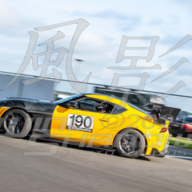
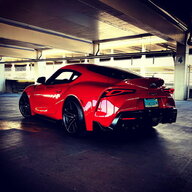
Holy shit I’m getting too old for this. Looks like I’ll just buy a knee pads to brace myself ?
Edit: now that I have a seat, I need to find the iOS equivalent or have my fav shop look at it…. nice to know it can be done.
Edit: now that I have a seat, I need to find the iOS equivalent or have my fav shop look at it…. nice to know it can be done.
Last edited:
JRedMKV
Well-Known Member
- Joined
- Jul 1, 2020
- Threads
- 43
- Messages
- 684
- Reaction score
- 672
- Location
- Reno, Nevada
- Car(s)
- 2020 Supra 3.0 Premium
- Vehicle Showcase
- 1
Hi there. So I was wondering what settings you used to connect to Protool? I’m using the MHD universal adapter which according to Burger Tuning is compatible with Protool. When I try to connect to the adapter, Protool says it cannot connect or maybe it said it couldn’t find my car but I was definitely connected to the adapter using wifi. I was using the auto-detect function. Thanks.For people that have installed race bucket seats, I just confirmed that you can use Bimmergeeks Protool app to code out the airbag and seat position error.
Did it myself today in like 5 minutes.
Requirements:
Bimmergeeks Protool app (android only)
Protool Master License
OBD wifi adapter (Kies, Thor, or anything from Bimmergeeks) I used Kies
Steps:
Now, once in "3000 equipment"...
- Put car into accessory mode by pushing start button without foot on the brake.
- Buckle seat belt (keeps car from going to sleep)
- Enter diagnostic mode by tapping the start button three times fast (without foot on brake!)
- Connect to car with Protools app
- Find airbag section in Protool
- Select "coding"
- Select "edit coding"
- Select "sector 1: 0001B29"
- Confirm data backup
- Select "3000 equipment"
If you only have the drivers side bucket seat (I currently only have the drivers seat installed)
Disable the following:
ZUENDKREIS_1
SITZPOSITIONSERKENNUNG_SITZMEMORY_FAHRER
If you have replaced BOTH your seats with bucket seats, disable all of the following:
ZUENDKREIS_1
ZUENDKREIS_2
CISMATTE_BEIFAHRER
SITZPOSITIONSERKENNUNG_SITZMEMORY_FAHRER
SITZPOSITIONSENSOR_BF
Then select "finalize"
After that is done, close the app and turn the car off fully (once the green LED on the shifter turns off) and then restart the car.
No more dash lights or warnings!
Before:
View attachment 74123
After:
View attachment 74124
View attachment 74125
Sponsored
Similar threads

- Replies
- 13
- Views
- 9,997


