Sponsored

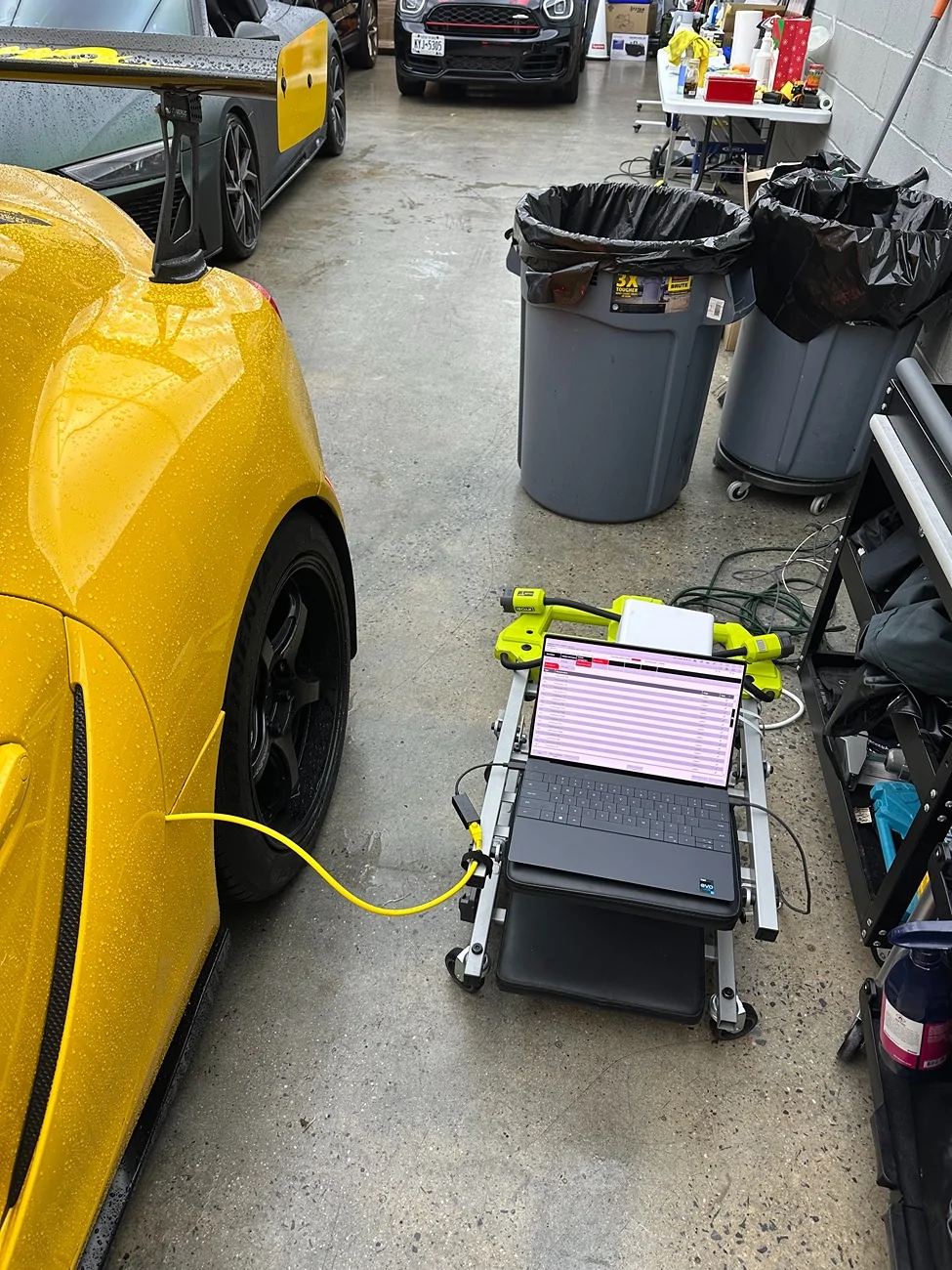
Any interest in guide to doing ISTEP update yourself?

MavJ

Well-Known Member
First Name
J
Joined
Oct 22, 2024
Threads
6
Messages
100
Reaction score
35
Location
YVR
Car(s)
GR Supra, Retired: e46 m3, CRG Rotax Max
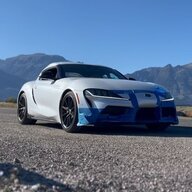
Would ISTA have an option to adjust or calibrate the parking sensors? My front outer left somehow detects my tow hook license plate which has been placed extremely far back to almost the grill -like 1.5 inches than other supras with similar tow hook plates. Parking assistance is very useful.
Sponsored
 

rottmore

Well-Known Member
Joined
Jan 17, 2024
Threads
3
Messages
491
Reaction score
815
Location
illinois
Car(s)
guess
Would ISTA have an option to adjust or calibrate the parking sensors?
Absolutely. I haven't done it, so I'm not sure if its grouped in with the radar calibration procedure. That would suck because you'll need those special reflectors with a flat working space, and measure everything out. Or it could just be a simple self-learning button click. I honestly would take off the front plate and blast the song "FUK THA POLICE"
 

Tsuki8

Well-Known Member
Joined
May 28, 2022
Threads
13
Messages
340
Reaction score
502
Location
TX
Car(s)
21 E50 WMI
New version: S18T-24-11-520
Probably was released Dec 2024
Thanks, I'll make a new thread on versions.
Didn't realize Toyota updated the site, my script wasn't working.
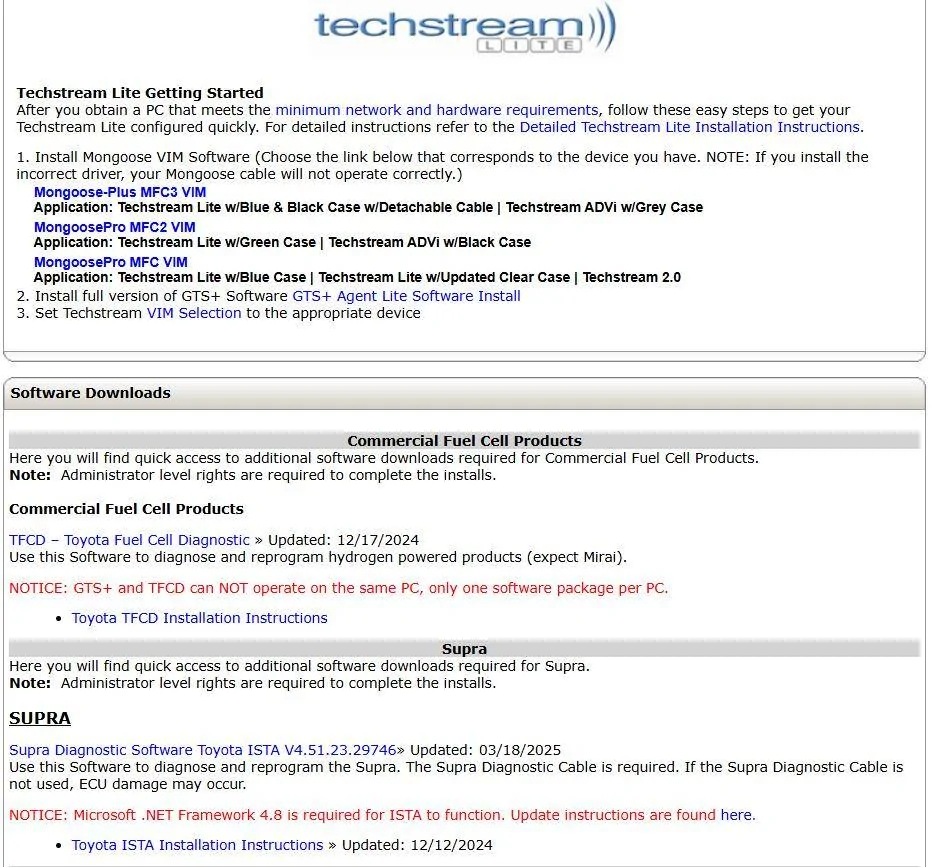
I see a "new" ISTA dated March 2025.
 

FLtrackdays

Well-Known Member
First Name
Mark
Joined
Mar 6, 2022
Threads
33
Messages
5,075
Reaction score
4,970
Location
Florida
Car(s)
2022 Supra 3.0 (sold), 2025 Z06, ND MX5 Club, VW GTI MK7.5
This playlist is pretty decent to get someone started with ISTA. Wish there was more.
Damn this makes my car feel like one big fucking computer with wheels. Only gonna take one ?? EMP and we’ll all be hoofin it to work ?
 

mxm64

Active Member
Joined
Oct 20, 2020
Threads
1
Messages
26
Reaction score
17
Location
Pennsylvania
Car(s)
21 GR Supra 3.0
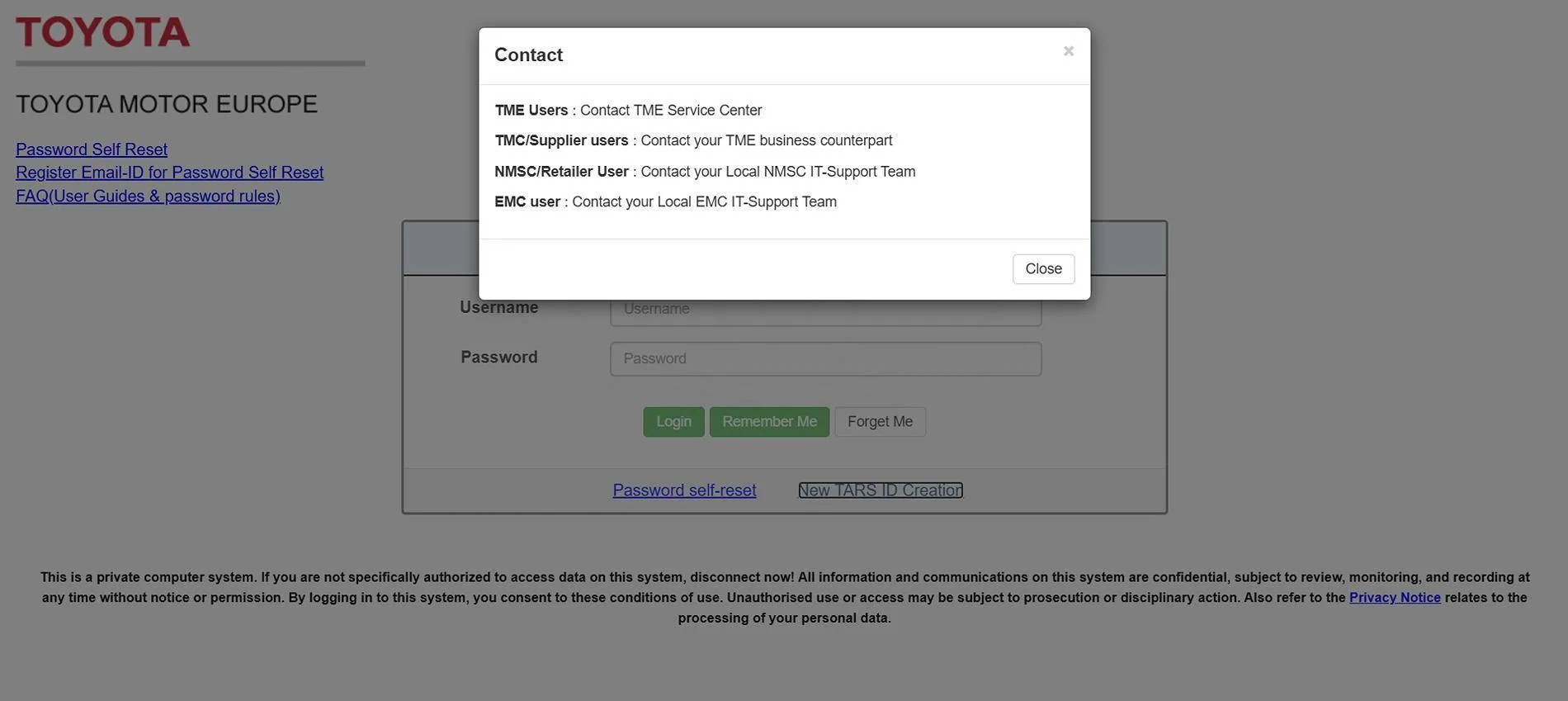
How do I register for a Toyota EU account to download ISTA? I purchased a TechStream Lite Delvelopment 2 Day License for $70 USD and was able to DL and install TechStream Lite. But I can't create a new Toyota EU account to DL ISTA.

Screenshot 2025-07-04 135046.webp

Okay, here's the quick rundown. What you need:
The biggest caveat that isn't spelled out elsewhere is that Toyota's ISTA requires a VALID Techstream license to work. It doesn't work AT ALL with any of those "no key" cracks or pirated versions.

For Techstream Lite, you'll first have to buy a 2-day subscription to the TIS website ($65), and then you should be able to find the download link. Honestly, the TIS site is kind of junk and hard to navigate, but the software is there and does work. If you find yourself lost, follow the instructions here. Ignore the Mongoose stuff, but everything else is valid about getting the software and registering it. Page 10 also has a super important note about configuring TechStream so you can properly register it.

Similarly, you can follow the instructions for ISTA here.

I did this successfully using a USB-C only Macbook Pro using the software from the exact same links here. There's one issue in particular with the Windows VM image, and it's that the virtual disk is way too small to install ISTA and Techstream. So, after you import the VM to VirtualBox, you'll have to edit its settings to increase the disk size to around 70GB, or 80GB to be safe. After that, you'll need to go into the Disk Manager for Windows and expand the C:\ drive to occupy that space.

EDIT: The other issue is that the Windows VM by default has very little CPU and RAM, so...you should increase those to as much as VirtualBox will allow while you're editing the VM.

The reason for using this particular Windows VM is that it's free for 90 days, and can be downloaded direct from MSFT. You can use a native Windows computer or different VM if you want.

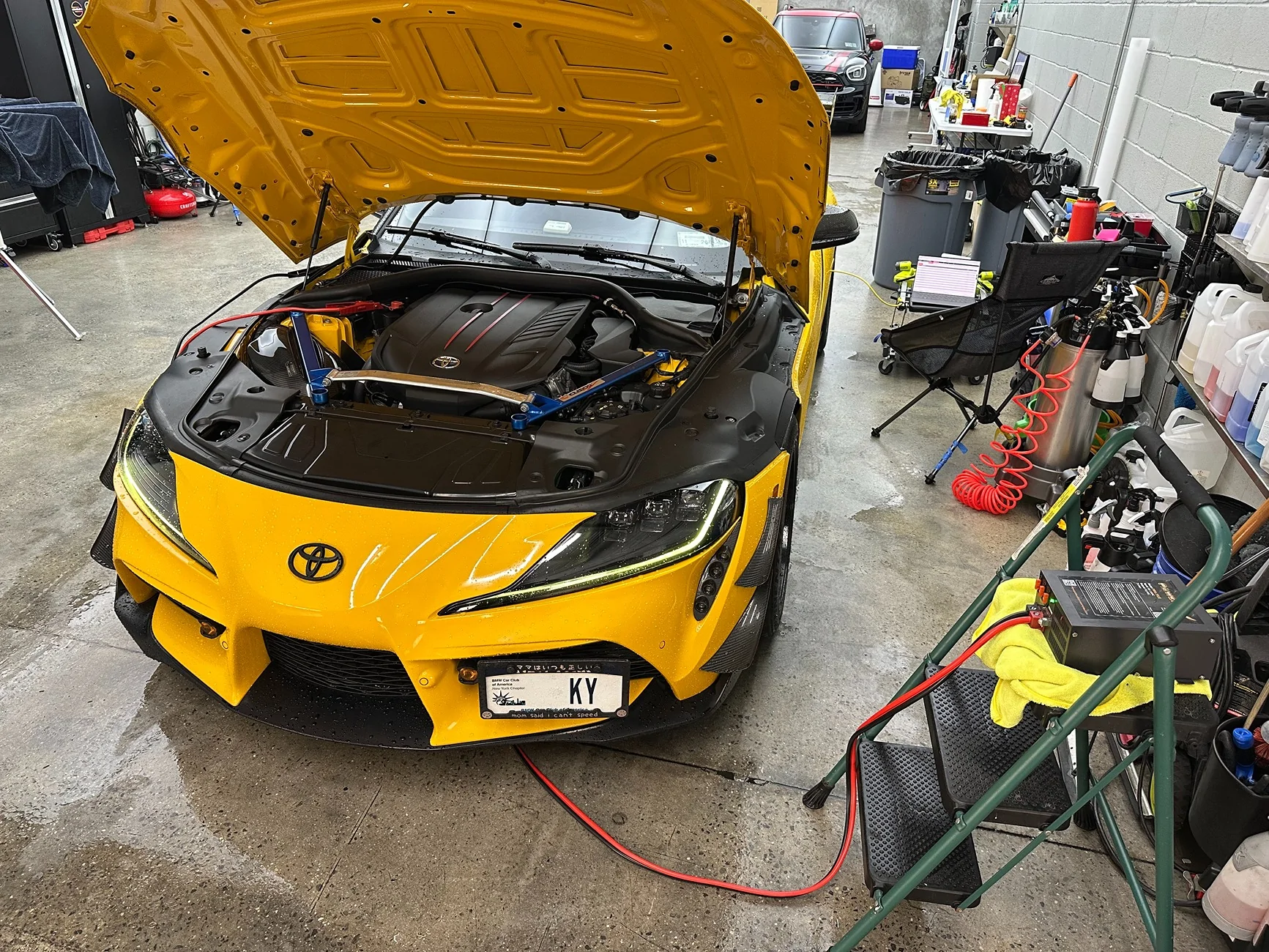
Anyway, the process from there is pretty simple. Once you have your Supra hooked up to a battery charger, you should be able to connect OBD to ethernet cable to the laptop, then the car. From there, you should be able to follow the ISTA instructions to find the car and connect up. It shouldn't take more than like 10 seconds to find the car if things are working properly. The important things to check are:
  • The VM has access to the USB to ethernet dongle
  • If you're using built-in ethernet, the interface is passed to the VM in "Bridge" mode
  • The car is in "Diagnostic" mode (with the engine off, press the Engine Start button three times in a row. It'll tell you it's in Diagnostic mode)
  • WIFI and any other network is disabled for the VM
I personally ended up configuring my USB ethernet's IP address manually, and it worked, following these instructions: https://blog.uobdii.com/how-to-connect-bmw-enet-cable-with-bmw-ista-rheingold/

If all goes well, ISTA will discover the car, and begin grabbing data from it. This process took probably 5+ minutes, but after that, it immediately recognized that there was a software update and created an "Action Plan" to update all the modules in the car. You can edit the action plan, but you're on your own there!

Once I was in the clear from the battery voltage warning (you'll know if you don't have a high enough voltage. It won't shut up about it), I just told it to execute the action plan and waited for about 45-50 minutes while everything got programmed. After the primary phase, there's a validation step, which took another 10-20 minutes.
 
Last edited:

mxm64

Active Member
Joined
Oct 20, 2020
Threads
1
Messages
26
Reaction score
17
Location
Pennsylvania
Car(s)
21 GR Supra 3.0
How do I register for a Toyota EU account to download ISTA? I purchased a TechStream Lite Delvelopment 2 Day License for $70 USD and was able to DL and install TechStream Lite. But I can't create a new Toyota EU account to DL ISTA.

Screenshot 2025-07-04 135046.jpg
NM, I found a different link on the TechStream Lite page:
Screenshot 2025-07-04 145734.webp
 

ky.supra

Well-Known Member
First Name
Kevin
Joined
Feb 1, 2023
Threads
2
Messages
250
Reaction score
454
Location
New York
Car(s)
A90 Supra
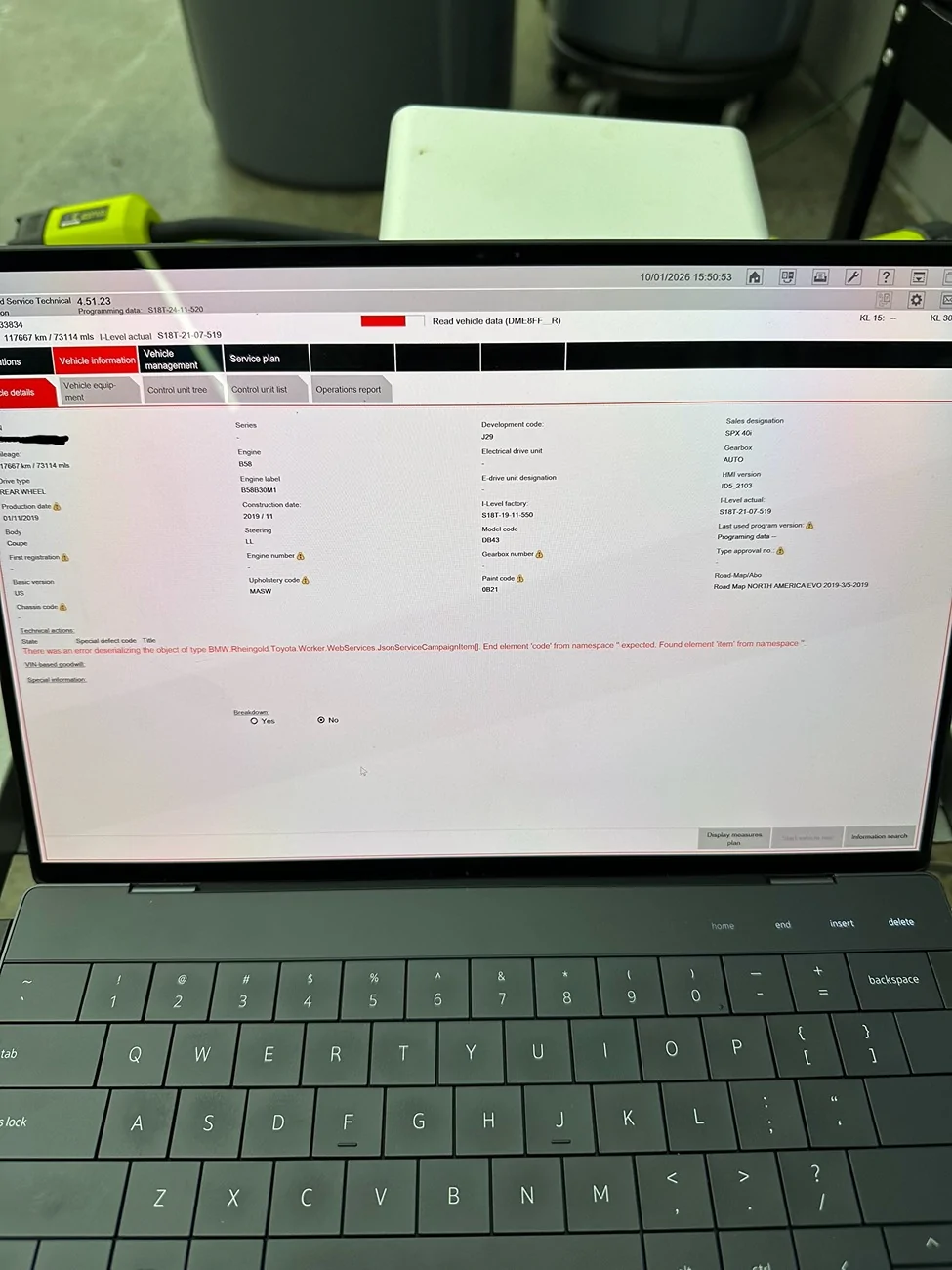
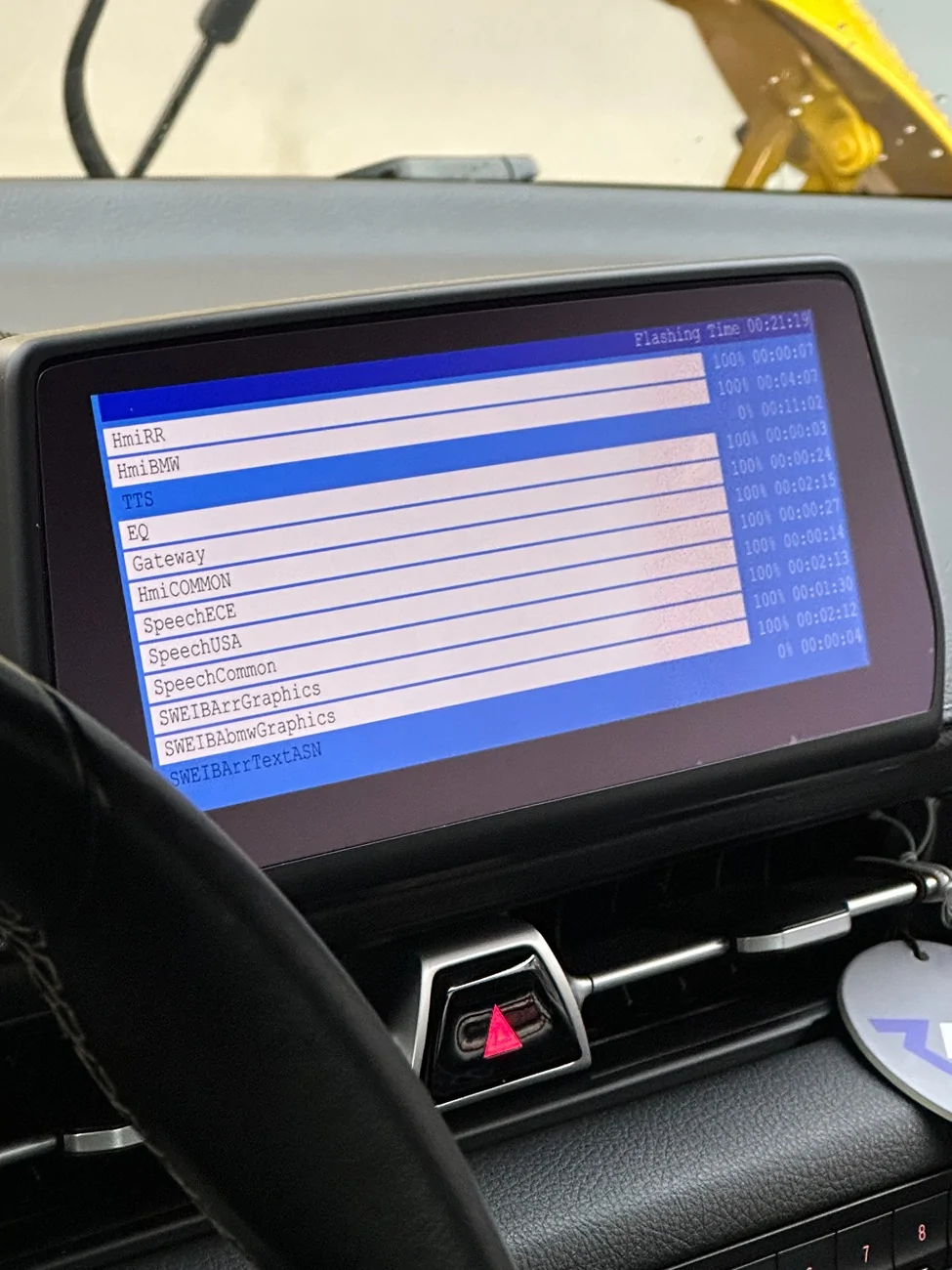
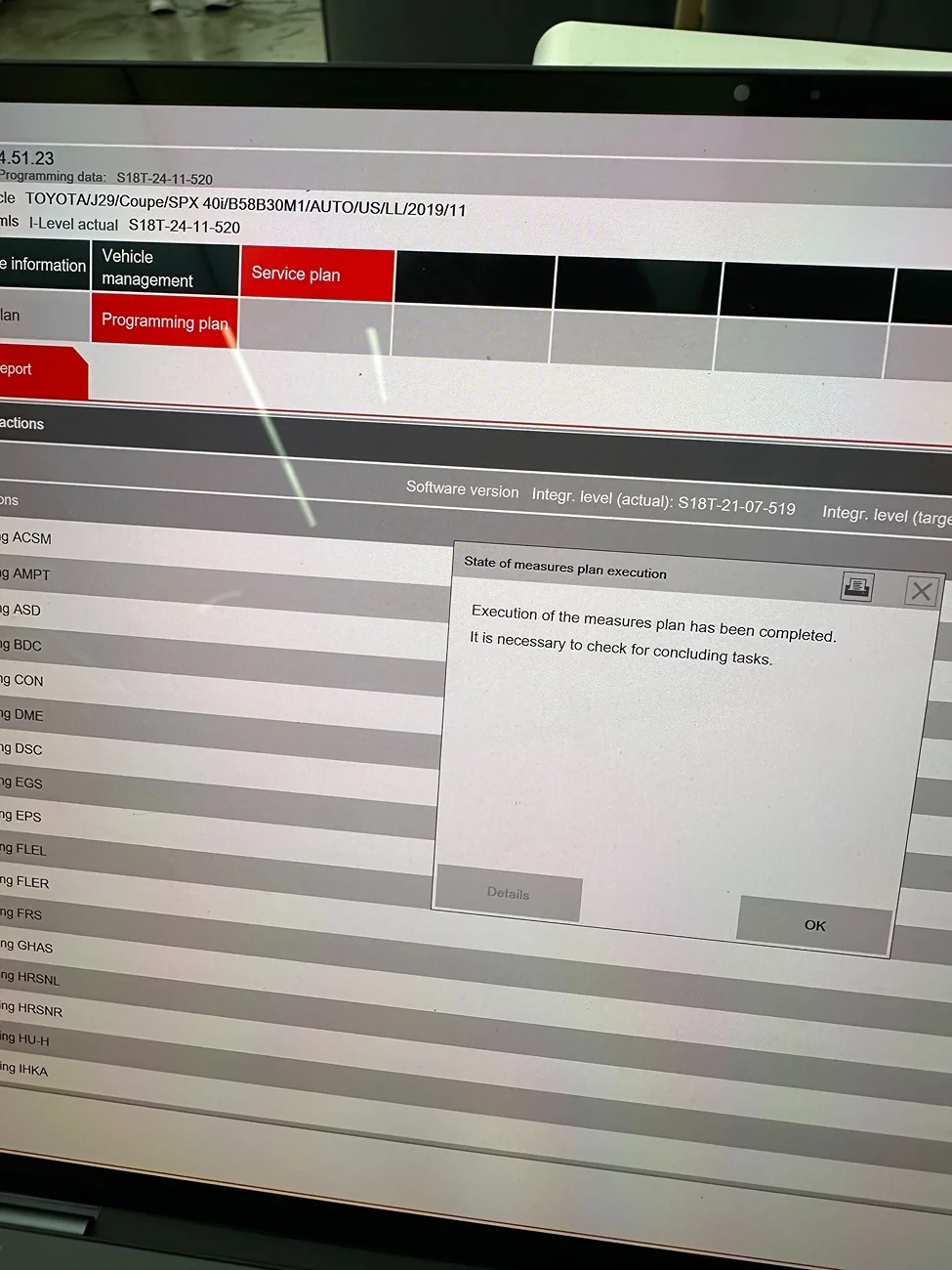
I did the update recently with no issue and used what was recommended in this thread.

after the update, I bench unlocked again, retuned with mhd+ and xhp, coded misc. things back with bimmercode and protools.

This thread was helpful - thanks to OP and everyone who contributed.
IMG_2727.webp

IMG_2731.webp
IMG_2735.webp
IMG_2732.webp
IMG_2733.webp
 

ky.supra

Well-Known Member
First Name
Kevin
Joined
Feb 1, 2023
Threads
2
Messages
250
Reaction score
454
Location
New York
Car(s)
A90 Supra
What level were you on and what did you go to? Notice any changes?
S18T-21-07-519 to S18T-24-11-520

I did the brake recall update when I got the car a few years ago.

I haven’t noticed any changes, other than needing to press the auto start/stop button when driving in normal mode. The BimmerCode auto start/stop memory coding and the xHP tune weren’t able to disable it.
 

nanaisu

Well-Known Member
First Name
Ronnie
Joined
Jul 2, 2024
Threads
1
Messages
231
Reaction score
278
Location
United States
Website
bananaisu.com
Car(s)
2022 Supra 3.0 Premium
I think it's a fair question to ask, as the time and effort to update the car is like... a half day adventure. Especially if we have to re-unlock, re-flash, and re-tune. Not really worth it if there are no noticable changes.
Something something if it ain't broke don't fix it? And you know, feature loss is always a great thing.
 

Link

Active Member
Joined
Feb 4, 2026
Threads
4
Messages
35
Reaction score
20
Location
Socal
Car(s)
Supra
Attempted this recently and able to follow most of the steps however, I am not able to actually pull up the Toyota ISTA GUI. I've double-checked to ensure GTS+ is connected and tried launching the Toyota ISTA application. I see a blue timer circle pop up and quickly fade away but the GUI never appears. Brand new laptop with Windows 11 Pro x64 with 250GB SSD. For those that have had success:

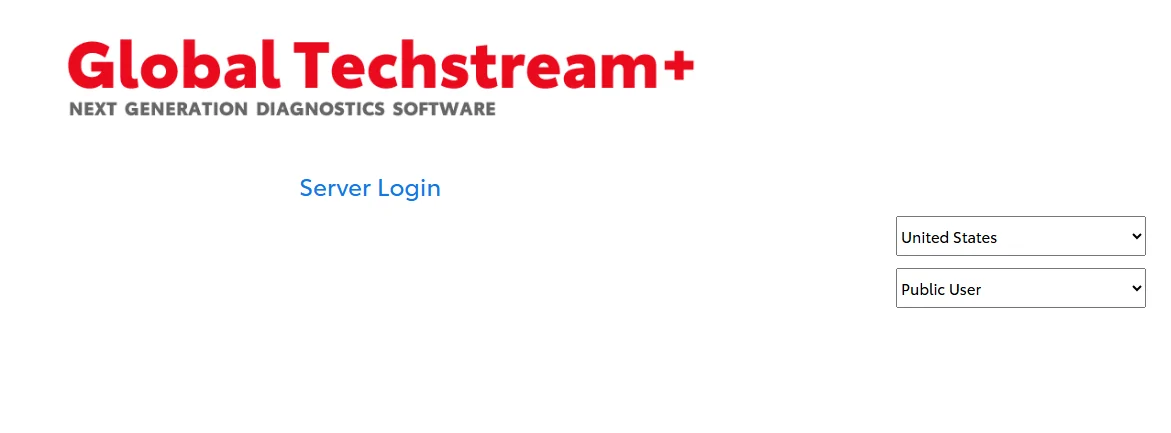
-When logging in to GTS+, I selected United States and Public User. Is this setting correct?
1770941618895-04.webp


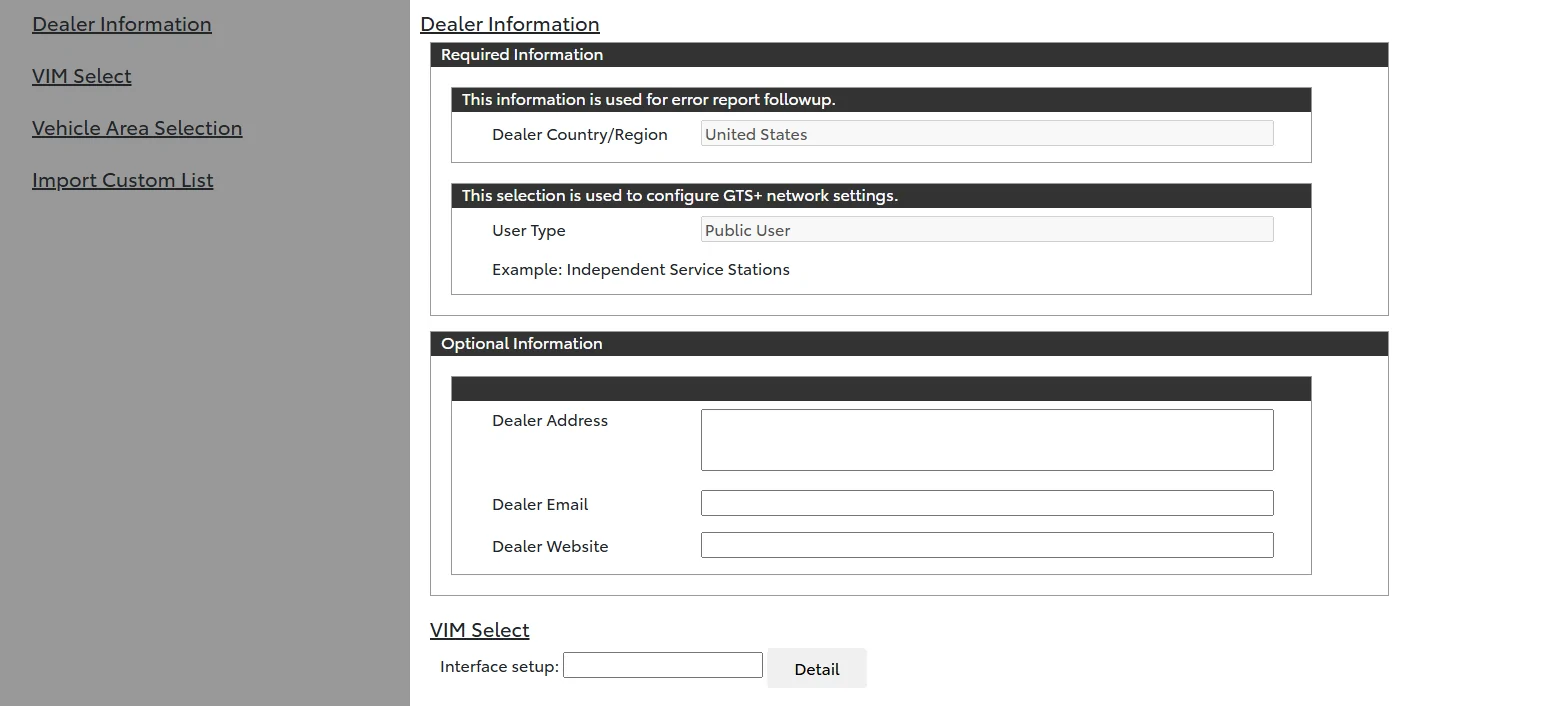
-Once you're logged in and online with GTS+, I'm immediately at the configuration settings screen, what did you select for VIM Select drop down? It is expecting a mongoose or similar J2534 device before I can continue to the next splash screen. Am I good to start ISTA at this point or is there more to GTS+ I'm missing?

1770941892870-bn.webp


-Are you able to get ISTA to launch without laptop being connected to the vehicle via OBDII-Ethernet cable? I ordered cable (among other hardware per this post) which should be coming in tomorrow but not sure if the ISTA GUI should be able to load with nothing connected.

-Is a subscription to GTS+ needed for future uses of ISTA or can an offline version be used after the initial authentication. (Presumably future ISTEP version programming would require subscription to check for latest version, but what about using ISTA just for diagnostic reasons).
 

Link

Active Member
Joined
Feb 4, 2026
Threads
4
Messages
35
Reaction score
20
Location
Socal
Car(s)
Supra
Attempted this recently and able to follow most of the steps however, I am not able to actually pull up the Toyota ISTA GUI. I've double-checked to ensure GTS+ is connected and tried launching the Toyota ISTA application. I see a blue timer circle pop up and quickly fade away but the GUI never appears. Brand new laptop with Windows 11 Pro x64 with 250GB SSD. For those that have had success:

-When logging in to GTS+, I selected United States and Public User. Is this setting correct?
1770941618895-04.webp


-Once you're logged in and online with GTS+, I'm immediately at the configuration settings screen, what did you select for VIM Select drop down? It is expecting a mongoose or similar J2534 device before I can continue to the next splash screen. Am I good to start ISTA at this point or is there more to GTS+ I'm missing?

1770941892870-bn.webp


-Are you able to get ISTA to launch without laptop being connected to the vehicle via OBDII-Ethernet cable? I ordered cable (among other hardware per this post) which should be coming in tomorrow but not sure if the ISTA GUI should be able to load with nothing connected.

-Is a subscription to GTS+ needed for future uses of ISTA or can an offline version be used after the initial authentication. (Presumably future ISTEP version programming would require subscription to check for latest version, but what about using ISTA just for diagnostic reasons).
Morning BUMP


Top