Sponsored

Headunit upgrade options?

Thraxbert

Well-Known Member
First Name
Robert
Joined
May 3, 2021
Threads
29
Messages
1,385
Reaction score
2,365
Location
Texas
Car(s)
'20 Supra 3L, boosted 3.8L Gen Coupe, '93 Jimny
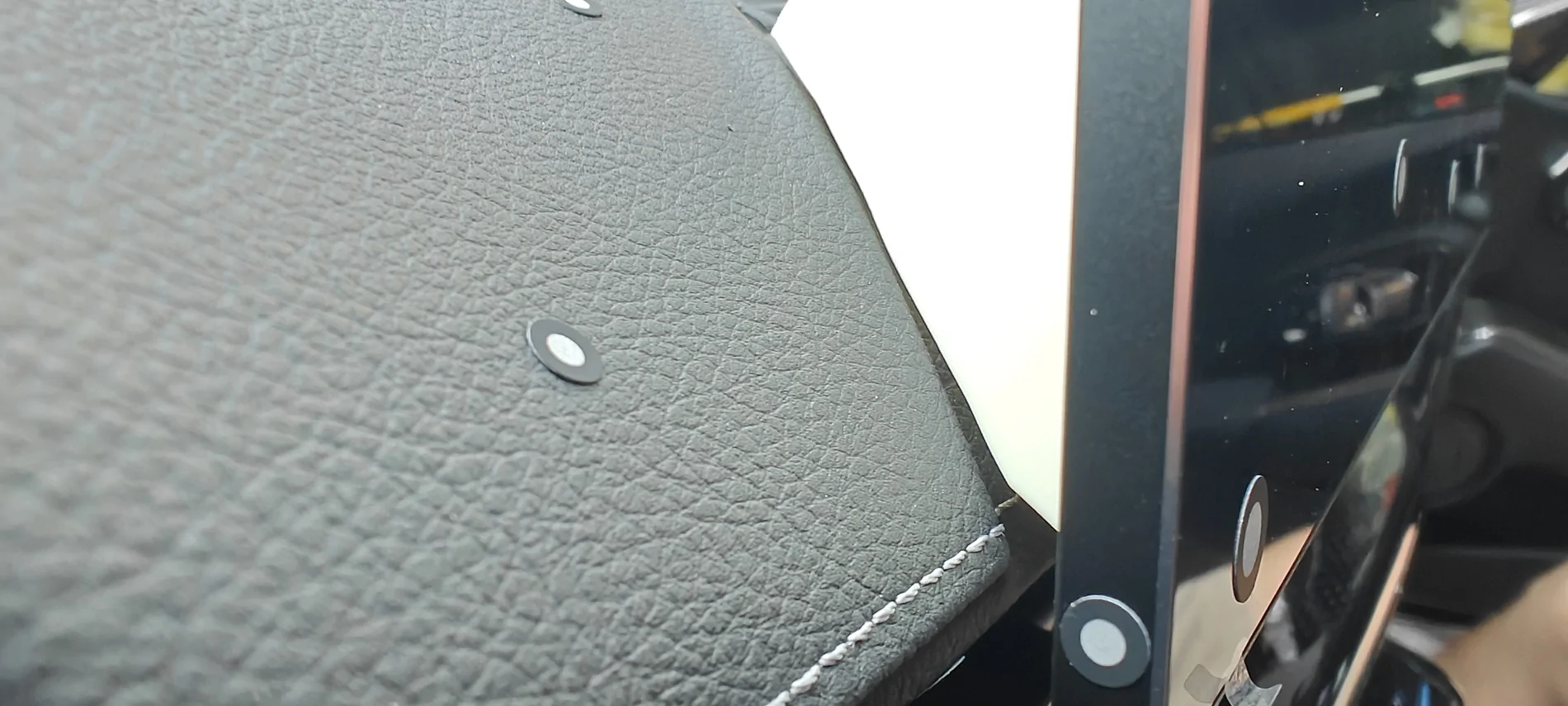
I have the 14" and a 12.3". I will probably end up using the 12.3" unit for packaging reasons, and because modifying the OEM mounting CAD will be easier (display rear has tabs like yours). The 12.3 also has a metal enclosure for additional rigidity on the dash.
Sponsored
 
OP
OP

QTR FMS

Well-Known Member
First Name
Fahad
Joined
Nov 4, 2025
Threads
4
Messages
52
Reaction score
24
Location
Qatar
Car(s)
2024 6MT
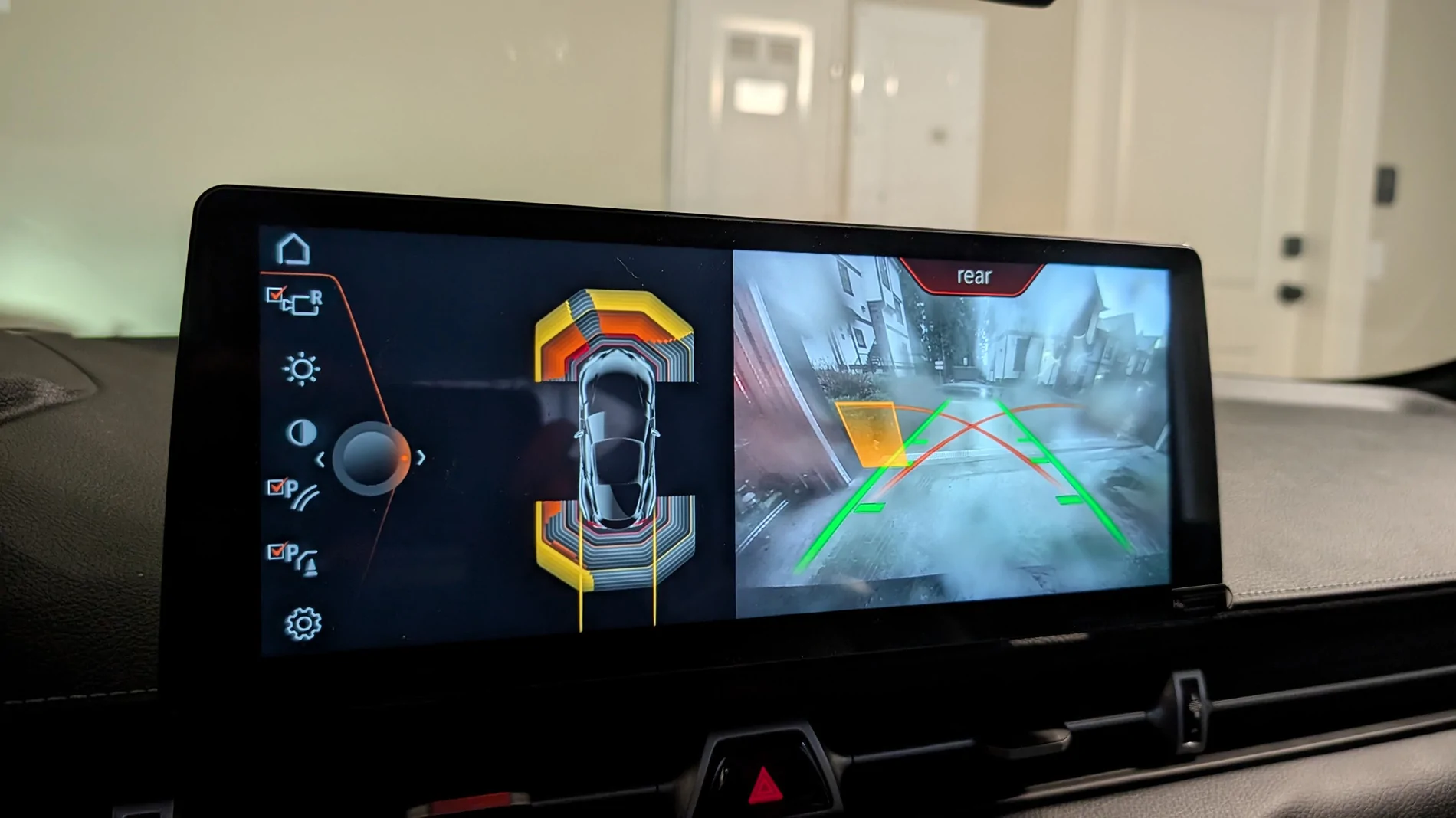
Chinese LVDS cable worked!

PXL_20260214_003827242.MP.webp


Next up, have ordered a HSD->USB port as our HU's have an unused USB port on the back and I hate seeing that 3.5mm audio box thing...
does this screen have audio delay similar to the nbt one? and can you run MHD flasher or DashCmd or raceChrono pro application on the screen

you only needed the screen and nbt cable and a mount to run this setup correct?
 

Denton

Well-Known Member
Joined
Jun 11, 2019
Threads
6
Messages
359
Reaction score
435
Location
BC, Canada
Car(s)
23 MT
- I don't feel any audio delay, here's a video I recorded using an audio delay test from YT.
- MHD runs fine, RaceChrono is available on the PlayStore for this device so I assume it will run fine also. DashCommand (from the PlayStore) won't install as it's 'too old' and wasn't built for Android 14 (which is running on this device) - maybe you can sideload an APK or something.
- Yes, just the XTrons device, correct display cable, and a way to mount it to the dash of our cars is all that is needed. For audio, you will need to code aux into the car and use the USB port.
 
OP
OP

QTR FMS

Well-Known Member
First Name
Fahad
Joined
Nov 4, 2025
Threads
4
Messages
52
Reaction score
24
Location
Qatar
Car(s)
2024 6MT
- I don't feel any audio delay, here's a video I recorded using an audio delay test from YT.
- MHD runs fine, RaceChrono is available on the PlayStore for this device so I assume it will run fine also. DashCommand (from the PlayStore) won't install as it's 'too old' and wasn't built for Android 14 (which is running on this device) - maybe you can sideload an APK or something.
- Yes, just the XTrons device, correct display cable, and a way to mount it to the dash of our cars is all that is needed. For audio, you will need to code aux into the car and use the USB port.
Within 100ms delay is much better than nbt, does it have bluetooth ?
 

hhm007

Member
First Name
Henry
Joined
Nov 7, 2025
Threads
0
Messages
5
Reaction score
1
Location
Ontario, Canada
Car(s)
2026 Supra, 2016 WRX, 2023 GR Corolla
- I don't feel any audio delay, here's a video I recorded using an audio delay test from YT.
- MHD runs fine, RaceChrono is available on the PlayStore for this device so I assume it will run fine also. DashCommand (from the PlayStore) won't install as it's 'too old' and wasn't built for Android 14 (which is running on this device) - maybe you can sideload an APK or something.
- Yes, just the XTrons device, correct display cable, and a way to mount it to the dash of our cars is all that is needed. For audio, you will need to code aux into the car and use the USB port.
This is awesome! Any reason you went this route instead of the "typical" MMI box route?

Would you also be willing to share your stl file for the mount? As a fellow Canadian, after exchange rate and duties it seems like this option seems much better than MMI box.
 

Denton

Well-Known Member
Joined
Jun 11, 2019
Threads
6
Messages
359
Reaction score
435
Location
BC, Canada
Car(s)
23 MT
This is awesome! Any reason you went this route instead of the "typical" MMI box route?

Would you also be willing to share your stl file for the mount? As a fellow Canadian, after exchange rate and duties it seems like this option seems much better than MMI box.
Yeah a few reasons:
- Pretty sure the MMI box doesn't work with the OEM display touch screen, so you have to use the physical iDrive controls to use it (touch screen might still work if you're interacting with the OEM headunit via passthru though, I'm not sure). With this, it's sort of the reverse, iDrive physical controls must be used to navigate the OEM headunit when passing it thru, but the Xtrons headunit supports touchscreen and the physical iDrive controls.
- Felt like a neat project & excuse to buy some things.
- I can tell everyone that I've got more than 10 inches now...

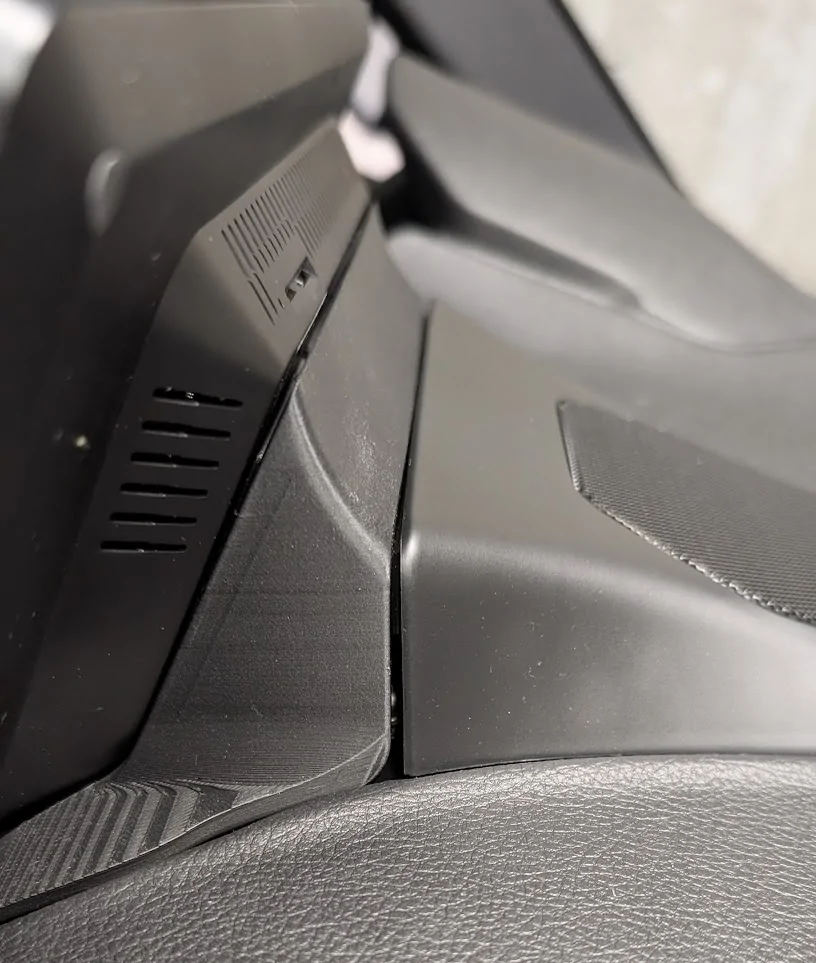
You can have the stl to the "v2" mount if you want, but I don't have a cover for it that doesn't look like ass right now, we got Supra hood level panel gaps going on (note that I have not attempted any finishing on the print because why bother until I know it fits):
1771538341240-vm.webp
 
Last edited:

hhm007

Member
First Name
Henry
Joined
Nov 7, 2025
Threads
0
Messages
5
Reaction score
1
Location
Ontario, Canada
Car(s)
2026 Supra, 2016 WRX, 2023 GR Corolla
Yeah a few reasons:
- Pretty sure the MMI box doesn't work with the OEM display touch screen, so you have to use the physical iDrive controls to use it (touch screen might still work if you're interacting with the OEM headunit via passthru though, I'm not sure). With this, it's sort of the reverse, iDrive physical controls must be used to navigate the OEM headunit when passing it thru, but the Xtrons headunit supports touchscreen and the physical iDrive controls.
- Felt like a neat project & excuse to buy some things.
- I can tell everyone that I've got more than 10 inches now...

You can have the stl to the "v2" mount if you want, but I don't have a cover for it that doesn't look like ass right now, we got Supra hood level panel gaps going on (note that I have not attempted any finishing on the print because why bother under I know it fits):
1771538341240-vm.webp
That looks like pretty good fitment already, especially considering it'll be behind the screen and you won't really see it. Would love to have the stl for the v2 mount.

So all you need is the XTRON screen + Retrofit cable (both which you linked before) + code in AUX via Bimmercode to get this working?

You also mentioned a HSD->USB cable in a previous post. What's that for?
 

Denton

Well-Known Member
Joined
Jun 11, 2019
Threads
6
Messages
359
Reaction score
435
Location
BC, Canada
Car(s)
23 MT
You also mentioned a HSD->USB cable in a previous post. What's that for?
You do not need the HSD cable w/ USB port, I'm just going to see if I can enable the second USB port on the OEM headunit so that I can use the second USB port for aux, I don't really like the aesthetic of having a USB cable plugged in all the time, the way the cable arches over kinda blocks the charging tray a bit too - yes I could just try to route it a little better but this seemed like more interesting thing to try first.

If I can get the second USB port to work, then I can maybe print a little enclosure & hide the port somewhere in the passenger footwell and connect the headunit to it that way. I'm honestly not sure if the activiating the second port will actually work for aux though - for all I know, there is another box between the port and the OEM headunit that routes audio somehow *shrug*, but it was $25 so I figured I'd give it a shot. The thought had crossed my to just swap the USB1/2 cables over on the back of the OEM headunit - but I have no idea how the first port is acually connected etc etc.
 
OP
OP

QTR FMS

Well-Known Member
First Name
Fahad
Joined
Nov 4, 2025
Threads
4
Messages
52
Reaction score
24
Location
Qatar
Car(s)
2024 6MT
Yeah a few reasons:
- Pretty sure the MMI box doesn't work with the OEM display touch screen, so you have to use the physical iDrive controls to use it (touch screen might still work if you're interacting with the OEM headunit via passthru though, I'm not sure). With this, it's sort of the reverse, iDrive physical controls must be used to navigate the OEM headunit when passing it thru, but the Xtrons headunit supports touchscreen and the physical iDrive controls.
- Felt like a neat project & excuse to buy some things.
- I can tell everyone that I've got more than 10 inches now...

You can have the stl to the "v2" mount if you want, but I don't have a cover for it that doesn't look like ass right now, we got Supra hood level panel gaps going on (note that I have not attempted any finishing on the print because why bother until I know it fits):
1771538341240-vm.webp
you should sell the mount and maybe package it with the required items
 

Thraxbert

Well-Known Member
First Name
Robert
Joined
May 3, 2021
Threads
29
Messages
1,385
Reaction score
2,365
Location
Texas
Car(s)
'20 Supra 3L, boosted 3.8L Gen Coupe, '93 Jimny
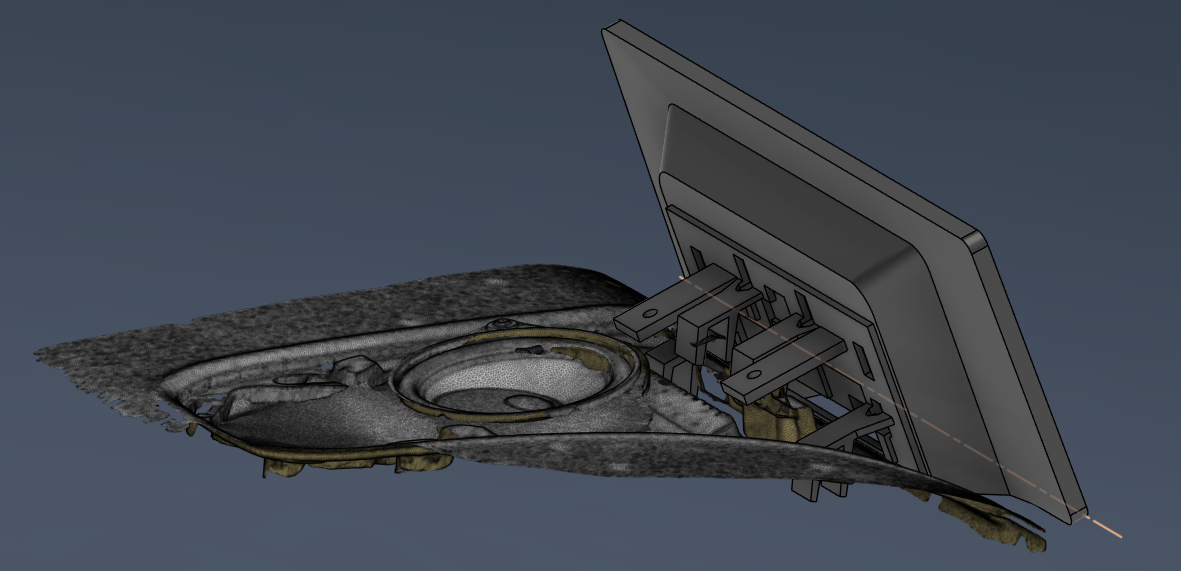
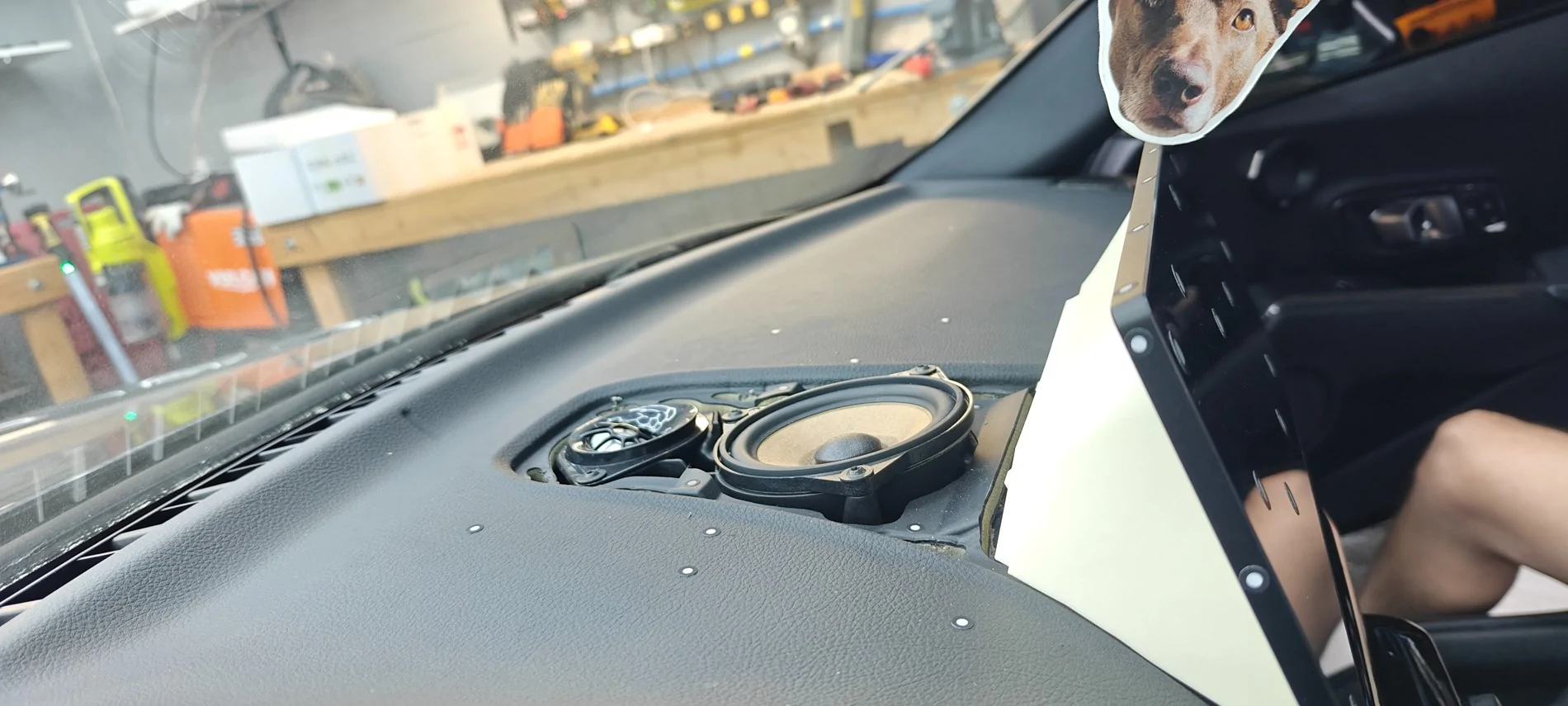
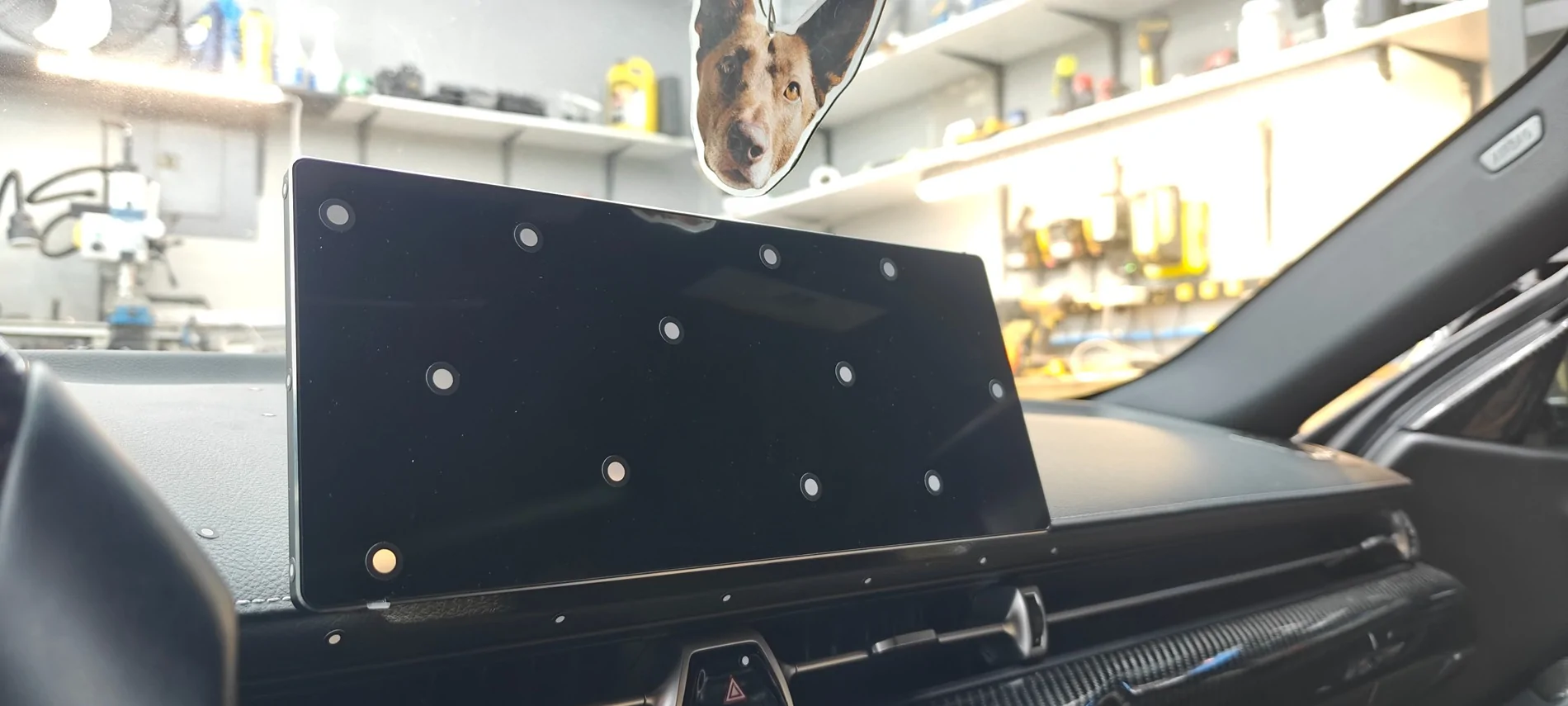
First test fit in cheapo filament. We only need to fix the contour of one edge. Everything else fit first try. We're now going to switch to CF-impreg nylon for the final print. Waiting on a new LVDS cable, too.


1000032988.webp
IMG20260220195440.webp
IMG20260220195348.webp
 

Gabe

Well-Known Member
First Name
Gabriel
Joined
Feb 19, 2024
Threads
39
Messages
674
Reaction score
1,234
Location
Miami
Car(s)
2024 Supra MkV/Tesla Model S/Tesla Model X
Wow. This **might be** what I am looking for.

I’m building a kind of GT4 racing car and I need the infotainment screen to become a camera monitor to project a camera looking at the rear of the car while driving on the track.

would this work for My project?
 

nanaisu

Well-Known Member
First Name
Ronnie
Joined
Jul 2, 2024
Threads
1
Messages
231
Reaction score
278
Location
United States
Website
bananaisu.com
Car(s)
2022 Supra 3.0 Premium
Wow. This **might be** what I am looking for.

I’m building a kind of GT4 racing car and I need the infotainment screen to become a camera monitor to project a camera looking at the rear of the car while driving on the track.

would this work for My project?
Some of the screens run Linux, some run Android - with enough programming magic, I don't see why not.
Sponsored


Top